
Project channels
Construction team chat and project channels. One channel for the office, the field and your subs.
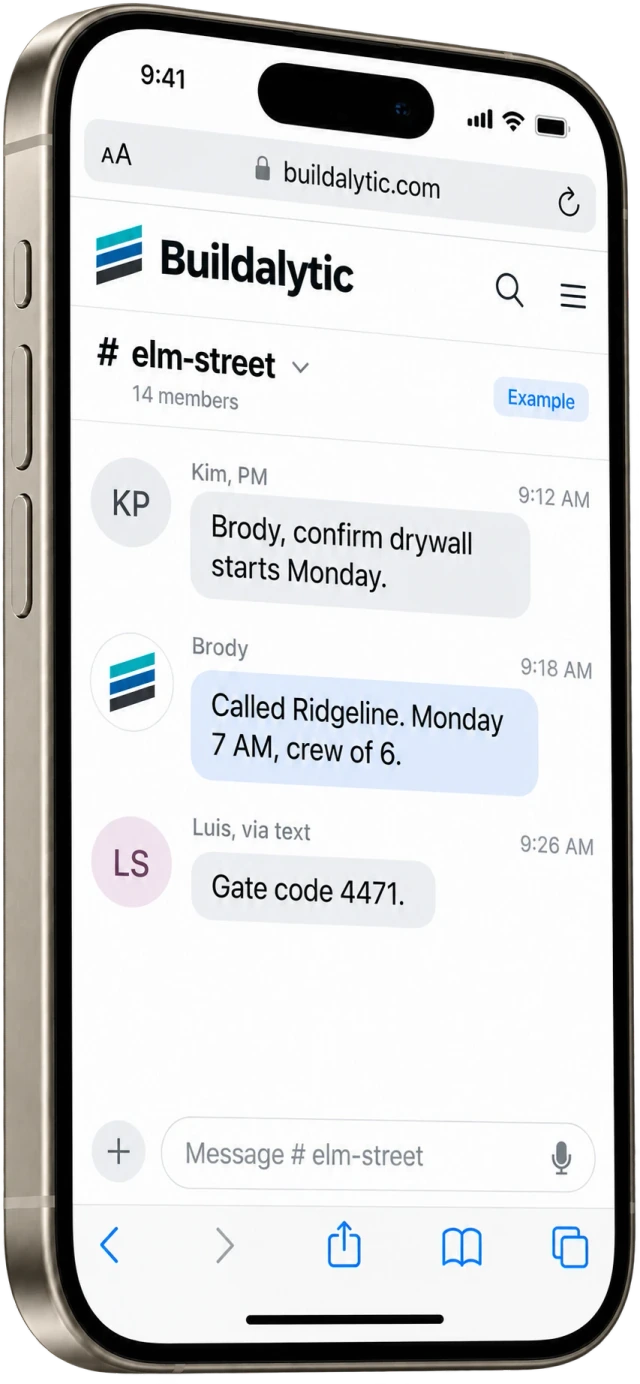
Project channels by Buildalytic connect calls, texts and email with a shared record for every job, crew, bid and department. Office staff, supers, foremen, crews and invited subs talk to each other and to Brody, field members join by plain text, and each person reads messages in their own language.
Field members join by plain text message. No app required.
Sheet 01, the channels
Where does the team talk? One channel for each piece of work.
In one channel for each job, crew, bid and department, plus direct messages. Channels follow how construction is organized, so the right people see the right thread and Brody always knows which job he is working on.
Job channels
One channel per project, with the PM, the super, foremen and the subs you invite.
Crew channels
Each crew gets its assignments, changes and confirmations in one place, in each member’s language.
Bid channels
Estimators track sub intent, questions and addenda while Brody runs the follow up calls.
Department channels
Accounting, safety and equipment teams share one thread with the right people in it.
Direct messages
One to one and small group messages through existing texting and email tools, with history, files and search in the browser workspace.
Group calls and meetings
Start a call from any channel, or keep using your existing Teams, Zoom or Google Meet.
Multiplayer
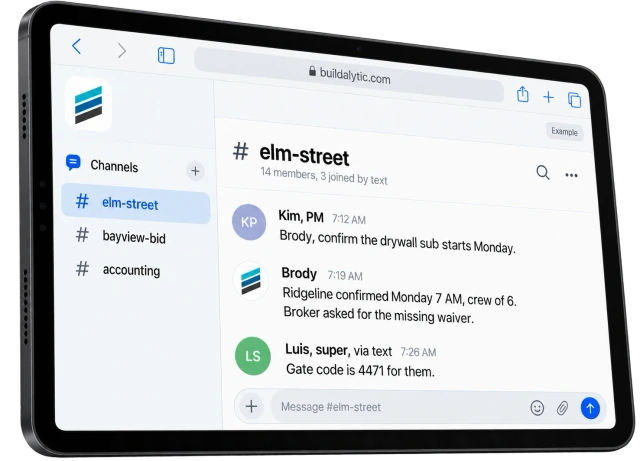
Ask Brody in the thread. He makes the call and posts what he did.
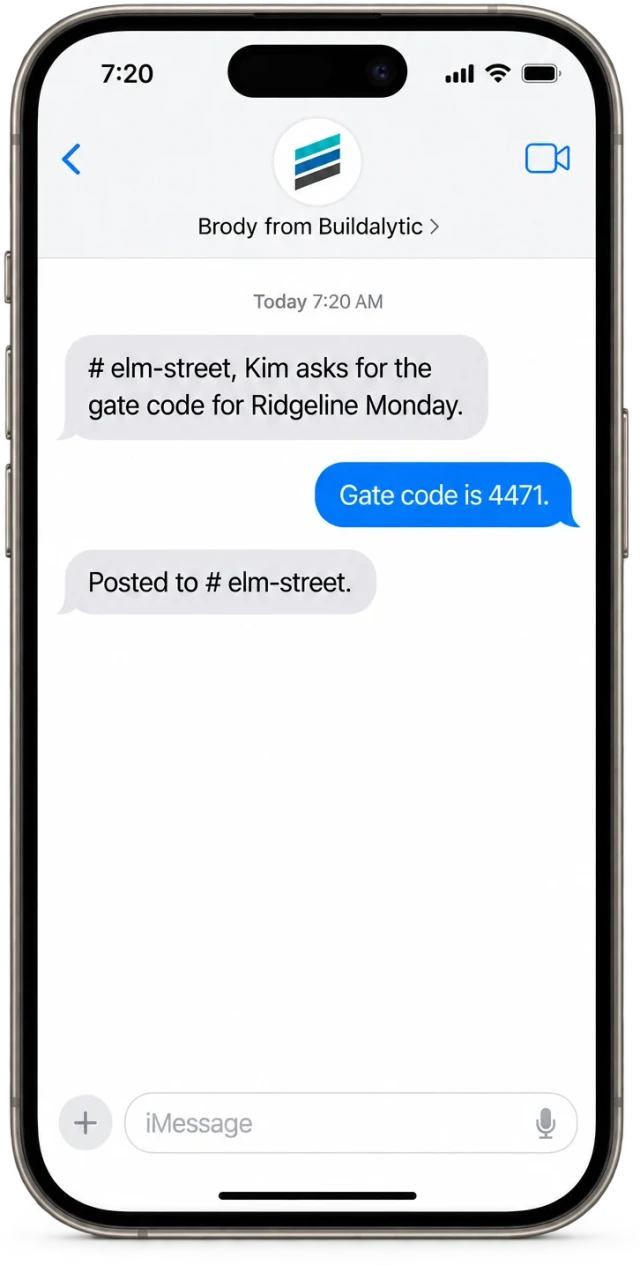
Brody reads the channel, so a short request is enough. He calls the drywall sub, gets the start time and crew size, and posts the result where the PM, the super and the sub can all see it. Nobody has to relay the message twice.
How it works
How does Brody work inside a channel? Anyone can ask. Brody checks when it matters.
Brody acts on requests from any member, within that member's permissions, and asks for approval before any step your company has marked as needing a person.
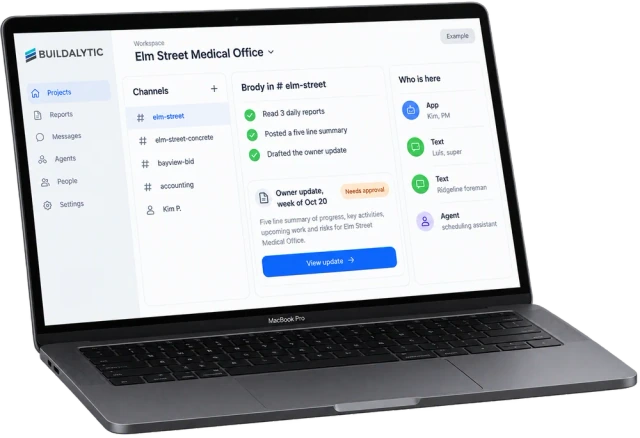
Approvals you control. Set what Brody can do alone and what waits for a person. Every action is logged on the job.
Trust and securityField by text
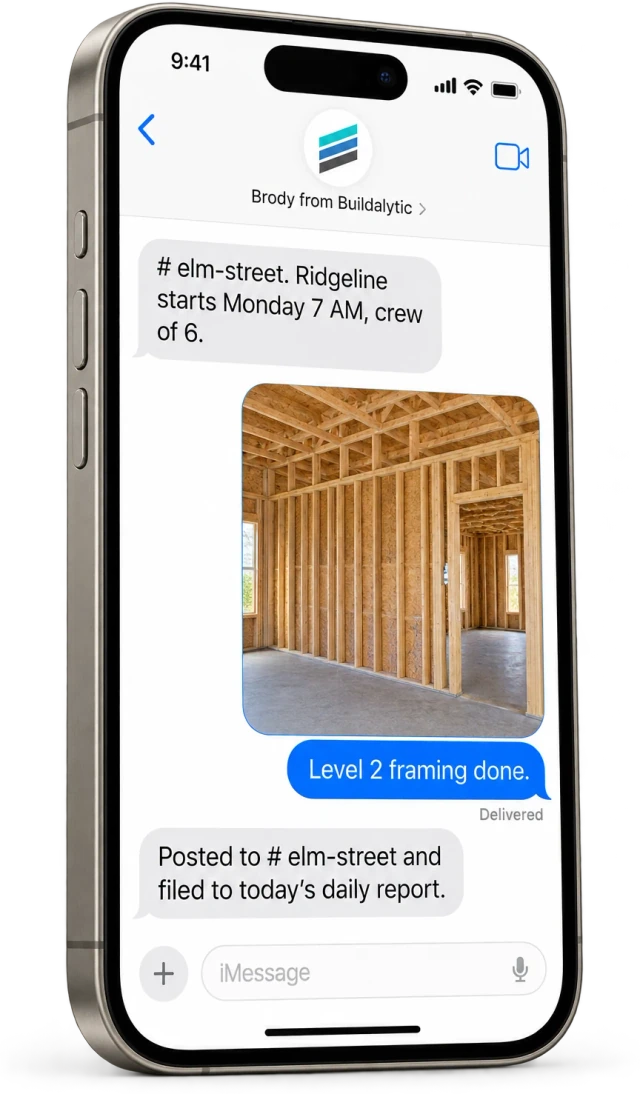
Field people join by plain text.
A foreman does not need another app or password. Channel messages reach him as texts from the company number, and his replies post back into the channel with his name on them. Job photos he texts are filed to the right job, captioned and added to the daily report and Procore.
- Works on any phone that can text
- Photos filed to the right job
- Free for field workers and subs
Your own agents
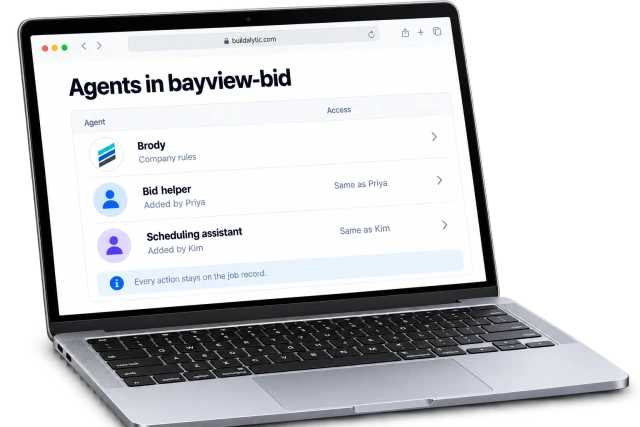
Each member can bring their own AI agents.
An estimator can add a bid coverage helper and a PM can add a scheduling assistant. Each agent gets the same permissions as the person who added it, never more, and its posts and actions are logged like any member's.
- Same permissions as its owner
- Actions logged on the job
- Removed by its owner or an admin any time
Phone system
Does it replace RingCentral? Chat, calls and meetings in one place.
For office staff it can. Project channels are the internal half of the Buildalytic phone system, with internal calling, direct messages and meetings next to the calls and texts Brody handles with people outside the company.
01Internal calling
Staff call each other by extension or name, transfer calls inside the company and see who is available.
02Direct messages
One to one and group messages with history, files, search and mobile access, next to the job channels.
03Group calls and meetings
Built in group calls and meetings, or your existing Teams, Zoom or Google Meet if your team prefers them.
04Same system as outside calls
The channel that holds a sub’s texts also holds the call Brody made to them, all on one company number.
05Moving off your current provider
Standard number setup is included. Substantial migrations are scoped and quoted before work begins. Your main number moves only after calling, routing, texting and emergency calling pass a test on your real setup.
Key facts
What are project channels with Brody? The short version.
Project channels with Brody are a shared channel for each job, crew, bid and department where office, field and subs talk to each other and to Brody. Each row below stands on its own.
| What it is | Shared channels where office staff, field crews and invited subs talk to each other and to Brody, the AI teammate in Buildalytic. |
| Who it is for | General contractors and subcontractors whose office, field and sub teams need one place to talk about each job. |
| Channel types | Job, crew, bid and department channels, plus direct messages. |
| Who can join | Office staff in the browser workspace. Field members and invited subs by plain text, with no app and no account. |
| What Brody can do | Call, text, email, summarize threads and dailies, and update records, within the asker’s permissions. |
| Approvals | Your company sets which actions need a person. Brody asks in the thread and logs every action on the job. |
| Your own agents | Each member can add AI agents that carry the same permissions as that member. |
| Calls and meetings | Internal calling, group calls and meetings built in, or your existing Teams, Zoom or Google Meet. |
| Price | One full Platform plan at $99 per operating user per month, or $89 per user per month billed annually. Start with one paid user. Standard setup is free. |
| How to start | No setup fee. Standard onboarding includes your company number, normal messaging registration, a standard roster import, released connector setup and two 45-minute assisted sessions for your first two supported workflows. |
How is Brody different from a group text or WhatsApp?
A group text or WhatsApp thread lives on personal phones and mixes every job together. Brody gives each job, crew and bid its own channel on your company number, keeps the history with the job and acts on requests in the thread, such as calling a sub or summarizing the day's dailies.
Do crews need to install an app?
No. Field members join a channel by plain text message. Channel messages reach them as texts, and their replies post back into the channel with their name on them. Field workers need no paid seats. Their calls and texts use company allowances.
Does Brody translate messages between English and Spanish?
Yes. Each member reads channel messages in their own language, so a foreman can text in Spanish and the PM reads it in English. The same works for every tested language, and the original message stays on the record.
Can subcontractors join a job conversation?
Yes. You can invite a sub to a job or bid channel. They see only the channels you invite them to, and they can take part by text with no account.
What happens to conversations when someone leaves the company?
Job conversations belong to your company, not to a personal phone. When someone leaves, an admin removes them from the channels and the history stays with the job for the next PM or super.
Can Brody turn a message into a task or a log entry?
Yes. Ask Brody in the thread to create a task, add a note to the daily report or update a record, and he posts what he did. Actions your company marks as needing approval wait for a person first, and every action is logged on the job.
Does this replace RingCentral?
RingCentral is a business phone and messaging system. Buildalytic covers internal calling, project channels, direct messages and meetings on the same system that handles calls and texts with crews, subs and customers, and adds Brody to every thread. Check your current RingCentral plan to compare the features your team uses.
What do project channels cost?
One full Platform plan at $99 per operating user per month, or $89 per user per month billed annually. Start with one paid user. Standard setup is free.
Office, field and subs in one thread.
Put Brody in your job channels.
Start with one real job. Open the channel, invite the super by text and ask Brody to make the first call.
One full Platform plan. No standard setup fee. Start with one supported workflow.
Plan your rollout
Pricing, security reviews, procurement and rollout across your projects and regions.