
Daily reports by phone
Construction daily field reports by phone. Call it in and Brody writes it up.
Brody by Buildalytic takes construction daily reports by phone call or text. Superintendents and foremen call your company number at the end of the day, Brody asks your template questions about manpower, weather and delays, then writes the dailies and files them to Procore.
Reporting needs no app and no login. Brody says he is an AI assistant on every call.
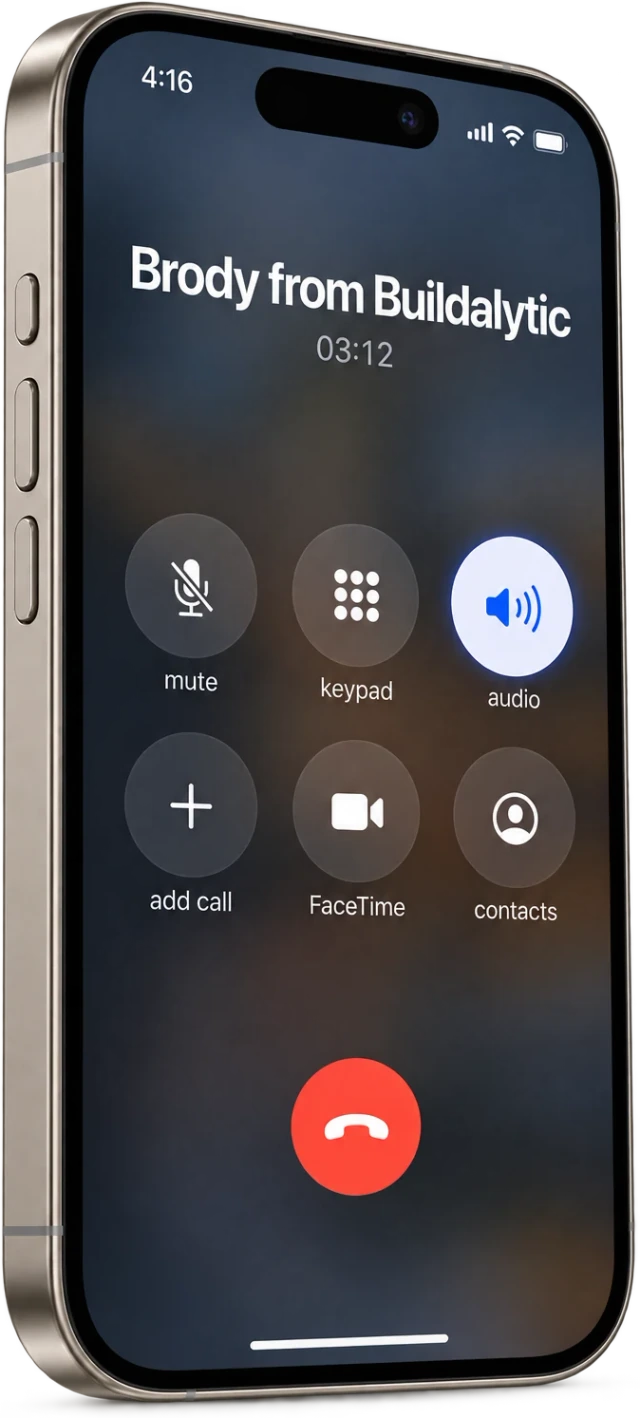
No app. No login. No typing. If your superintendent can make a phone call, your daily reports get done.
Sheet 01, the call
Six jobs on every call. What does Brody do on a daily report call?
Brody asks your daily log questions, catches missing manpower or weather, adds the photos crews texted, then writes the report, sends it to the PM and files it to Procore. He does it the same way for every super and foreman on every job.
Asks your template questions
Manpower, work done, deliveries, inspections, delays, safety, weather and visitors. Your questions, in your order.
Captures field photos by text
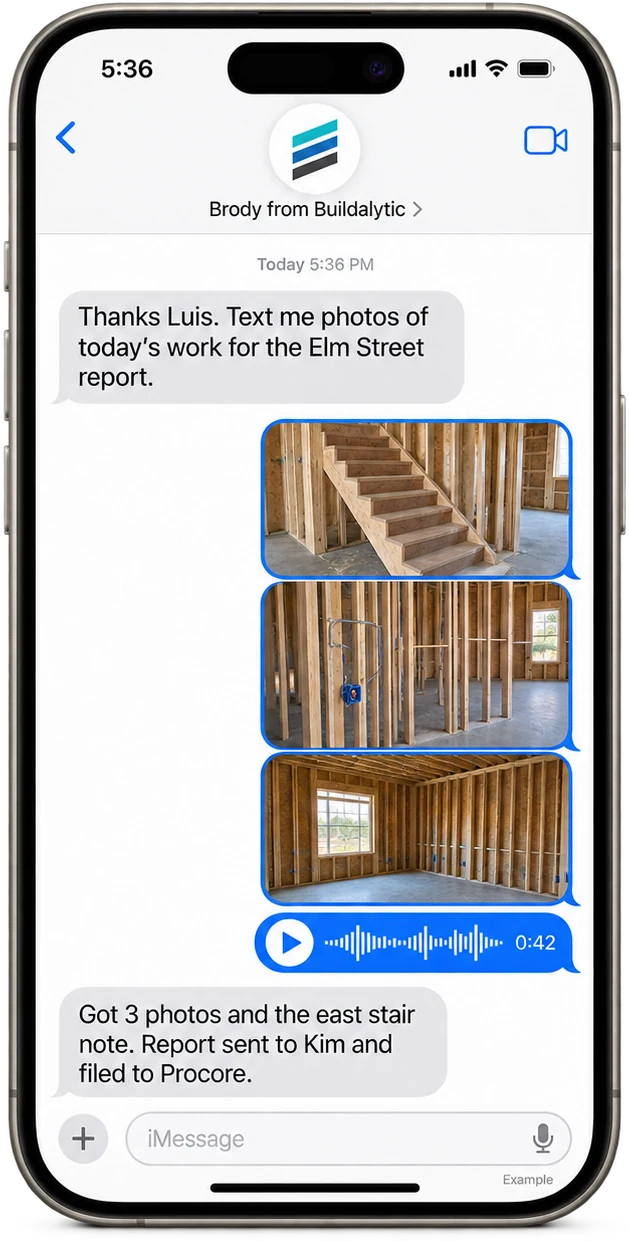
Crews text photos to the same company number any time of day. Brody files each one to the right job, captions it and adds it to the report and Procore.
Catches missing fields
If the super skips manpower or forgets the inspection, Brody asks before the call ends. Reports arrive complete.
Writes and sends the report
A clean report in your format goes to the PM, the owner rep and anyone else on your list by email.
Files it to Procore
The daily log, photos and notes land in the right Procore project. Other connected systems work the same way.
Sends reminders
No report by the time you set? Brody texts the super, then calls, then tells the PM. Quiet hours stay respected.
Why supers use it
Supers don't mind the dailies. They mind typing them in a truck at the end of a long day.
Brody turns the daily report into a short phone call on the drive home. He asks, listens, reads back anything that sounds off and handles the formatting. Your superintendent talks, and the office gets a complete report.
Brody knows the job, the subs on site and yesterday's open items, so he can ask whether the inspector showed up or whether the rebar arrived without being told.
Photos work the same way all day. Anyone on the crew can text a picture to the company number, and Brody files it to the right job with a caption, ready for that evening's report.
From call to record
One call in, a finished report out. What does the finished daily report look like?
It follows your company template and arrives as a clean PDF and a Procore daily log, with man count, work completed, delays and photos attached and the source of each line saved.
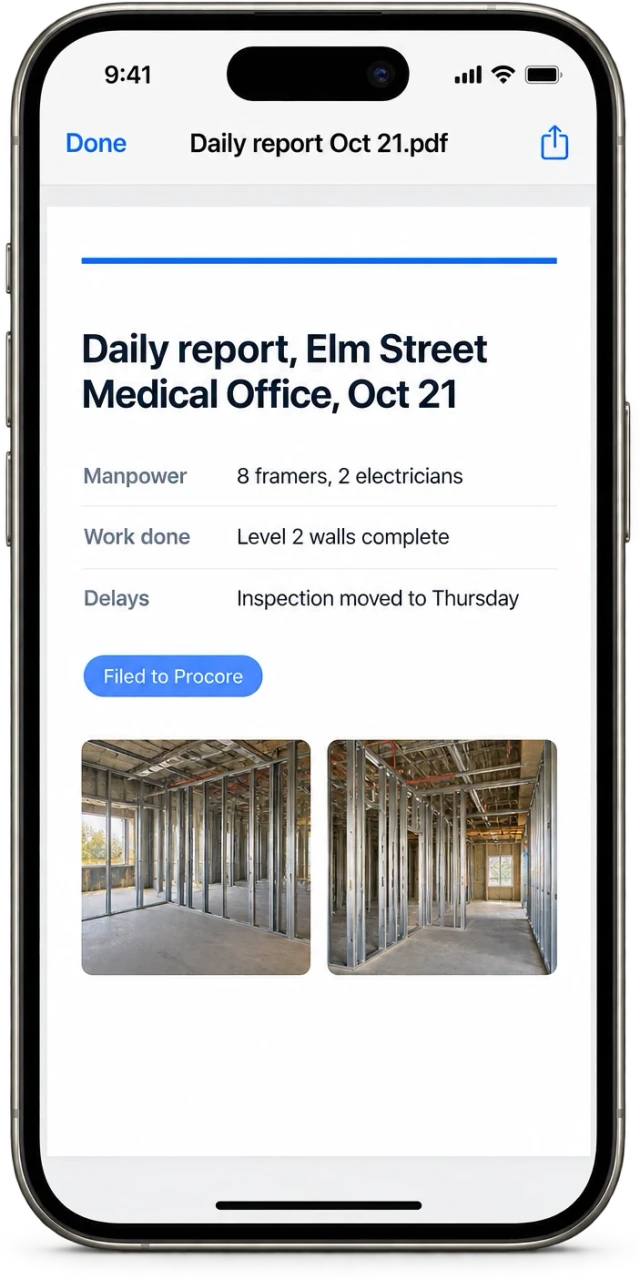
Your format, not ours. Brody fills the template your PMs and owners already read.
Procore integrationThe hard days
Not every day is clean. How does Brody handle missed calls and mismatched dailies?
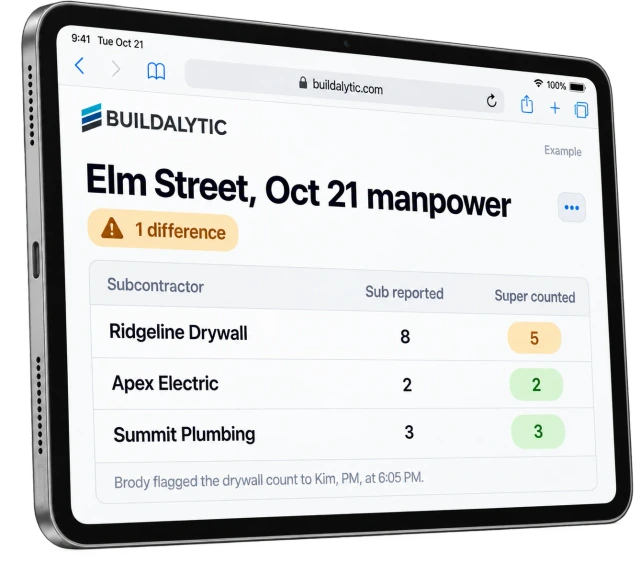
Brody reminds the superintendent by text, then by call, and tells the PM if a report is still missing. When subs report too, he flags any manpower count that does not match the super's.
01GC versus sub daily cross checks
When subcontractors report through Brody too, he lines their manpower and work up against your superintendent’s report for the same day. Any difference goes to the PM that evening, while people still remember who was on site.
02Photo only closeout when no call comes in
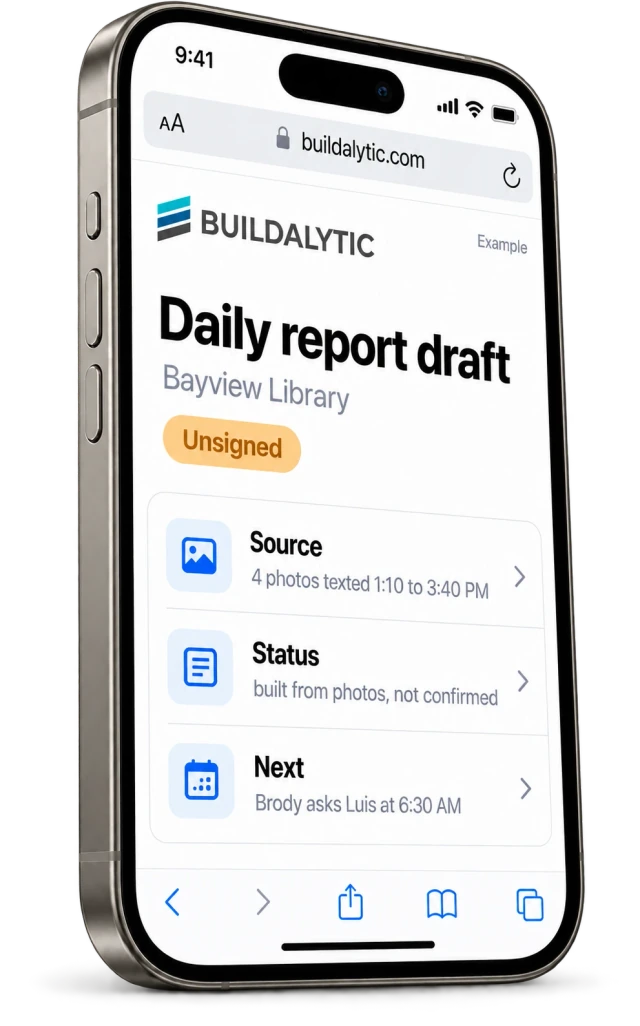
Some days the call never happens. If photos were texted but nobody reported, Brody builds a draft from the photos and labels it unsigned, built from photos and not confirmed by the superintendent. Nobody mistakes it for a signed report, and Brody asks the super to confirm it next morning.
03Automatic reminders before reports are late
Set the time a report is due. If nothing has come in, Brody texts the superintendent, then calls. If there is still no report, he tells the PM. Quiet hours you set are respected.
04Blockers followed up
When a super mentions a late delivery, a failed inspection or a missing crew, Brody can open a task, follow up with the supplier or sub, and post the answer in the job channel.
05Reports in the language of the field
Foremen can report in English, Spanish and other tested languages. The PM receives the report in the company language, and the original wording is kept with it.
Setup
Live on a real job. How do you set up daily reports by phone?
Send your template, add your supers and foremen, choose where reports go, and the field starts calling in. Setup is part of onboarding and nobody in the field installs anything.
Send your template
Share the daily report you use today. We load the questions, the order and the format.
Add supers and foremen
Import names and phone numbers by job. Brody recognizes each caller and the project they are on.
Choose where reports go
Pick the PMs, owner reps and Procore projects for each job, and the time reports are due.
Start calling in
Your field team calls or texts the company number. Brody handles the rest and reminds anyone who forgets.
The facts
Daily field reports by phone. What do you get, and what does it cost?
One full Platform plan at $99 per operating user per month, or $89 per user per month billed annually. Start with one paid user. Standard setup is free. Each paid user adds 50 AI calling minutes, 250 messaging units, 250 human US calling minutes and 500 standard AI work items each month. These separate pools are shared across the company, not reserved for individual users.
| What it is | A field line where superintendents and foremen call or text daily reports to your company number, and Brody writes, sends and files them. |
| Who it is for | General contractors and subcontractors with superintendents, foremen and crew leads in the field. |
| What the field needs | Any phone. No app, no login and no training for the person reporting. |
| What gets captured | Manpower by company, work completed, deliveries, inspections, delays with the cause, safety and toolbox talks, weather, visitors and verbal approvals, following your template. |
| Field photos | Crews text photos to the same company number. Brody files each one to the right job, captions it and adds it to the daily report and Procore. |
| Where reports go | Email to the PM, owner and your list, plus Procore, SharePoint and other connected systems. |
| Languages | English and Spanish fully tested. More languages on the published tested list. |
| Price | One full Platform plan at $99 per operating user per month, or $89 per user per month billed annually. Start with one paid user. Standard setup is free. Each paid user adds 50 AI calling minutes, 250 messaging units, 250 human US calling minutes and 500 standard AI work items each month. These separate pools are shared across the company, not reserved for individual users. |
| Compliance | AI disclosure on every call, recording notices that follow each state, and registered business texting with instant opt out. |
| How to start | A 14 day evaluation on one real project with your own superintendents. |
How do daily reports by phone work?
Your superintendent or foreman calls or texts your company number at the end of the day. Brody says he is an AI assistant, asks the questions on your daily report template and checks that nothing is missing. He then writes the report, emails it to the PM and owner and files it to Procore. Nobody in the field needs an app or a login.
What goes into a daily report that Brody writes?
Whatever your template asks for. Most dailies cover weather, manpower by company, work completed by area, delays with the cause, deliveries, inspections and visitors, safety and toolbox talks, verbal approvals and photos. Brody asks those questions in your order and writes the report in your format.
What happens when a report is missing manpower or weather?
Brody asks before the call ends, so the report arrives complete. If no report comes in at all, he texts the superintendent at the time you choose, then calls, then tells the PM. A draft built only from texted photos is labeled unsigned and not confirmed by the superintendent.
Does the superintendent review the report before it is filed?
You decide. Brody reads back anything that sounds off during the call. You can set a rule that the super or PM approves each report before it goes to the owner and Procore, or let complete reports file on their own.
Can foremen call in their reports in their own language?
Yes. English and Spanish are fully tested on real construction audio, and more languages are on our published tested list. A foreman can report in the language they prefer and the PM receives the report in the company language, with the original kept on file.
Can Brody file daily logs to Procore?
Yes. The daily log, photos and notes land in the right Procore project, and the same report can go to SharePoint or OneDrive. When subs also report through Brody, he compares their manpower with your superintendent’s count for the same day and flags any difference to the PM.
Can photos from the day attach to the report?
Yes. Anyone on the crew can text photos to the same company number during the day. Brody files each one to the right job, captions it and adds it to that evening’s daily report and to Procore.
What does daily reporting by phone cost?
One full Platform plan at $99 per operating user per month, or $89 per user per month billed annually. Start with one paid user. Standard setup is free. Each paid user adds 50 AI calling minutes, 250 messaging units, 250 human US calling minutes and 500 standard AI work items each month. These separate pools are shared across the company, not reserved for individual users.
Every super, every job, every day.
Get every daily field report on time.
Put Brody on one real project for 14 days. Your superintendents call in, and your PMs get complete reports in Procore.
One full Platform plan. No standard setup fee. Start with one supported workflow.
Plan your rollout
Pricing, security reviews, procurement and rollout across your projects and regions.