
Autodesk Construction Cloud integration
Running jobs in Autodesk Construction Cloud? Brody keeps your ACC projects current.
Brody by Buildalytic works with Autodesk Construction Cloud and Autodesk Build. He reads projects, members and documents from ACC, then writes daily reports, photos and contact updates back. It is for GCs and subs who run their projects in ACC.
Works with
Two way, like Procore and Vista. Brody reads what he needs from ACC and writes back what he finished.
Sheet 01, what Brody does
Your ACC projects, kept current. What does Brody do with ACC?
Brody writes daily reports and job photos to the right ACC project, answers field questions from ACC documents and keeps project members current. It is the same work he does for Procore teams.
Daily reports to the project
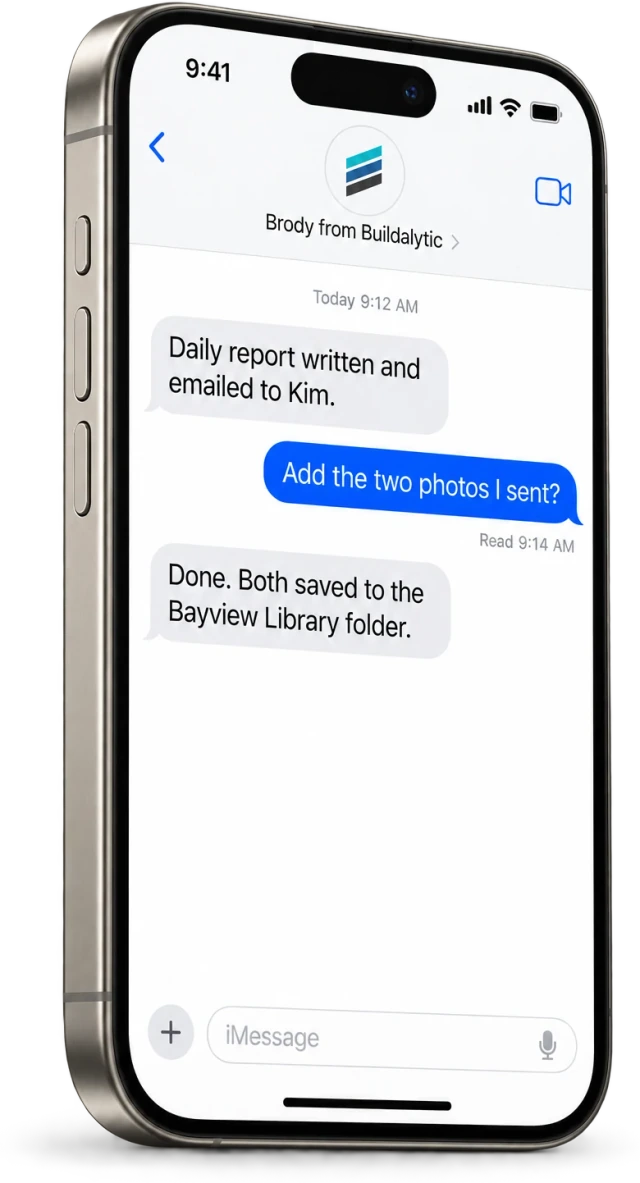
Supers call in and Brody writes the daily report to the right ACC project.
Photos from the field
Job photos texted to the company number, captioned and filed to the project.
Field knowledge from documents
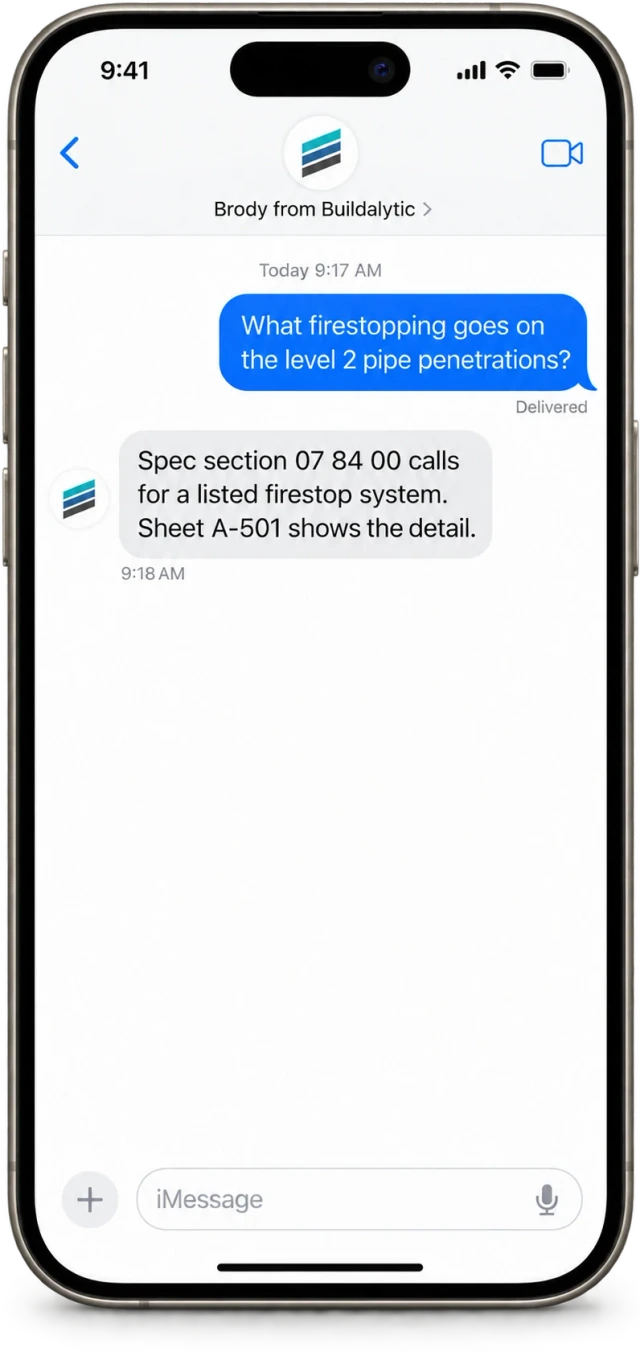
Foremen text a question and get an answer from ACC documents they can access.
Members and contacts
Project members and companies used for calls and texts, kept current from conversations.
Follow up on open items
Brody follows up with the people responsible and tells your team what he heard.
Approval before posting
A super or PM can approve each daily report before it posts, or let it post directly.
Why it matters
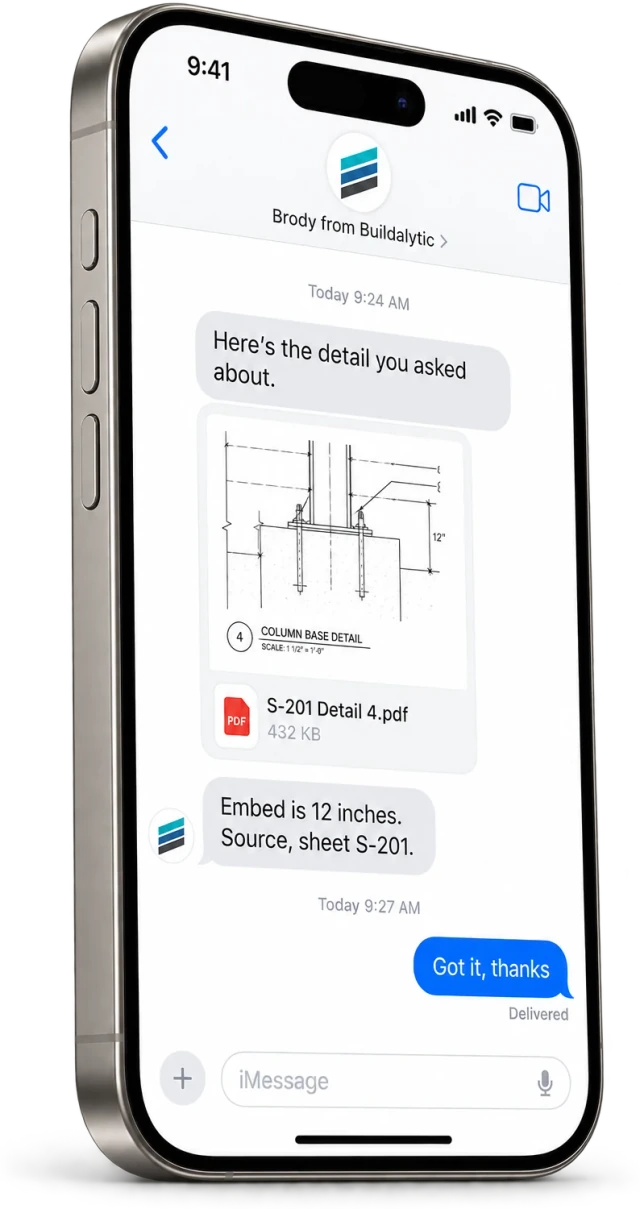
The answer is already in the documents. The foreman just needs it by text, in the next five minutes.
Project documents are thorough, and the field rarely opens them on a phone. Brody turns them into short answers by text, with the source, so the work keeps moving.
Brody answers from the ACC documents each person can access, and from documents in SharePoint and OneDrive, with the source sheet or spec section in every answer.
Reads and writes
In from ACC, back to ACC. What does Brody read from ACC and write back?
Brody reads projects, members, documents and prior daily reports, and writes daily reports, photos, notes and contact updates. Your ACC admin chooses the projects Brody can use.
| Data | Brody reads | Brody writes back |
|---|---|---|
| Projects | Project names, locations and status | Notes on delays, inspections and commitments |
| Members | Project members and companies | Corrected phone numbers and emails |
| Documents | Specs, drawings and project documents for field knowledge | None. Documents stay as they are |
| Daily reports | Prior reports for context | New daily reports from calls and texts |
| Photos | None | Job photos texted to the company number |
Read, act, write back. Your admin chooses the projects, and answers follow ACC permissions.
All integrationsBeyond the connector
More than a connector. What else does Brody do for ACC teams?
Brody also runs daily reports by email, crew dispatch, bid coverage and insurance compliance on your company number, so the work that never touches ACC gets done too.
01Daily reports by email
Supers call in and Brody sends a clean daily report to your PM and owner list, ready to file.
02Documents from SharePoint or OneDrive
Field knowledge also comes from documents in SharePoint or OneDrive, with the source in each answer.
03Calls, texts and dispatch
Crew dispatch, bid coverage, insurance compliance and the AI receptionist do not depend on ACC at all.
04Autodesk partner path
Autodesk has previewed a way for partner agents to connect to Autodesk Assistant. We intend to join when it opens to partners.
The facts
Brody and ACC. What does the ACC integration include?
One full Platform plan at $99 per operating user per month, or $89 per user per month billed annually. Start with one paid user. Standard setup is free.
| What it is | A two way connection between Brody and Autodesk Construction Cloud, including Autodesk Build. |
| Who it is for | General contractors and subcontractors that run their projects in ACC. |
| Brody reads | Projects, members, documents and prior daily reports. |
| Brody writes back | Daily reports, job photos, notes and contact updates. |
| Also included | Daily reports by email, field knowledge from SharePoint and OneDrive, crew dispatch and bid coverage. |
| Price | One full Platform plan at $99 per operating user per month, or $89 per user per month billed annually. Start with one paid user. Standard setup is free. |
| How to start | Confirm your ACC projects during setup and run a 14 day evaluation on one real project. |
How do we confirm the ACC connection for our account?
Ask on the demo. We confirm how Brody connects to your ACC projects for your account before you sign. Daily reports by email, crew dispatch and bid follow up work on your company number with no connection at all.
Which Autodesk Construction Cloud products does Brody work with?
Brody works with Autodesk Construction Cloud projects, including Autodesk Build. We confirm the exact products your team runs during setup.
What does Brody read from and write to ACC?
Brody reads projects, members and documents from ACC so he can answer field questions and run calls. He writes daily reports, photos, notes and contact updates back to the right project.
How is the connection set up?
The same way as Procore. An ACC admin on your team authorizes the connection and chooses the projects Brody can use, and answers follow the permissions your ACC users already have.
Can Brody use ACC documents to answer field questions?
Yes. Foremen text a question and Brody answers from the ACC documents they can access, with the source sheet or spec section in each answer. Documents in SharePoint, OneDrive or your Brody knowledge base work the same way.
Who approves entries before they post?
You do. Entries to ACC follow the same approval rules as the rest of Brody, so a super or PM can approve a daily report before it posts, or let it post directly. Every entry links back to the call or text it came from.
Is Brody in the Autodesk partner directory?
Not today. Autodesk has previewed a way for partner agents to connect to Autodesk Assistant, and we intend to bring Brody there when it opens to partners. We will only claim a partnership or listing once it is true.
Does Brody replace ACC?
No. ACC stays your system of record. Brody gets the updates from calls, texts and email that would otherwise need typing, and puts them in the right ACC project.
Running jobs in ACC?
Stop typing what was already said.
Put Brody on one real project for 14 days and stop retyping what was already said on the phone.
One full Platform plan. No standard setup fee. Start with one supported workflow.
Plan your rollout
Pricing, security reviews, procurement and rollout across your projects and regions.