

An AI receptionist's cost depends on who operates the system, the calling and messaging you use, and the work included in setup. Compare the complete monthly bill and the fallback when a limit is reached. A cheap starting price does not tell you whether calls will reach the right person or whether your office will have to enter the same details again.
What to take away
- Count office operators separately from field participants.
- Keep AI minutes, human calling, messaging and workflow usage separate.
- Test a transfer and a no-answer fallback before comparing prices.
- Ask for a written budget and an exportable record of the work.
Start with the calls you need handled
Write down what happens during a normal week before asking for a quote. A remodeling company taking new homeowner enquiries has a different call pattern from a general contractor routing suppliers, subcontractors and existing clients across several jobs. Both may want an answer after hours, but the information and escalation rules are different.
Choose a representative period and list connected call time, the conversations that need a person, the messages sent and the records the office creates afterward. Keep missed calls and unanswered callbacks visible. Do not turn every missed call into a presumed lost job: an existing subcontractor, a sales enquiry and a spam call do not carry the same value.
- New enquiry: work type, service area, contact details and the agreed next step.
- Existing project: job identity, reason for calling and the responsible teammate.
- Supplier or crew: location, time constraint and the person who can decide.
- Exception: an unclear request, an unavailable teammate or an action requiring approval.
Compare the billing units before the headline price
Two quotes can use the same word, call, for different things. One may count each incoming call, another connected AI minutes, and another a receptionist seat plus usage. Ask what happens to the meter during hold, transfer, voicemail, conference calls and retries. Get the answer in the written proposal.
Ask the same questions about texting. A message may consist of several SMS segments, and a photo message can use a different allowance. A workflow that calls someone and then texts a reminder may consume both calling and messaging capacity. Keeping these units separate makes the estimate reproducible.
| Item to compare | Question to put in the quote |
|---|---|
| Operators | Who needs full workspace access or an office extension? |
| Field participants | Can invited crews reply without buying another full seat? |
| AI calling | What counts as connected AI time, and when does it stop? |
| Human calling | What happens to charges after transfer to a teammate? |
| Messaging | How are long texts, photos and international routes counted? |
| Setup | Which imports, connectors and workflow changes are included? |
| Limits | What pauses, what continues and who is notified? |
A worked example using Buildalytic's published plan
The following is an illustrative budget, not a quote or a claim about a real contractor. Buildalytic's published Platform price, checked October 28, 2026, is $99 per operating user per month. Three operating users therefore start at $297 per month. The annual option is $89 per user per month billed annually, or $3,204 per year for those three users.
At the published allowances, three operators contribute 150 AI calling minutes, 750 messaging units, 750 human US calling minutes and 1,500 standard AI work items to separate shared monthly pools. These are company pools, not a promise that one unit can be exchanged for another. Free scoped participants still use these pools when they call, text or complete supported work.
Suppose the company uses 180 AI minutes and remains within the other pools. That is 30 additional AI minutes. At the published authorized additional-use rate of $0.40 per minute, the example adds $12, producing $309 for the monthly subscription and that usage. Extra numbers, separately scoped work and any applicable taxes are outside this example. Confirm the current terms and an approved additional-use budget before activation.
Sources: Buildalytic: current Platform pricing and usage definitions
Include the office work that remains after the call
A low subscription can still leave the office listening to recordings, correcting the wrong project, entering a lead into another system and chasing a transfer that never happened. Test the whole handoff. Ask where a call's details land, who can correct them and how the team finds the original recording or message.
For an evaluation, use a small test set: a new enquiry outside the service area, an existing client who knows only the job address, a supplier with a late delivery, a caller asking for a person and a caller whose name is difficult to spell. Record the expected result before the test. A summary that looks polished is not enough if the job or callback owner is wrong.
Ask what happens when the budget is exhausted
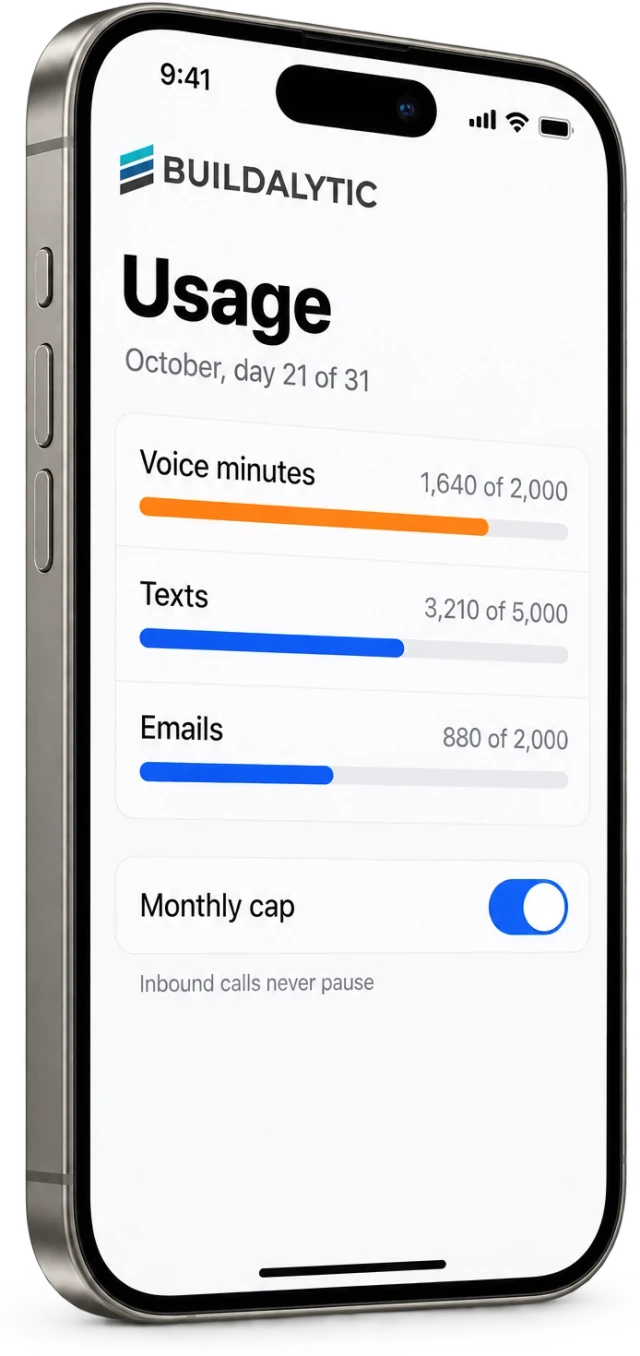
A spending alert is different from a spending boundary. Ask whether the service keeps working, pauses selected tasks or routes inbound calls to a person or voicemail. Name the owner who can approve an increase. A surprise bill and a silent interruption are both avoidable when the activation plan describes the fallback.
Buildalytic's published terms say additional-use budgets are approved before activation, with the pause behavior and inbound fallback recorded in the activation plan. That is a commercial description of the plan. Your rollout should still test the chosen behavior and record who is responsible for it.
Sources: Buildalytic: current Platform pricing and usage definitions
Choose the plan that completes your actual handoff
Compare proposals against the same call mix and the same definition of success. Keep the monthly subscription, expected usage, optional implementation and remaining office work in separate columns. List any unverified capability beside its price rather than assuming a demo slide proves it.
The practical next step is to bring one representative workflow to an evaluation. Show the current call or text, the record it should create and the person who handles an exception. You can then compare an observed result with a written price, instead of buying an allowance that does not fit the work.
Common questions
Do all construction workers need a paid seat?
Not necessarily. Buildalytic distinguishes paid operating users from free scoped participants. Full workspace access and office extensions require an operating user; invited crews can submit supported updates within their assigned scope. Their channel and AI usage still consumes company pools.
Is a per-minute plan always cheaper?
No. It depends on the call mix, included work and remaining office effort. Compare the same workload, transfer behavior, usage rules and implementation scope before drawing a cost conclusion.
Does this example include every possible charge?
No. It demonstrates subscription and one additional-usage calculation using published terms checked on October 28, 2026. Additional numbers, optional engineering, other usage and applicable taxes require a current proposal.
Sources and editorial notes
Prepared with AI assistance. Reference date: 2026-10-28. Worked examples are illustrative and are not customer results. Product details can change; confirm the current scope and terms before rollout.
How we prepare and update field notesNeed a blank worksheet? Get the free reporting template and receptionist evaluation checklist.
Try it on your own workflow.
Bring your call mix. See what the complete handoff costs.
Start with the call, text or record your team already handles. Review the expected outcome and the human handoff before choosing a rollout.
Book a workflow demo Explore the relevant capability