
Choose by the calls you need resolved and the handoffs your team can support. Test an AI receptionist and a staffed answering service against the same scenarios, then compare record accuracy, transfer failures, exception handling and the full bill. Neither label tells you how a particular provider will perform.
What to take away
- Write the acceptance test before watching a sales demo.
- Compare the quality of the callback record, not just whether the call was answered.
- Price a realistic mix of calls, transfers and follow-up work.
Start with the work your callers actually bring
A new kitchen enquiry, a subcontractor asking for a gate code and an owner disputing an invoice require different responses. A provider that handles one well may have no authorized answer for another. List ten recent calls, remove personal details and group them by the action your office had to take.
For each group, specify what can be answered from approved information, what needs a person and what must become a callback task. Do not give either service permission to improvise a price, promise a completion date or approve a change merely because a caller insists. Those boundaries belong in the operating instructions.
Use a practical comparison sheet
There is no universal winner in this comparison. A staffed service may suit calls that need extended live conversation, provided its agents have the right context. An AI workflow may suit repeatable intake and structured follow-up, provided the record and fallback are reliable. A hybrid can work, but only if both sides know who owns the next step.
| Test call | Expected behavior | What to inspect |
|---|---|---|
| New enquiry | Capture address, scope and requested timing | Check the same required fields in both records |
| Existing job | Identify project and authorized contact | Do not disclose unrelated job information |
| Transfer unavailable | Record the attempt and callback owner | Check that voicemail is not reported as acceptance |
| Caller corrects an address | Replace the draft value and preserve context | Read back the corrected address |
| Unclear request | Ask a bounded clarification | Escalate rather than invent an answer |
Run a small, repeatable test
Use the same scripts and grading sheet for each provider. Include background noise, an interruption, a changed callback number and someone asking for a named employee who is unavailable. Have another person inspect the resulting records without being told which provider produced them.
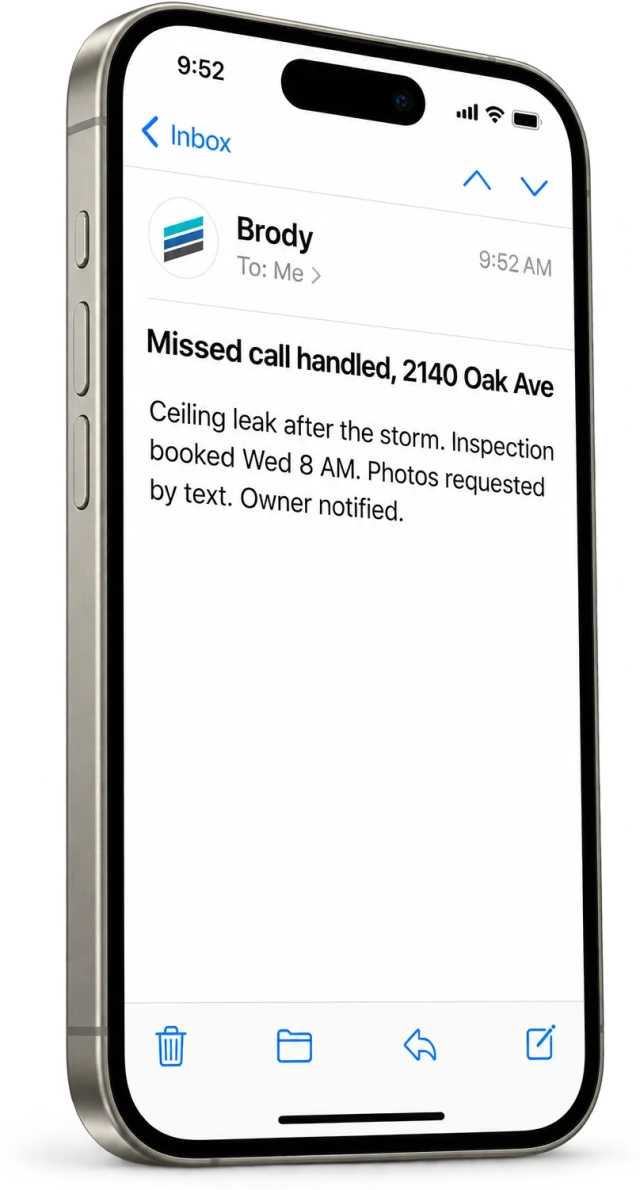
Score required fields as correct, missing or wrong. Separately record whether the next person received enough context to act. A polished transcript can still hide a bad handoff if nobody owns the callback or the destination was incorrect. Repeat the failed cases after the instructions are corrected; keep both versions so improvement is visible.
Compare the complete operating cost
Ask about base fees, included minutes, rounding, transfers, numbers, setup, message charges and integrations. Include the time your office spends correcting summaries and chasing unassigned tasks. A lower subscription can cost more operationally if it creates duplicate calls or unreliable appointments.
Use an ordinary week and a busy week, with your own observed call lengths. Keep assumed recovered revenue separate from actual won jobs. Buildalytic’s comparison page describes its approach; the separate cost guide explains the current plan math. Obtain current quotes from any alternative rather than relying on an undated comparison screenshot.
Common questions
Can a contractor use both?
Yes. Define which calls each handles, when a transfer occurs and who owns an unanswered transfer. Test the combined path rather than evaluating each service in isolation.
What should I bring to a demo?
Bring a redacted call, a routing list, your hours and the information your receptionist is allowed to disclose. Ask to inspect the resulting task and record.
Sources and editorial notes
Prepared with AI assistance. Reference date: 2026-10-28. Worked examples are illustrative and are not customer results. Product details can change; confirm the current scope and terms before rollout.
How we prepare and update field notesNeed a blank worksheet? Get the free reporting template and receptionist evaluation checklist.
Try it on your own workflow.
Bring your current process and one difficult example. We will walk through the handoff, permissions and exceptions with you.
Start with the call, text or record your team already handles. Review the expected outcome and the human handoff before choosing a rollout.
Book a workflow demo Explore the relevant capability