
A useful voice daily report captures the job, work date, people, progress, delays and supporting records, then gives the foreman a draft to correct. Keep “not reported” separate from “none.” Confirm the destination and a successful receipt before treating the report as filed.
What to take away
- Use a short conversational prompt with a consistent record structure.
- Keep the work date separate from when the call was made.
- Review the draft and verify its destination.
Reduce the effort without losing the record
A foreman may know what happened but have little time for a long form after leaving the site. Public construction discussions describe inconsistent reports, multiple tools and paperwork that slips until the next day. These are useful examples of friction, not proof that every crew needs the same reporting method.
The practical question is whether a call helps this crew submit a more complete record. Keep the office’s required fields visible, then ask them conversationally. If the report must be filed in a general contractor’s system, design the handoff to that destination before adding another place the foreman has to maintain.
Sources: Practitioner discussion: tracking daily logs and documentation (anecdotal)
Turn a call into a draft, not a guess
Illustrative call: “Cedar job, Tuesday. Four of us framed the east wall. Delivery was late and we stopped at three. I sent two pictures.” This is enough to start a draft but not enough to infer total hours, the delivery’s exact impact or which photos belong to the work.
Ask for the work date, the crew’s actual hours if required, the delivery reference and the photo context. Do not convert four people into a labor-hours number without confirmation. If the foreman does not know the vendor reference, preserve the uncertainty and assign the follow-up.
| Record | What the call provides | What still needs checking |
|---|---|---|
| Job and work date | Cedar, Tuesday | Confirm project identity and calendar date |
| People and work | Four people; east-wall framing | Confirm required crew and hours fields |
| Delay | Delivery reported late; work stopped at 3 p.m. | Clarify impact without inventing a duration |
| Photos | Two images mentioned | Link the actual images and locations |
Make corrections easy to see
Give the submitter a concise draft with uncertain fields called out. Read back names, dates and quantities when the call is unclear. Corrections should update the report rather than leave the office deciding which of two summaries is current. Keep the original source reference where your retention and access settings permit.
A daily report can document a reported event without settling responsibility for it. Write “foreman reports delivery arrived after the agreed window,” not a conclusion about liability or entitlement. If a separate change, safety or quality process is needed, route it to the responsible person instead of treating the daily log as approval.
Verify that the report reached the right place
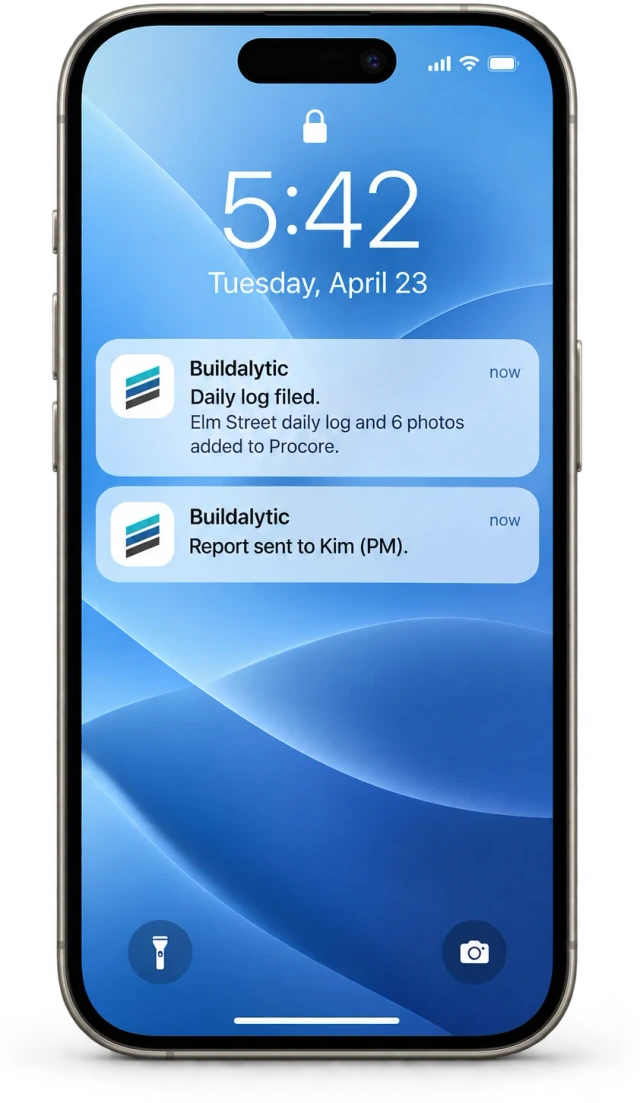
Confirm project, destination, entry type and the person responsible for final review. A draft in an inbox is different from a completed record in the project system. Check failure handling for an expired connection, a missing required field or a destination that rejects the write.
Buildalytic’s daily-reports-by-phone workflow is intended to collect field updates through calls and texts. Bring one real, redacted report format to a demo and ask to see the source, draft, correction and final receipt. If your immediate need is a blank form, use the existing free daily-report template rather than building a second reporting habit.
Sources: Buildalytic: daily reports by phone
Common questions
Does a transcript count as a daily report?
Only if it meets your project’s reporting requirements and review process. A transcript is source material; a structured, checked report is a separate output.
What if the foreman calls the next morning?
Record both the work date and the submission time. Do not silently assign the report to the date of the call.
Sources and editorial notes
- Practitioner discussion: tracking daily logs and documentation (anecdotal)
- Buildalytic: daily reports by phone
Prepared with AI assistance. Reference date: 2026-10-28. Worked examples are illustrative and are not customer results. Product details can change; confirm the current scope and terms before rollout.
How we prepare and update field notesNeed a blank worksheet? Get the free reporting template and receptionist evaluation checklist.
Try it on your own workflow.
Bring your current process and one difficult example. We will walk through the handoff, permissions and exceptions with you.
Start with the call, text or record your team already handles. Review the expected outcome and the human handoff before choosing a rollout.
Book a workflow demo Explore the relevant capability