

Collect the photo with a confirmed project, location, work date and short description of what it shows. Keep the original file and its source reference where your system allows. Ask when the context is ambiguous; the time a photo was texted is not automatically the time the work happened.
What to take away
- A photo needs context before it becomes a useful job record.
- Separate capture, work and upload dates when they differ.
- Use review queues for uncertain projects and duplicates.
Ask the question the future reader will have
Someone reviewing a job next month needs to know where the image belongs and why it was saved. “Here are the photos” may work for the two people on the call but fail for the office. Request the job, area, work date and subject in the same exchange.
Keep the description observational. “East corridor wall before closure” is more precise than “all good.” A photograph can document what was visible from one angle; it cannot by itself establish that concealed work is complete, compliant or approved. If the photo supports an inspection or change process, link that process rather than substituting a caption for it.
Use a simple filing record
Illustrative incoming message: three images arrive Wednesday with “yesterday’s rough-in.” Confirm the project and location, record Tuesday as the reported work date and retain Wednesday as the received date. If the sender cannot identify the area, keep the set in a review queue.
Do not silently use GPS or image appearance as the final project assignment. Metadata may be absent, stripped or inaccurate, and visually similar work can appear on several jobs. An automated suggestion can reduce effort, but uncertain matches need a person or a clarification.
| Field | Record | Check |
|---|---|---|
| Project | Confirmed project reference | Do not infer only from sender identity |
| Location | Floor, room, area or drawing reference | Use names the project team recognizes |
| Date | Reported work date and received time | Preserve differences |
| Subject | What is shown and why it matters | Avoid approval claims |
| Source | Original attachment and message reference | Maintain an auditable relationship |
Design retrieval before collecting everything
Choose a small, consistent location vocabulary for the job. Allow a correction when a sender uses the wrong room name. If duplicate photos arrive in multiple threads, keep the relationship to the original submission rather than creating competing evidence of when the work happened.
Test retrieval with someone who did not receive the text: can they find the images for a specific area and date without asking the foreman? Can they tell whether the caption was supplied by the sender or added during office review? If the answer is no, adding more photos will make the search problem larger.
Review access and completion
Photos may include people, customer belongings or commercially sensitive information. Restrict viewing and sharing to the intended job participants and review what is sent externally. A crew member’s ability to submit an image should not automatically provide access to every project album.
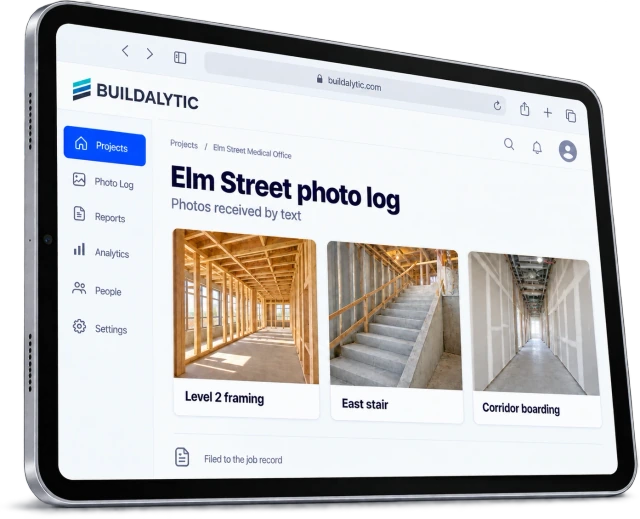
Buildalytic’s job-photos-by-text page describes capturing images through a familiar field channel. Ask to see an ambiguous job match, a corrected location and a failed attachment in the demo. Verify the final storage destination and what the submitter receives as confirmation; a text delivery receipt alone does not prove the file was indexed under the correct job.
Sources: Buildalytic: job photos by text
Common questions
Is the text timestamp the work date?
Not necessarily. Record when the image arrived and separately confirm when the pictured work occurred if that matters to the record.
Can photos approve extra work?
A photo can support the record. Follow your contract and approval process for decisions about scope, price, time or acceptance.
Sources and editorial notes
Prepared with AI assistance. Reference date: 2026-10-28. Worked examples are illustrative and are not customer results. Product details can change; confirm the current scope and terms before rollout.
How we prepare and update field notesNeed a blank worksheet? Get the free reporting template and receptionist evaluation checklist.
Try it on your own workflow.
Bring your current process and one difficult example. We will walk through the handoff, permissions and exceptions with you.
Start with the call, text or record your team already handles. Review the expected outcome and the human handoff before choosing a rollout.
Book a workflow demo Explore the relevant capability