An AI answer to a job question should point to an authorized source for the correct project and revision, show uncertainty when sources conflict and route decisions to the responsible person. A fluent answer without a traceable source is difficult to verify. An answer about a document is not automatically an instruction to perform work.
What to take away
- Check project identity before searching for the answer.
- Show the document revision and relevant source, not just a confident summary.
- Escalate missing or conflicting instructions.
Identify the job and the actual question
“Which detail applies here?” is not answerable from a company-wide document search alone. Confirm the project, location or assembly, the subject and the requested decision. A worker asking where to find a detail needs a different response from someone asking permission to depart from it.
Use the project’s authorized document process as the starting point. If the question lacks enough context, ask for clarification. Do not guess the project from the sender’s last conversation when they work across several jobs. A plausible answer from the wrong drawing set can be more confusing than an explicit request for the missing job reference.
Return a source someone can inspect
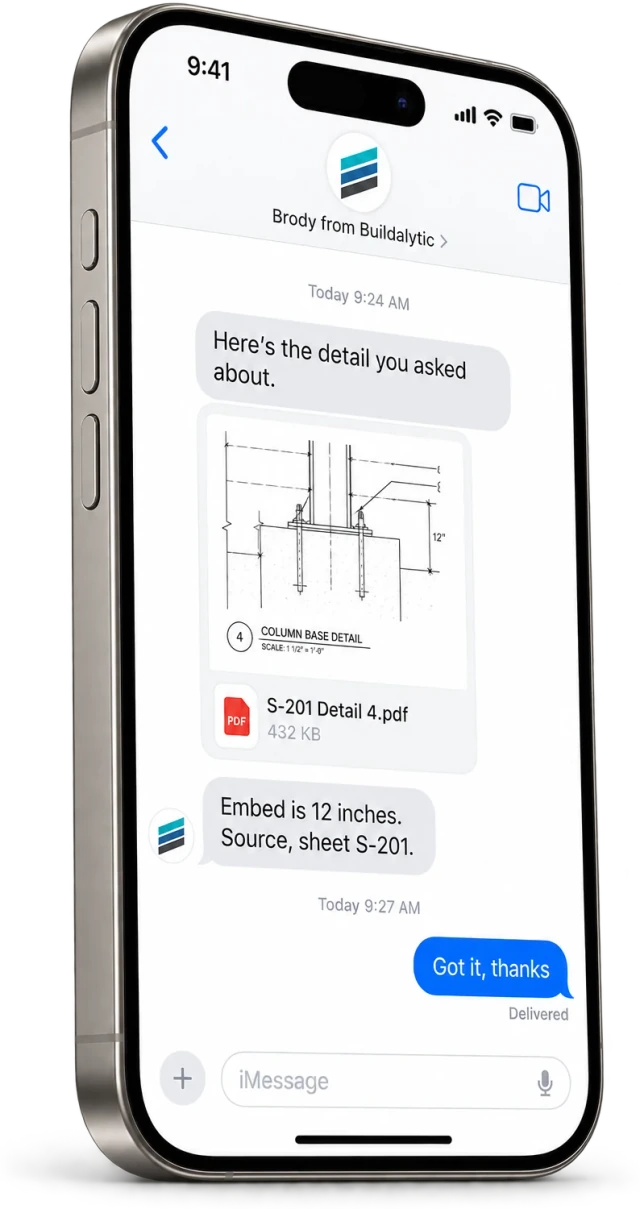
A useful response identifies the document, revision or date, location within the document and the part supporting the answer. The recipient should be able to open the source they are authorized to see. Keep extracted wording separate from the AI’s explanation.
Illustrative response structure: “For Cedar, the current approved source linked here identifies the detail in sheet A-402, revision C. Please review that detail. The uploaded revision B differs, so I have flagged the conflict for the project manager.” This is a format example, not a statement about an actual project.
| Check | What the response should expose |
|---|---|
| Project | Correct job and permitted source set |
| Revision | Current authorized version and superseded status |
| Evidence | Relevant passage, sheet or section |
| Uncertainty | Missing, ambiguous or conflicting information |
| Action | Answer, clarification request or authorized escalation |
Keep information separate from authority
The AI may help locate and summarize a source, but the project’s qualified people decide how it applies to a field condition. A cited answer can still misread a table, omit an exception or rely on a document that should no longer govern the work. Review matters most where the consequence of a mistake is material.
NIST’s AI risk-management framework emphasizes defined roles and human oversight. For this workflow, that means naming who resolves document conflicts and who can approve a changed instruction. Do not present a citation as a substitute for those responsibilities.
Sources: NIST AI Risk Management Framework: core governance and oversight
Test with a document that should not win
Include an outdated revision, a file from another project, a missing detail and two sources that disagree. The workflow should respect access boundaries, identify the conflict and avoid inventing an instruction. A perfect answer to one well-labeled file does not test retrieval across a messy real project.
Buildalytic’s field-answers-by-text page describes answers with sources from company knowledge. Bring an approved document and a superseded version to a demo, without sensitive content you do not need to share. Ask to see the source, permissions and exception path behind the response.
Sources: Buildalytic: field answers by text
Common questions
Does a source link make an answer correct?
No. Check whether the source is authorized, current, relevant and interpreted correctly. A link is a verification aid, not proof on its own.
What should happen when no source supports the answer?
Say that a supported answer is unavailable, identify the missing information and route the question to the responsible person instead of inventing a response.
Sources and editorial notes
Prepared with AI assistance. Reference date: 2026-10-28. Worked examples are illustrative and are not customer results. Product details can change; confirm the current scope and terms before rollout.
How we prepare and update field notesNeed a blank worksheet? Get the free reporting template and receptionist evaluation checklist.
Try it on your own workflow.
Bring your current process and one difficult example. We will walk through the handoff, permissions and exceptions with you.
Start with the call, text or record your team already handles. Review the expected outcome and the human handoff before choosing a rollout.
Book a workflow demo Explore the relevant capability