Put human approval before actions that create material commitments or change authoritative records unless a specific, bounded rule has been authorized. Separate draft, approved and executed states. Show the exact action, source information and unresolved questions to the reviewer, then verify whether the approved action actually succeeded.
What to take away
- Approval belongs to a specific action and version.
- Collecting a request is different from authorizing it.
- A successful approval does not prove the destination accepted the action.
Map the decision before the automation
List what the workflow receives, what it proposes and what it can change. A reminder to submit a missing report has different consequences from issuing a schedule commitment, changing a price or writing into a project system. Set the boundary at the action rather than using a broad label such as “AI enabled.”
NIST’s framework treats human oversight roles as something to define explicitly. In a construction workflow, name the person or role who reviews exceptions and the conditions requiring that review. The framework does not certify a particular product or guarantee a workflow’s accuracy.
Sources: NIST AI Risk Management Framework: roles and human oversight
Keep draft, approval and execution separate
Illustrative homeowner update: the AI prepares a draft from field notes. A project manager corrects a delivery statement and approves the revised text. The sending action then succeeds or fails. Each step has a different status; approval of the first draft should not apply silently to a later material change.
| State | Evidence | Boundary |
|---|---|---|
| Draft | Proposed content or action | No commitment has been made |
| Awaiting approval | Reviewer has the current version and context | A reminder is not an approval |
| Approved | Authorized person approves a defined action | Record scope and version |
| Executed | Destination confirms the action | Keep receipt or failure detail |
| Returned or failed | Correction or recovery needed | Do not hide it as completed |
Give the person enough to make a decision
A reviewer needs the requested action, destination, relevant source information, changed fields and unresolved questions. A button labeled approve is not meaningful if the person cannot inspect what will happen. Make refusal or correction as clear as acceptance.
Set an expiry or re-review condition for stale approvals where timing matters. If the recipient list, amount, schedule or document version changes, decide whether approval must be requested again. Avoid broad standing permission that grows through successive exceptions without anyone noticing the scope has changed.
Test refusal and failure as normal paths
Run a case in which the reviewer says no, one in which the source changes after approval and one in which the destination rejects the action. Check that retrying does not create duplicates. Give a named person responsibility for recovery rather than repeatedly attempting a failing write.
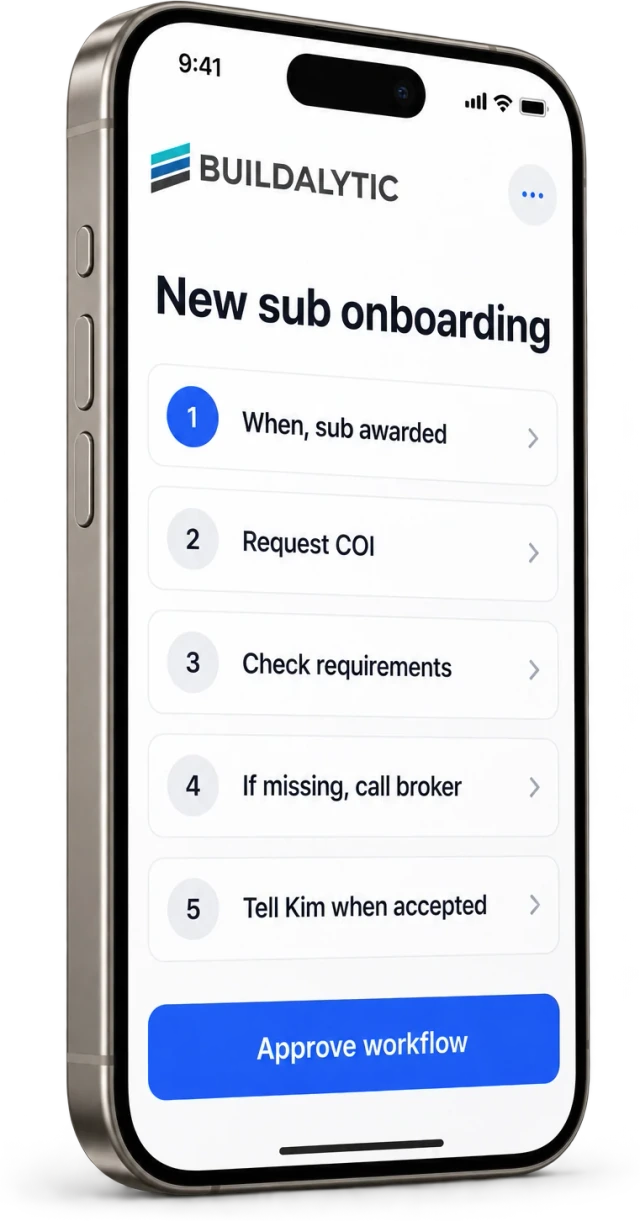
Buildalytic’s custom-workflows page describes workflows with approvals. Ask to see your exact boundary in a demo: what can happen automatically, what requires review, how the decision is recorded and what remains visible after execution fails. Start with one workflow whose outcome you can verify independently.
Sources: Buildalytic: custom workflows
Common questions
Does every reminder need approval?
Not necessarily. A routine reminder can follow a deliberately approved rule. Define its recipients, content limits, stopping conditions and escalation before enabling it.
Can approval be reused after the draft changes?
Only under a rule appropriate to the change. Material changes to commitments, recipients or source versions should trigger the review conditions you set.
Sources and editorial notes
Prepared with AI assistance. Reference date: 2026-10-28. Worked examples are illustrative and are not customer results. Product details can change; confirm the current scope and terms before rollout.
How we prepare and update field notesNeed a blank worksheet? Get the free reporting template and receptionist evaluation checklist.
Try it on your own workflow.
Bring your current process and one difficult example. We will walk through the handoff, permissions and exceptions with you.
Start with the call, text or record your team already handles. Review the expected outcome and the human handoff before choosing a rollout.
Book a workflow demo Explore the relevant capability