

Record what changed, where, when, who requested it, the work observed and the supporting source references. Send the note to the person responsible for scope and commercial review. A field message can preserve facts; it does not automatically authorize a change in contract price or schedule.
What to take away
- Separate the reported request from an approved change.
- Capture time, location, labor, materials and source references while available.
- Route uncertainty to the project’s existing approval process.
Capture the moment the scope becomes unclear
Extra work often begins as an ordinary site exchange: move an opening, return to an area or work around an unexpected condition. The office later needs to understand what was requested and what actually happened. Collect the observable details before memory replaces them with a summary.
Do not ask a field worker to decide contractual entitlement in a text. Ask for the job, location, work date, description, requester and available instruction or drawing reference. Where quantities or time are approximate, label them as reported estimates. The reviewer can then distinguish a missing fact from an asserted conclusion.
Use a fact record with an approval status
Illustrative note: “Cedar, second-floor corridor, Tuesday 10:30. Asked by the site contact to relocate blocking near opening 204. Two people worked on the relocation; hours need confirmation. Before and after photos attached.” The note is valuable without claiming that the project owner approved a change order.
Add an explicit status such as captured, clarification needed, submitted for review or approved under the project’s process. Use the actual approval reference when one exists. Do not let a positive-sounding message such as “looks fine” silently become authority for cost or time.
| Part | Capture | Boundary |
|---|---|---|
| Request | Who asked, wording and reference | Preserve what was reported |
| Work | Location, activity and date | Distinguish requested from performed |
| Resources | People, time, materials and equipment | Flag estimates and missing values |
| Evidence | Photos, messages and document revisions | Link rather than restate from memory |
| Decision | Reviewer and approval reference | Keep pending visible |
Give the reviewer a useful packet
Send the fact record to the person who handles changes for that job. Include the unresolved questions and the relevant notice or review deadline from your established project process. This guide is a workflow example, not advice about which contract notice or legal deadline applies.
The reviewer should be able to return the note for one specific clarification, connect it to an existing change record or decide that no change request is appropriate. Keep those outcomes separate. Filing every field note as an approved change creates the same confusion as losing the notes entirely.
Test a correction and a disputed instruction
Try a case in which the requester’s name is uncertain or a later drawing revision changes the context. The system should preserve the original source relationship and show which draft is current. Check that an unauthorized field participant cannot mark the commercial decision approved.
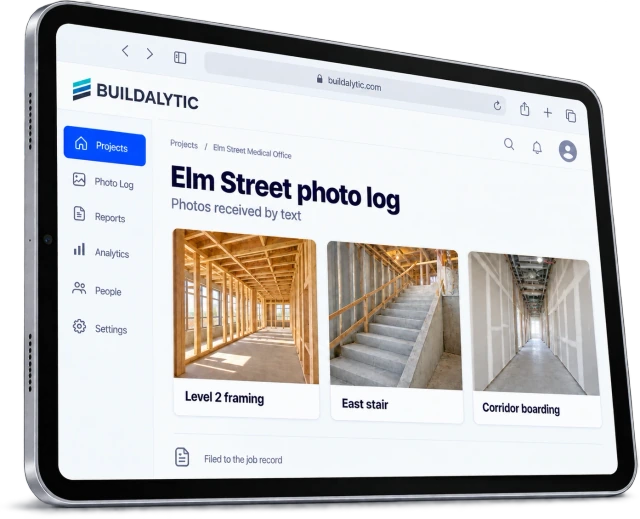
Buildalytic’s extra-work-documentation page describes collecting job details through calls, texts and supporting records. Bring a redacted example to a demo and inspect the path from field capture to human review. The useful outcome is a coherent packet in the correct workflow, with uncertainty and authority still visible.
Common questions
Is a field text a change order?
Do not assume so. Whether a communication satisfies a contractual requirement depends on your agreement and project process. Keep field capture and formal approval distinct.
What if the exact hours are unknown?
Record the uncertainty, assign a clarification owner and update the record when confirmed. Do not calculate or invent an exact value just to complete the form.
Sources and editorial notes
Prepared with AI assistance. Reference date: 2026-10-28. Worked examples are illustrative and are not customer results. Product details can change; confirm the current scope and terms before rollout.
How we prepare and update field notesNeed a blank worksheet? Get the free reporting template and receptionist evaluation checklist.
Try it on your own workflow.
Bring your current process and one difficult example. We will walk through the handoff, permissions and exceptions with you.
Start with the call, text or record your team already handles. Review the expected outcome and the human handoff before choosing a rollout.
Book a workflow demo Explore the relevant capability