
Bilingual construction intake needs more than a translated greeting. Confirm the caller’s preferred language, read back critical job details and preserve uncertainty for the next person. Route ambiguous technical or commercial decisions to someone qualified to resolve them. Test with people who use the languages and trade vocabulary your business actually encounters.
What to take away
- Confirm addresses, measurements and timing explicitly.
- Distinguish a translation from an approved instruction.
- Preserve the original meaning when the office receives a summary.
Choose the details that must survive translation
Start with the handoff: who needs to act, on which job and by when? Collect names, callback numbers, job or service addresses and the caller’s requested action. Do not make fluency in your office’s preferred language a hidden requirement for submitting a useful update.
Trade vocabulary varies across regions and crews. A word that sounds familiar may refer to a different component in context. Ask for a photo or a document reference when the workflow permits it, then let the responsible person resolve the meaning. A smooth translation should not conceal an uncertain material, unit or location.
Read back the critical fields
A practical script asks the caller to confirm a single detail at a time. Repeat the street number separately from the street name. For a time, include the day and relevant time zone. For a quantity, include the unit. Avoid turning an uncertain spoken value into a confident number merely because the form requires one.
Illustrative scenario: a worker reports material needed on “the second floor tomorrow.” The follow-up asks which project, which area, what material and the intended delivery time. If the caller cannot confirm the quantity, record it as unknown and assign clarification. The intake is useful precisely because it does not invent the missing value.
| Detail | Readback rule |
|---|---|
| Address | Confirm number, street and job name |
| Quantity | Confirm value and unit together |
| Timing | Confirm date and local time |
| Instruction | Identify who is authorized to approve it |
Keep the receiving team in context
Decide what the office sees: original message where retained, translated summary, language used and any unresolved detail. Limit access to people who need that record. If a correction arrives later, update the draft and make the changed meaning visible before someone acts on the earlier version.
Do not describe a translated request as an approved direction. “The subcontractor asks to move the delivery” is different from “delivery moved.” For work with safety, contractual or technical consequences, follow your existing qualified review process. Translation supports that process; it does not provide the authority to bypass it.
Test with your own language pairs
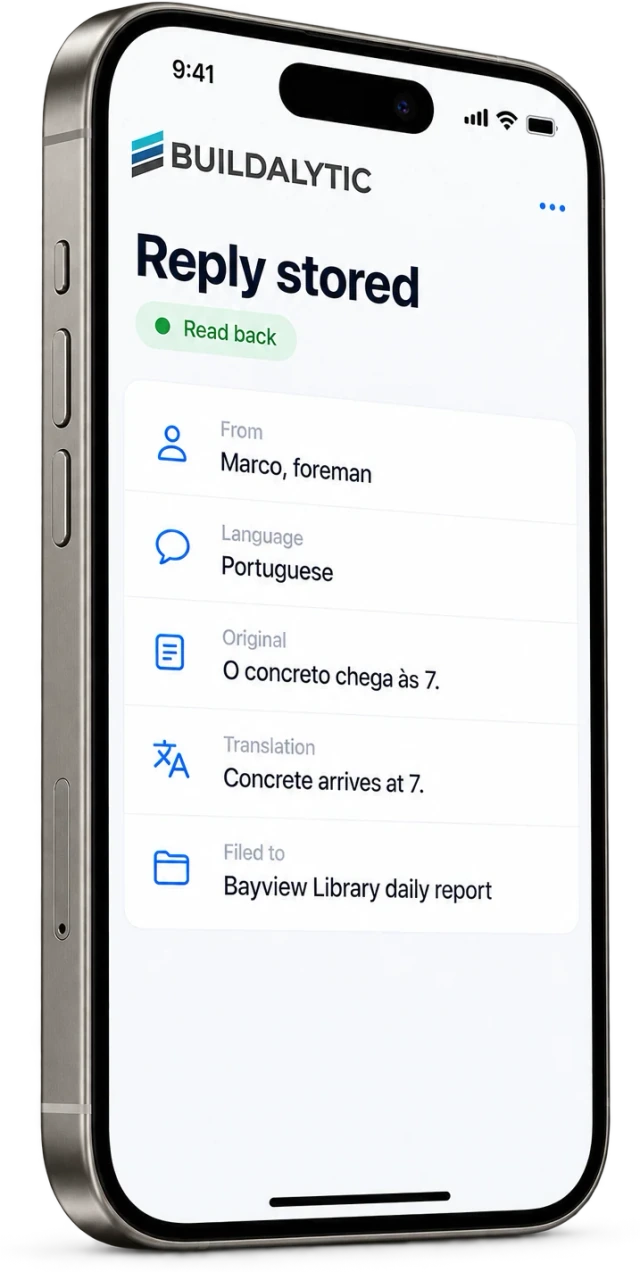
Use a short set of redacted real situations: an address, a crew update, a changed start time and a question with ambiguous trade vocabulary. Ask fluent participants to check the meaning of the recorded result. Include interruptions and a caller switching languages mid-conversation.
Buildalytic’s languages page describes multilingual communication with Brody. Confirm the exact languages, channels and workflow you need in a demo. Grade the correctness of the final handoff and the handling of uncertainty, rather than treating a long language list as proof that every technical exchange will work.
Sources: Buildalytic: languages
Common questions
Should technical documents be translated automatically for action?
Use the project’s authorized document and review process. A conversational translation can help someone ask a question, but it should not silently replace an approved drawing or specification.
How do I judge translation quality?
Have a fluent reviewer compare the original meaning with the summary and the resulting task. Focus on names, units, dates, requested actions and unresolved ambiguity.
Sources and editorial notes
Prepared with AI assistance. Reference date: 2026-10-28. Worked examples are illustrative and are not customer results. Product details can change; confirm the current scope and terms before rollout.
How we prepare and update field notesNeed a blank worksheet? Get the free reporting template and receptionist evaluation checklist.
Try it on your own workflow.
Bring your current process and one difficult example. We will walk through the handoff, permissions and exceptions with you.
Start with the call, text or record your team already handles. Review the expected outcome and the human handoff before choosing a rollout.
Book a workflow demo Explore the relevant capability