

Route calls using the caller’s purpose and confirmed job context, then apply the current schedule and approved destination. Give every route a non-answer fallback. A person who works on several projects should not be assigned to a job solely from caller ID, and a route should not promise authority the receiving role does not have.
What to take away
- Keep the routing map short enough for the office to maintain.
- Use caller ID as a clue, not proof of project or identity.
- Test unanswered destinations and forwarding loops.
Build the routing table around purpose
Begin with the call types your office receives: new work, active-job questions, crew coordination, deliveries and account questions. For each, specify the information needed to choose a destination. A new enquiry needs service scope and area; a delivery needs a job and order reference.
Name roles rather than relying on an employee’s mobile number in several disconnected places. Keep an owner responsible for updating the map when people leave, assignments change or the office closes temporarily. A sophisticated router becomes unreliable if nobody knows which list controls it.
Use a small routing matrix
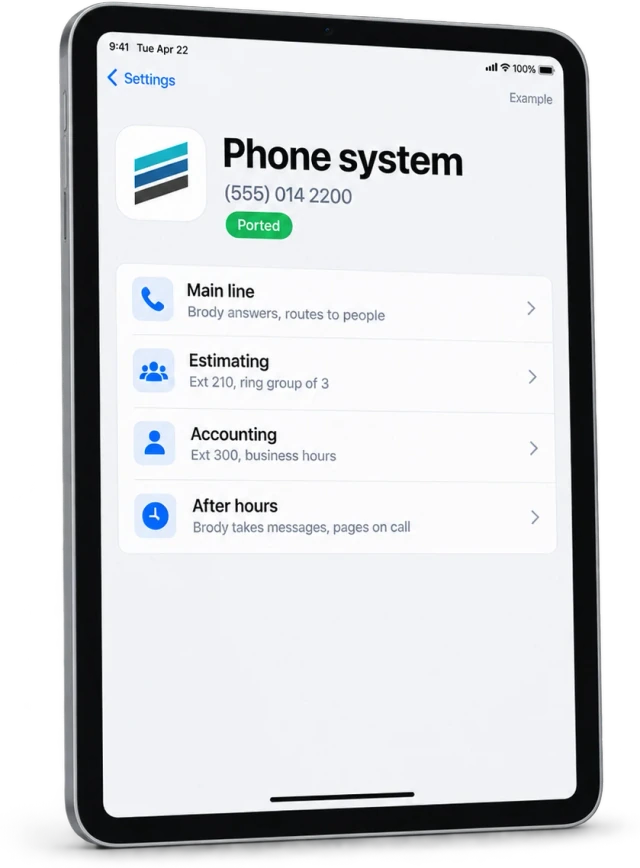
Illustrative routes below show how to structure the decision. They are not a default plan for every contractor. Adapt the categories to the work your team accepts and the information it is allowed to disclose.
| Purpose | Confirm | Primary destination | Fallback |
|---|---|---|---|
| New enquiry | Scope and service address | Intake or estimating | Callback queue |
| Active job | Job and requested action | Authorized project contact | Project office owner |
| Crew coordination | Person, assignment and date | Dispatcher or superintendent | Designated backup |
| Delivery | Job and order reference | Logistics contact | Project owner |
| Account question | Company and relevant reference | Office accounts role | Office callback task |
Apply time and availability deliberately
A correct destination during office hours may be wrong after closing. Define business hours, time zone, holidays and on-call coverage. Distinguish someone being assigned to a role from actually being available for live transfer.
If the person cannot accept the call, collect a callback record with the reason and destination attempted. Do not forward indefinitely between an office line and an employee’s phone. Test a path where the first destination forwards back to the main line, and define how that loop is detected or avoided in your configured setup.
Verify the map with callers who change context
Include someone calling about two jobs, a supplier using a personal number and a customer asking for an employee who has moved to a different project. Check that corrections alter the route before a transfer occurs. Requests for confidential information should follow the approved identity and access process.
Buildalytic’s construction phone system page describes company numbers, routing and messaging. Bring your current routing table to a demo and ask to inspect both a successful transfer and an unanswered fallback. A useful routing setup makes responsibility clearer for the caller and for the team receiving the work.
Common questions
Can I route only from a saved contact?
A saved contact can help, but confirm purpose and job when needed. The same supplier or worker may contact your company about several projects.
Who should maintain the routing map?
Assign an office owner and a backup. Review changes when project assignments, staff, schedules or escalation responsibilities change.
Sources and editorial notes
Prepared with AI assistance. Reference date: 2026-10-28. Worked examples are illustrative and are not customer results. Product details can change; confirm the current scope and terms before rollout.
How we prepare and update field notesNeed a blank worksheet? Get the free reporting template and receptionist evaluation checklist.
Try it on your own workflow.
Bring your current process and one difficult example. We will walk through the handoff, permissions and exceptions with you.
Start with the call, text or record your team already handles. Review the expected outcome and the human handoff before choosing a rollout.
Book a workflow demo Explore the relevant capability