

Use a company intake path that captures the caller, callback number, job or service address, reason for calling and next owner. Review urgent exceptions through an agreed escalation path and work the remaining callback queue at defined times. A missed-call notification alone is not a complete follow-up process.
What to take away
- Capture the minimum needed to make the next call useful.
- Assign one owner and a real callback window.
- Measure completed callbacks separately from notifications.
Find where the callback gets lost
The interruption is only the first problem. A contractor sees a missed call while working, recognizes neither the number nor the job, and intends to call later. By the time work stops, the relevant photo, voicemail or text may be in a different place. Returning the call starts the intake process again.
Practitioners describe this tension in public construction discussions: taking every call interrupts site work, while returning calls late can frustrate customers. Those reports are anecdotes, not a reliable industry-wide lost-revenue rate. Use your own recent calls to find out whether your main gap is unanswered intake, slow assignment or an incomplete callback.
Sources: Practitioner discussion: struggling with missed calls (anecdotal)
Make one callback record
Ask for the reason for calling before asking a long list of questions. A supplier with a delivery problem should not be pushed through a new-customer sales script. Once the purpose is known, collect the few details needed by the next person.
| Field | Capture | Quality check |
|---|---|---|
| Who | Name, company and confirmed callback number | Read back numbers when unclear |
| Where | Job name or service address | Ask which job if there are several |
| What | Caller’s requested action and relevant timing | Keep reported facts separate from promises |
| Next | Assigned owner and callback window | Show unassigned records explicitly |
Work the queue as a queue
Assign an office dispatcher or rotating responsible person to review unassigned callbacks. Give each task an open, attempted, waiting or completed state. “Called twice” should remain visible if the caller has not answered; it should not disappear into a completed list.
For example, a caller asks whether someone can visit a damaged fence this week. The intake records the address and request. The estimator receives a callback task, confirms availability and makes the commitment. Until that confirmation, the record should say a visit was requested, not that an appointment was booked. This avoids creating a promise that the field team cannot keep.
Check whether the process closes
For a short pilot, review eligible enquiries, required-field completeness, time to first human attempt and unresolved tasks at the end of the day. Mark your own tests and obvious spam separately. A higher count of captured calls is useful only if someone can act on them.
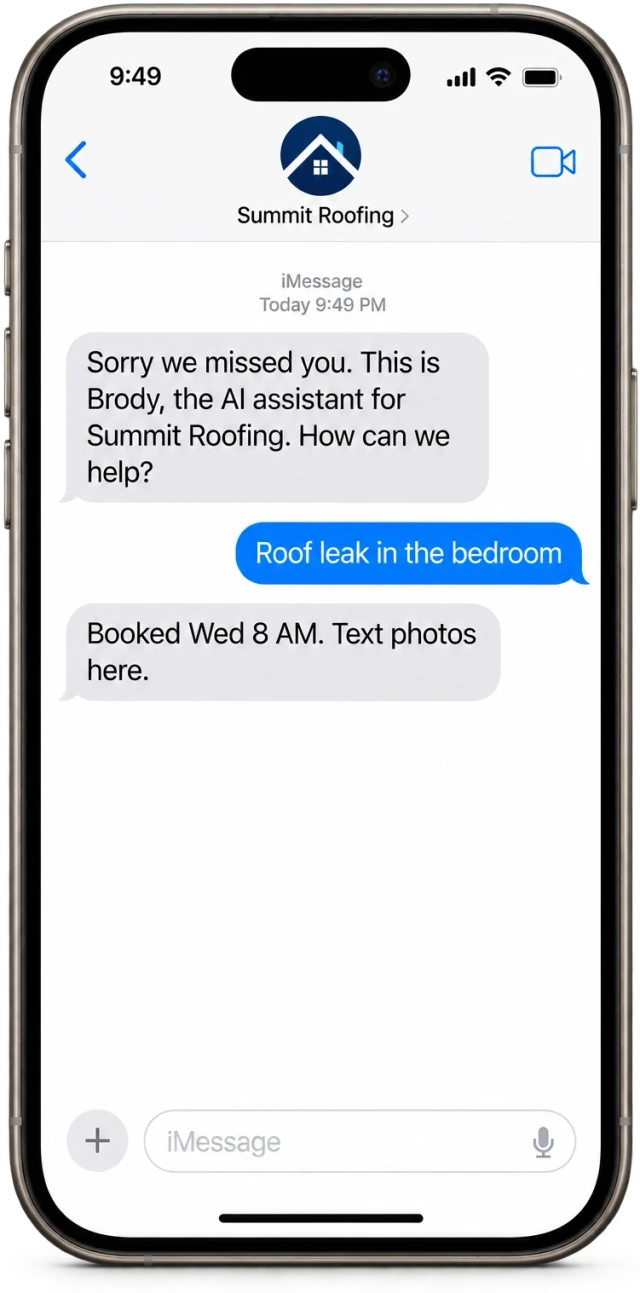
Buildalytic’s AI receptionist page describes answering, routing and logging through Brody. Test the exact callback route with your team’s schedule and a person who is deliberately unavailable. Ask where the record lives, who sees it and what happens when the first destination never answers.
Sources: Buildalytic: ai receptionist
Common questions
Should every missed call get an automatic text?
Use a response that fits the caller and your configured messaging permissions. Avoid sending sensitive job details to an unverified number, and respect requests to stop.
How quickly should callbacks happen?
Set a window your team can meet for each call type. Measure against that commitment rather than publishing a response promise that has no owner.
Sources and editorial notes
Prepared with AI assistance. Reference date: 2026-10-28. Worked examples are illustrative and are not customer results. Product details can change; confirm the current scope and terms before rollout.
How we prepare and update field notesNeed a blank worksheet? Get the free reporting template and receptionist evaluation checklist.
Try it on your own workflow.
Bring your current process and one difficult example. We will walk through the handoff, permissions and exceptions with you.
Start with the call, text or record your team already handles. Review the expected outcome and the human handoff before choosing a rollout.
Book a workflow demo Explore the relevant capability