

Use a company-controlled texting channel with a named conversation owner, job context and clear access rules. Move active conversations deliberately, rather than assuming old personal texts can be imported. Track whether a request is assigned, waiting or resolved so multiple employees can help without sending conflicting replies.
What to take away
- A shared inbox still needs individual ownership.
- Separate private employee conversations from company job records.
- Make customer corrections and staff handoffs visible.
Find the conversation, then the commitment
A job text often contains more than a message. It can include a photo, a promised callback, a changed access instruction or a request that another employee needs to review. When the only copy is on a personal phone, the office may not know the conversation exists until that person is absent.
Inventory a small set of active jobs and identify which conversations the company needs to retain and act on. Do not collect an employee’s entire personal message history. Decide how relevant business records will be preserved with the employee and under your company’s policies. A new shared tool does not make every historical conversation automatically available.
Define one owner without blocking teamwork
Give each open conversation a responsible person, a job or contact reference and a next action. Others may need to view or assist, but the sender should not receive three contradictory replies. When ownership changes, the new owner needs the unresolved question and any commitment already made.
Use simple states: needs assignment, assigned, waiting on customer, waiting internally and resolved. A message being delivered is not the same as the issue being resolved. For example, an attachment can arrive successfully while the estimator still needs to confirm whether it changes the quote.
| Moment | Operational rule |
|---|---|
| New message | Assign an owner and identify the job |
| Owner absent | Transfer the open question and due time |
| Customer corrects detail | Update the record before the next reply |
| Sensitive attachment | Check recipients and access before sharing |
Move active contacts with a clear message
Tell the customer which company number to use and identify the team behind it. Reference the current job without including unnecessary sensitive details. A useful transition message says where future updates should go and what response window to expect. It should not imply that a new number is monitored at all hours if it is not.
Keep a short overlap plan for messages still reaching an employee’s old contact path. Ask staff to redirect relevant business enquiries and record the unresolved action. Do not ask customers to send the same photos repeatedly because the office has not chosen a storage location. Confirm messaging setup and recipient permissions before launching bulk outreach.
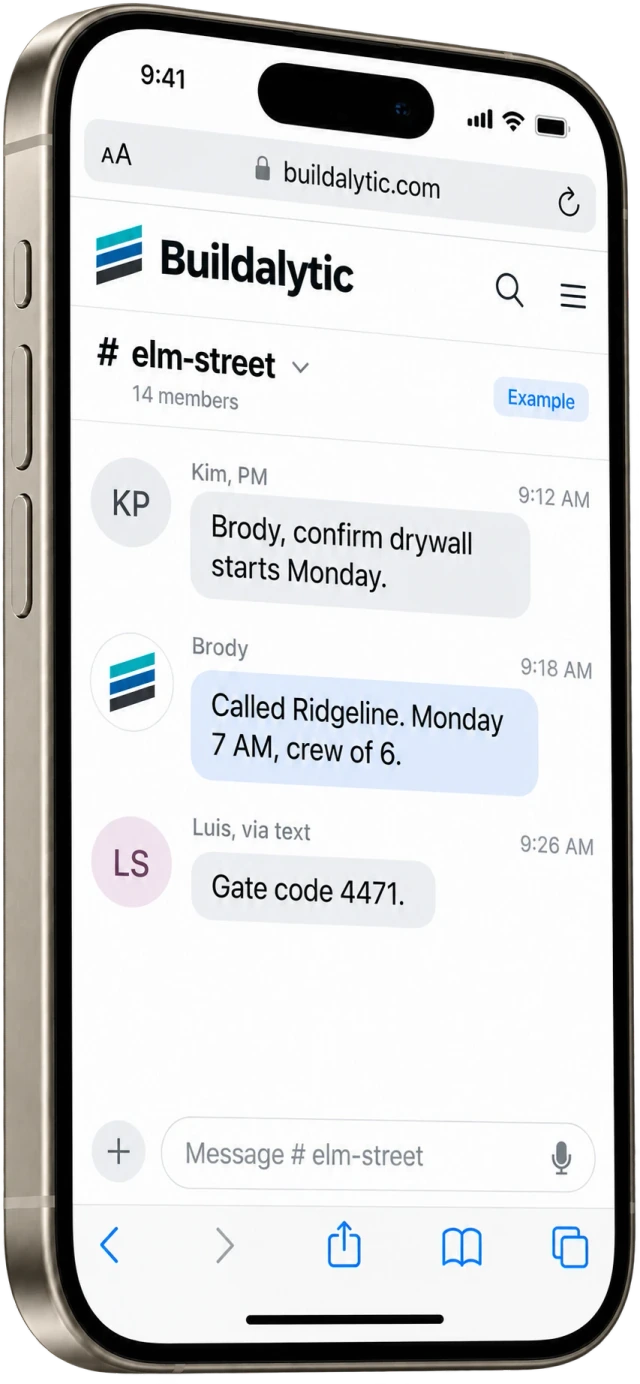
Test a real staff handoff
Choose an ordinary request and have its owner leave the conversation mid-process. Can another authorized employee see the relevant context, find the attachment and send a consistent reply? Can a field participant see only the records intended for them? Test a customer changing jobs or sending a photo without context.
Buildalytic’s construction phone system combines a company number with call and messaging workflows. Ask to see ownership, job context, access and the limits of history migration in your actual setup. Start with one team and a manageable set of contacts before moving every active project.
Common questions
Does a shared number mean everyone sees every message?
It should not be assumed. Define roles, project scope and sensitive conversations, then verify those permissions in the configured system.
Can I move all texts from personal phones?
Ask about supported export and import paths, attachments and retention. Handle relevant business records under your policies; do not assume the phone number transfer also migrates message history.
Sources and editorial notes
Prepared with AI assistance. Reference date: 2026-10-28. Worked examples are illustrative and are not customer results. Product details can change; confirm the current scope and terms before rollout.
How we prepare and update field notesNeed a blank worksheet? Get the free reporting template and receptionist evaluation checklist.
Try it on your own workflow.
Bring your current process and one difficult example. We will walk through the handoff, permissions and exceptions with you.
Start with the call, text or record your team already handles. Review the expected outcome and the human handoff before choosing a rollout.
Book a workflow demo Explore the relevant capability