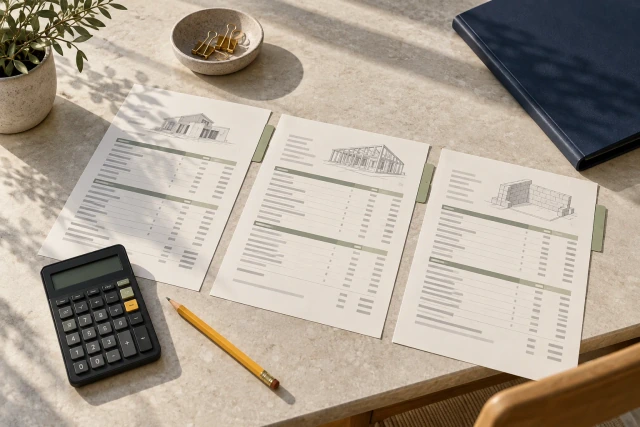
To calculate a change-order markup, establish the actual eligible cost base, apply credits, identify the authorized percentage and calculation sequence, then show each amount and rounding step. A percentage alone is insufficient: ten percent of direct cost differs from ten percent margin, and a second markup may use a different base. Verify the commercial rules separately from the arithmetic. The example below teaches calculation, not an allowable rate or approved price.
What to take away
- Write the calculation base beside every proposed percentage.
- Show credits before calculating affected markups under the actual pricing rules.
- Distinguish independent markups, compounding and margin.
- Reconcile revisions and software exports without concealing the source of a difference.
Start with the pricing rule and the scope
Before entering a markup percentage, identify the change scope and the actual pricing method. A contract may use negotiated lump sums, agreed unit prices or another defined approach. The estimator should know which records and cost components support the proposed calculation rather than treating a familiar percentage as the starting point.
Record the source for the proposed rate and its application: relevant agreement reference, reviewed rate schedule or authorized commercial instruction. Preserve unresolved questions explicitly. If the team has not established whether a component is eligible, a precise spreadsheet total should not hide that uncertainty behind a confident label.
Define the requested scope, version and exclusions. A later visit, schedule effect or disputed material credit may remain outside the current calculation. Give those questions their own references. The price cover should make clear what the total includes so a reviewer can reproduce it without assuming the worksheet settles every aspect of the event.
Separate quantities, rates and cost components
Organize the direct-cost lines so each amount has a quantity, unit, rate basis and source. Labor hours and a composite rate need an understandable relationship. Materials should connect to the relevant quantity and price evidence. Equipment should identify its actual basis rather than using an unexplained lump sum simply to complete a template.
Check which components the source rate already includes. A labor rate might include items that another worksheet proposes to add separately. The correct treatment comes from the actual project pricing basis; a coordinator should flag possible overlap for review instead of deciding that every familiar cost category belongs on every change.
Keep a proposed calculation distinct from verified actual cost. A supplier quotation, estimate assumption and paid invoice are different evidence types. The worksheet can use the appropriate source for its purpose, but the label should explain the basis. Do not imply that a quotation establishes an expenditure or that a calculated line has already been accepted.
Put the credit where its scope belongs
Identify a credit’s source, amount and relationship to the proposed work. It may concern an omitted original activity, returned material or a corrected supplier charge. Determine how the actual pricing rules treat that credit before calculating the affected subtotal and markups. A generic negative line at the bottom can obscure the intended base.
Preserve whether the credit is confirmed, proposed or awaiting evidence. A possible future return is not automatically an available credit in the current calculation. Route the missing source to the responsible person, and show any conditional scenario separately rather than quietly reducing the requested price with an uncertain amount.
When a credit changes, identify which downstream calculations must change with it. Recompute the relevant bases and preserve the earlier revision. A change summary should explain the source and effect of the revision so a reviewer does not have to compare every spreadsheet cell to understand why the total moved.
Distinguish calculation logic from display layout
A markup shown beside a line and a markup shown below a subtotal can look different even when the commercial question concerns the underlying base. Procore’s public FAQ distinguishes horizontal and vertical presentation. Its commitment-change tutorial also describes basic, compounded and selective calculation settings. These are product-specific examples, not default contract rules.
For your worksheet, write the actual formula in plain language: apply the stated rate to selected direct costs, to the net subtotal or to a subtotal that includes specified earlier markups. If exclusions apply, identify the lines and their source. Do not infer the formula solely from where a software export displays the resulting amount.
Have the actual system administrator and commercial reviewer confirm that configured settings represent the intended rule. A correct configuration in one contract does not establish the correct configuration in another. Keep the reviewed source and version so a later user can explain why two similar changes were calculated differently.
Sources: Procore: horizontal and vertical financial markup; Procore: financial markup calculation types on commitment change orders
Worked example: two independent markups
All quantities, percentages and cost assumptions in this example are fictional. Assume labor of $4,000, materials of $3,000 and equipment of $1,000. An assumed confirmed material credit of $500 reduces the direct subtotal from $8,000 to $7,500. No tax, bond or other charge is included in this teaching scenario; real treatment remains a separate project question.
For scenario A only, assume the reviewed teaching rule applies ten percent overhead and five percent fee independently to the same $7,500 net direct base. Overhead is $750 and fee is $375. The proposed scenario total is therefore $8,625. The word independently matters because the fee is not being applied to the overhead amount.
These percentages are not recommended charges, industry entitlements or an actual contract’s allowable rates. The table demonstrates how to expose the base and reconcile the total. A reviewer would still need to confirm scope, source costs, eligible components, credit treatment and the actual pricing rule before using any real proposal.
| Line | Scenario A basis | Amount |
|---|---|---|
| Labor | Invented direct amount | $4,000.00 |
| Materials | Invented direct amount | $3,000.00 |
| Equipment | Invented direct amount | $1,000.00 |
| Material credit | Assumed confirmed reduction | −$500.00 |
| Net direct base | $8,000 − $500 | $7,500.00 |
| Overhead | 10% × $7,500 | $750.00 |
| Fee | 5% × $7,500 / independent | $375.00 |
| Scenario A total | $7,500 + $750 + $375 | $8,625.00 |
Show what changes when the second markup compounds
Keep the same fictional costs and credit for scenario B, but change one teaching assumption: the five percent fee now applies to the net direct base plus the ten percent overhead. The fee base becomes $8,250. Five percent of that amount is $412.50, giving a scenario B total of $8,662.50.
The difference from scenario A is $37.50. It is the five percent fee applied to the $750 overhead amount. Showing that bridge is more useful than saying the software total is wrong: the difference comes from a changed calculation rule, not an unexplained multiplication error or a new direct-cost item.
Neither scenario is the preferred contractual method. The example isolates one assumption so a reviewer can see its effect. If the actual rule allows only selected compounding or excludes certain cost types, reproduce that rule explicitly and identify the affected lines rather than using either teaching scenario as a convenient substitute.
| Comparison | Fee base | Fee / total |
|---|---|---|
| Scenario A / independent | $7,500.00 | $375.00 / $8,625.00 |
| Scenario B / compounded | $8,250.00 | $412.50 / $8,662.50 |
| Difference | 5% applied to $750 overhead | $37.50 / $37.50 |
Do not substitute margin for markup
Markup and margin use different denominators. For a separate teaching comparison, ten percent markup on $7,500 adds $750 and produces $8,250. A target ten percent margin on the selling price instead uses $7,500 divided by 0.90, approximately $8,333.33 after rounding to cents.
In that separate margin comparison, the approximately $833.33 difference between cost and selling price is ten percent of the rounded selling price, subject to rounding. It is not the same as ten percent of the cost. Do not combine this comparison with scenarios A or B; it demonstrates another calculation basis using the same invented starting cost.
Write markup or margin together with the base and formula in the actual worksheet. A label such as ten percent profit can leave the intended denominator unclear. Ask the responsible commercial reviewer to resolve the terminology rather than selecting the formula that produces the preferred total.
Make the rounding convention reproducible
Identify whether the actual process rounds each line, each markup or only a final subtotal. Preserve the underlying quantities and rates at the precision used by the source. A displayed two-decimal amount might be the rounded view of a more precise calculation; typing that view into another system can change the final cents.
When two exports differ, compare the line sources, selected bases, rate precision, formula sequence and rounding method before entering a balancing adjustment. A small unexplained correction can conceal a genuine configuration issue. Conversely, a documented rounding difference should not automatically be treated as a scope or entitlement dispute.
Record the approved reconciliation method and who reviewed it. Retain the original export, the comparison and any corrected version. The goal is to explain the total, not force all displays to match by changing an unrelated cost line or hiding an adjustment under overhead.
Review tiers, exclusions and separate charges explicitly
A proposal involving several organizations may contain markups at different levels. Identify who is applying each amount, the base at that level and the actual rule controlling it. Do not assume a percentage permitted at one level can be repeated at every other level or applied to every component.
Likewise, identify the actual treatment of tax, insurance, bond costs and other charges when they are relevant. This guide’s fictional scenario leaves them outside its scope; that is not a claim that they are always zero, always excluded or always separately recoverable. Route the real question with its contract and cost sources.
Preserve deductive changes and mixed additions and credits as explicit scenarios for review. Their treatment may differ under the applicable agreement. A formula that works for the example’s positive net subtotal should not be silently generalized to every negative change, cap, threshold or commercial arrangement.
Reproduce the total before submitting the revision
Give another person the source records and ask them to reproduce the requested total. They should be able to identify the direct-cost base, credit, each percentage, included earlier markups and rounding convention. If they need undocumented instructions from the preparer, improve the worksheet explanation before circulating it.
Check that the cover, calculation, attachment index and receiving system all refer to the same revision. A corrected spreadsheet can coexist with an older PDF in the submission folder. Record which version is being transmitted and identify exactly what changed from the earlier request.
Keep arithmetic verification separate from commercial approval. A reviewer can confirm $7,500 plus $750 plus $375 equals $8,625 while leaving the proposed percentages or source costs unresolved. The submission should state the actual review outcome rather than converting a successful calculation check into approval of the price.
Download the blank markup-basis worksheet
The free CSV includes the change reference, scope and revision, cost line, quantity and rate source, credit basis, eligible subtotal, markup label, percentage source, application base, included earlier markups, rounding convention and review outcome. It contains no prefilled commercial rates or formulas that could be mistaken for contract rules.
Enter scenario A and then create a separate scenario B. Confirm that changing only the fee base explains the $37.50 total difference. Add an unresolved component and check that it remains visible rather than being silently assigned a zero amount or included in every markup.
Pilot one real redacted proposal with the estimator and the authorized commercial reviewer. Agree where the pricing-rule source lives and who can approve a change to it. Use the worksheet to expose questions and handoffs, while keeping the actual estimate and approved commercial record in their designated systems.
Demonstrate the missing pricing-input handoff
Bring a redacted calculation with one unresolved credit, rate-source or scope question to a Buildalytic custom-workflow demo. Its advertised workflow offering supports requests, logged follow-up, waits and named approval steps. Ask the demonstration to route the precise missing-input request and preserve the response beside the relevant change reference.
Test the process with a new material credit and a question about the fee base. Confirm supported document connections and the actual estimator or commercial reviewer who must respond. Do not assume a communications workflow itself establishes allowable markups, configures every financial system or approves a submitted price.
The useful demonstration makes the source, question, responsible person and next action easy to find. Arithmetic should remain reproducible and commercial decisions should have their real evidence. The fictional totals in this guide are teaching calculations, not a customer quotation, a promised recovery or a measured Buildalytic outcome.
Common questions
What is the standard change-order markup?
Use the actual applicable pricing rule. This guide does not prescribe a standard percentage; its invented rates show how bases and sequence affect a calculation.
Why do two correct-looking totals differ?
Compare eligible lines, credits, calculation base, compounding and rounding. A different base can produce a different total even when the percentages look identical.
Is ten percent markup the same as ten percent margin?
No. Markup uses cost as its denominator; margin uses selling price. The separate teaching comparison shows $8,250 versus approximately $8,333.33 from an invented $7,500 cost.
Sources and editorial notes
- Procore: horizontal and vertical financial markup
- Procore: financial markup calculation types on commitment change orders
- Buildalytic custom construction workflows
Prepared with AI assistance. Reference date: 2026-10-29. Worked examples are illustrative and are not customer results. Product details can change; confirm the current scope and terms before rollout.
How we prepare and update field notesBring the missing input behind your change-order total
Bring a redacted calculation and one unresolved credit, rate or scope question. We will map the evidence request and actual reviewer handoff using your process and supported connections.
Start with the call, text or record your team already handles. Review the expected outcome and the human handoff before choosing a rollout.
Request a pricing-input follow-up demo Explore the relevant capability