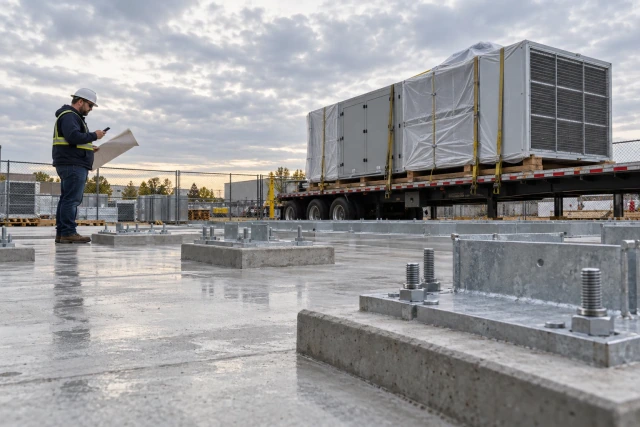
A weather-hold voice workflow should separate the forecast signal, the project decision and the recipient acknowledgements. Brody can notify the designated person that a weather condition needs review, then communicate their approved hold or revised arrangement. The call workflow does not independently determine whether work is safe or technically suitable. Buildalytic offers weather-related notification and confirmation calls through Brody.
What to take away
- Define the project location, relevant activity, forecast source, review time and decision owner.
- The first call should ask the authorized owner to review the information and state the current plan through the agreed process.
- Once the decision is authorized, Brody can call the defined recipient list with the exact change.
- One overall green status cannot explain all of these states.
The Buildalytic workflow
Buildalytic offers weather-related notification and confirmation calls through Brody. Its Brody workflow relays the authorized project message, collects acknowledgements and routes unanswered questions and exceptions to the designated owner. The steps, contacts, approvals and record destinations are agreed with your team during setup.
This case fits weather-sensitive activities with several dependent parties, such as a planned concrete delivery, equipment booking and crew assignment. The operational problem is getting the same current decision to everyone who must act on it.
Sources: Brody workflow; custom workflows
Start with an agreed trigger and activity
Define the project location, relevant activity, forecast source, review time and decision owner. Use criteria established by the responsible project team rather than a generic threshold copied from an article.
Store when the forecast was obtained and the period it describes. A forecast issued yesterday for tomorrow is different from a current observation at the site. Keep those sources distinct in the record.
The National Weather Service explains uncertainty as part of forecasting. A communication workflow should preserve that uncertainty instead of turning a probability or possible condition into a certain event.
Sources: National Weather Service explains uncertainty as part of forecasting
Route the forecast for a decision
The first call should ask the authorized owner to review the information and state the current plan through the agreed process. It should not announce a cancellation before that person decides.
Brody can identify the affected activity and provide the source reference. If the owner needs more information, record that request and the next check. If no decision is available by the agreed internal cutoff, escalate to the named backup rather than inventing a plan.
Keep the decision itself in the project record. The call summary should reference who authorized it, when, which activity it covers and whether it has an expiry or review point. That gives later recipients a source they can verify.
A sample decision-owner call
Brody: “This is Brody, the AI assistant for Harbor Peak Builders. The weather review rule for tomorrow's Maple delivery has triggered. The current forecast reference is attached to activity C-22. Would you like to record a decision or route it to the designated reviewer?”
Superintendent: “Keep it pending. I need the supplier's availability before we decide.”
Brody: “I'll record that the plan remains pending and request the availability information. I will not tell the crew that the activity is cancelled.”
The script is fictional. The key result is an accurate pending state. A workflow that produces a confident decision where none exists creates a communication failure.
Communicate only the approved change
Once the decision is authorized, Brody can call the defined recipient list with the exact change. Read back the project, activity, affected date and what each recipient is being asked to confirm.
A supplier may confirm receipt while still needing to check whether the revised delivery slot is available. A crew coordinator may acknowledge a hold but identify another assignment conflict. Preserve those differences.
Avoid adding technical advice to make the message sound helpful. Use the approved instruction and route follow-on questions. A weather notice should not become an improvised decision about methods, materials or operating conditions.
Use a decision and acknowledgement record
One overall green status cannot explain all of these states. The useful view shows where the decision stands and which parties still need attention.
| Record | What it means |
|---|---|
| Forecast signal | The configured source triggered review |
| Decision pending | The authorized owner has not finalized the plan |
| Approved instruction | A specific person authorized the current action |
| Recipient reached | A conversation or message occurred |
| Recipient acknowledged | The relevant person confirmed the instruction |
| Conflict open | The recipient needs another project decision |
| Revised plan | A later authorized instruction supersedes the earlier one |
A fictional next-day coordination case
A project has a weather-sensitive activity planned for the following morning. The agreed forecast review triggers an alert to the superintendent. The superintendent reviews the source and obtains the relevant supplier information before approving a hold through the project process.
Brody calls the crew coordinator, supplier and equipment contact. The crew acknowledges. The supplier asks whether its booking should move or remain pending. The equipment contact has not responded.
The workflow reports the approved hold, the supplier question and the unconfirmed equipment contact separately. The superintendent decides the next arrangement. Brody communicates that decision and retains the earlier instruction as history rather than silently replacing it.
The example is about communication sequence. It provides no technical weather threshold, cancellation rule or construction-method guidance.
Preserve changes to the decision
A forecast and plan can change. Give each authorized revision a reference and stop distributing superseded instructions. A callback should lead to the current decision, with the earlier exchange still available.
If the plan remains conditional, make the condition explicit. “Hold pending the 6 a.m. review” is different from “cancelled.” The reminder should say what happens at the review point and who owns it.
Do not let a later source update automatically reverse the project instruction unless that behavior is part of the authorized process. A new forecast can trigger another review without itself authorizing a restart.
Handle no answer and after-hours contact
Use the company's approved contact windows, escalation rules and notice requirements. Weather-sensitive work may have a named after-hours decision path, but the workflow should not assume every recipient can be called at any hour.
If the decision owner is unavailable, show the pending state and attempt history to the backup. Repeatedly dialing the same number is not a substitute for an actual fallback process.
For recipients who have not acknowledged the approved instruction, provide the owner with a specific exception list. “Two parties still unconfirmed” is more useful than “eight calls completed” when the last two control tomorrow's arrangements.
Test uncertainty and superseded messages
Use a forecast that triggers review but does not result in a change, a pending decision, an approved hold and a later revised instruction. Test each path separately.
Ask a reviewer to compare the final record with the spoken exchanges. The summary should preserve who made the decision, which parties acknowledged it and which questions remain open.
Also test an interrupted call sequence. If the owner revises the instruction halfway through the recipient list, the workflow must identify who heard which version and what follow-up they need. This is a practical acceptance test for closed-loop voice coordination.
Measure the handoff rather than promised avoided losses
Track triggered reviews, decisions recorded before the internal cutoff, required recipients, acknowledgements and unresolved conflicts. Keep the activity cohort consistent.
Review instances where someone acted on a superseded instruction or could not find the decision source. Those cases reveal where the communication process needs improvement.
Do not attach a speculative avoided-delay value to every call. A useful workflow can improve visibility and coordination without proving that it prevented a particular cost. Measure actual outcomes when the project can support them.
Configure the case with Brody
Buildalytic's proactive-alert page includes weather-related coordination, and its custom workflows support the agreed call and follow-up sequence. Use the pending-decision scenario in a demo.
Ask to see the source, decision owner, authorized instruction, recipient response and updated project record. The value is an inspectable handoff that makes uncertainty and unresolved work clear.
To put this Buildalytic workflow to work, discuss the setup with your project’s source records, responsible people and expected outcome. Use the checks in this guide to verify the agreed process before rollout.
Sources: Brody workflow; custom workflows
Common questions
Does a forecast trigger mean work is cancelled?
No. The trigger begins the configured review unless an authorized process explicitly defines otherwise.
Can Brody communicate a hold?
It can be configured to distribute the approved instruction and record responses; the project team owns the decision.
What if the decision changes during the calls?
Preserve versions, stop superseded messages and identify who needs the current instruction.
Sources and editorial notes
Prepared with AI assistance. Reference date: 2026-11-02. Worked examples are illustrative and are not customer results. Product details can change; confirm the current scope and terms before rollout.
How we prepare and update field notesPut this workflow to work with Buildalytic
Bring your current records, contacts and review requirements. Buildalytic offers weather-related notification and confirmation calls through Brody; we will agree the steps, approvals and record destinations with your team.
Start with the call, text or record your team already handles. Review the expected outcome and the human handoff before choosing a rollout.
Book a workflow demo Explore the relevant capability