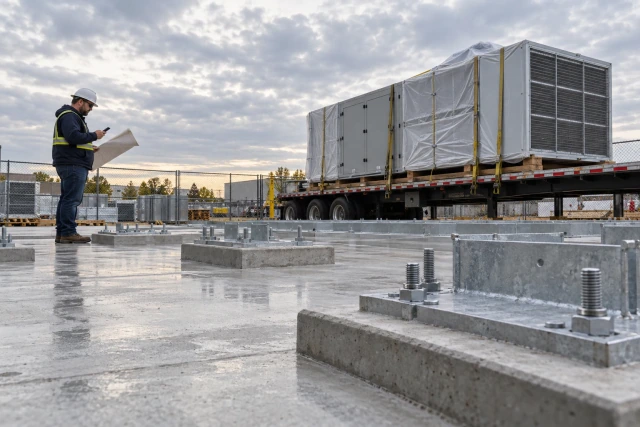
Track a long-lead item from its required-on-site date backward through delivery, fabrication, release and review dependencies. Preserve the calendar and starting event behind every duration. Record supplier commitments separately from forecasts, and assign the next missing decision to a person. The tracker should expose a readiness gap early enough for the project team to review its effect on the work plan.
What to take away
- Define the specific installation need and the scope of each tracked package.
- Record what starts the quoted lead time and which calendar it uses.
- Keep technical approval, commercial release and delivery commitment separate.
- Escalate a missing decision with its source and owner, then let the responsible team review schedule effects.
Define long lead by its effect on this job
An item deserves focused tracking when its procurement path leaves little room for the decisions and work that must precede installation. The same equipment can be manageable on one project and a serious constraint on another. Start with the actual installation need and dependencies rather than a generic list of products assumed to be late everywhere.
Identify the package, required quantity, approved configuration and installation area. An air-handling unit, switchgear lineup or fabricated assembly may each have different review, production and delivery steps. Do not turn a broad package label into one status if its components can become ready at different times. The tracker should reveal which required part remains unresolved.
Ask the project manager or scheduler to confirm the required-on-site date and its basis. The date may need to allow receiving, inspection, storage or preparatory work before installation. A procurement coordinator can preserve that requirement and report the current evidence. The responsible project team decides how it relates to the overall sequence and contractual milestones.
Map the dependencies before calculating dates
Write the chain of events that must occur before the item reaches the site. It may include technical review, final selections, a complete release, manufacturing information, fabrication, testing, transport and a delivery appointment. Use the actual order and supplier process. A standard chain can prompt questions, but it cannot establish every prerequisite for an unfamiliar package.
Keep the owner of each step visible. The supplier may be waiting for a release from purchasing; purchasing may be waiting for a reviewed configuration; the review may be waiting for a missing document from a trade partner. A row that says “vendor delay” can hide an unresolved internal decision. Name the specific dependency and preserve the latest source response.
Existing project tools can hold part of this information. Autodesk's submittal documentation includes planning dates and a lead-time field, while Procore's procurement-log guidance describes planning and delivery information. Those are useful existing records to coordinate around. Verify their meaning and configuration on your project instead of assuming one field covers the entire approval-to-arrival chain.
Sources: Autodesk Build documentation: submittal planning dates and lead-time field; Procore: construction procurement-log guidance
Ask what the supplier means by the lead time
A quoted duration needs a starting event, a calendar and an end event. “Six weeks” could mean time after complete release, after a manufacturing slot is assigned or after another condition. Ask whether the statement covers production only or arrival at the required destination. Preserve any exclusions and conditions with the record.
Confirm quantity and configuration. A supplier may have part of the order available immediately while a specific finish or component follows a different path. An estimate for a standard model may not describe the reviewed project configuration. Link the duration to the relevant order line and revision so a later change does not leave an obsolete assumption in the tracker.
Record the date and source of the quote or update. A duration supplied months ago is a planning input whose current applicability may need confirmation. Do not silently turn it into a fresh commitment each week because the spreadsheet recalculates an arrival date. Keep the evidence and ask the next useful question when the basis is uncertain.
A transparent backward-planning example
Suppose an illustrative mechanical unit is required on site December 14, 2026. For this teaching example only, the team assumes seven calendar days from production completion to site arrival, forty-two calendar days of fabrication after complete release, and ten calendar days for the preceding review step. These are invented inputs, not industry lead-time benchmarks.
Working backward, the planned production-completion date is December 7. The planned complete-release date is October 26, forty-two calendar days earlier. The corresponding review-submission target is October 16 under the simplified ten-day assumption. Keep the intermediate dates visible so the reviewer can identify which input changes the result.
This calculation is a forecast model. It does not establish a manufacturing reservation, an approved release or a confirmed delivery. For a real project, use the applicable calendars, holidays, review process, transport arrangements and agreed contingency. Record who approved the planning basis. A correctly calculated date can still be operationally wrong if the starting event or duration is wrong.
| Illustrative milestone | Calculation basis | Planning date |
|---|---|---|
| Required on site | Project need in this example | December 14, 2026 |
| Production complete | Seven calendar days before arrival | December 7, 2026 |
| Complete release | Forty-two calendar days before production completion | October 26, 2026 |
| Review submission | Ten calendar days before complete release | October 16, 2026 |
Reforecast without moving the requirement out of sight
Now suppose the complete release is not verified until October 30. Under the same simplified assumptions, forty-two calendar days points to production completion on December 11, followed by seven calendar days to arrive December 18. That forecast is four calendar days later than the December 14 need. It should appear as a visible gap for review.
Do not change the required date to December 18 merely to make the row look aligned. Preserve the requirement, current forecast, supplier commitment if any, and the source of the changed release date. The responsible team may review sequencing, an alternative package, storage or other options, but those decisions require actual project context and authority.
A late item does not automatically prove the project's completion date will move by the same number of days. Float, other activities and reviewed alternatives matter. The procurement tracker supplies an identified difference and its basis. Let the scheduler or responsible project team assess the wider effect and record the resulting decision with the item.
| Measure after later release | Illustrative value | What it establishes |
|---|---|---|
| Verified complete release | October 30 | Starting event recorded in the example |
| Calculated production finish | December 11 | Forecast under the stated duration |
| Calculated site arrival | December 18 | Forecast requiring supplier confirmation |
| Required on site | December 14 | Original planning need retained |
| Difference | Four calendar days | Gap for project review, not proof of completion delay |
Separate technical approval from a complete release
An approved submittal does not necessarily mean that the supplier has everything needed to begin production. The purchasing process may require a distinct release, a final selection, a commercial condition or confirmation of manufacturing information. Identify the actual prerequisites and record their completion through the approved process.
Connect the reviewed configuration and revision to the release reference. If a change arrives after release, flag the affected package and route the question to the responsible designer, buyer and project team as appropriate. Do not assume that replacing a PDF in a folder changes an order already in fabrication. Preserve what the supplier acknowledged receiving.
Likewise, a release request and a verified complete release are different events. If the supplier says information is missing, name the information and its owner. The next action is to resolve that dependency, not repeatedly recalculate arrival from the day an incomplete message was sent. That distinction helps the team understand why the planning clock has not started as expected.
Use an exception register for the highest-risk decisions
For each tracked package, show the required date, forecast basis, latest supplier commitment, current dependency, next decision and owner. Preserve the last meaningful source response. A review meeting should be able to identify the next action without replaying every call or asking the buyer to remember what was said.
The sample below is invented and intentionally includes different failure modes. One item is waiting for a complete release, another for a required review decision, and a third has a partial commitment. Their common red status would not tell the team how to help. The dependency and owner make the review actionable.
Keep a clear relationship with the main procurement log and schedule. A focused exception view should not create a second inconsistent set of dates. Link to the authoritative record and preserve the date of any synchronization or review. When the underlying record changes, make the relevant exception visible rather than maintaining an attractive but stale summary.
| Package | Current gap | Next decision | Responsible role |
|---|---|---|---|
| Mechanical unit | Complete release not acknowledged | Confirm missing release information and source | Buyer and supplier contact |
| Panel package | Review decision outstanding | Resolve the specific submitted question | Assigned project reviewer |
| Valve balance | Only eight of twelve units committed | Confirm remaining four and review installation sequence | Buyer and project manager |
| Fabricated assembly | Revision changed after release | Review impact before assuming existing production plan applies | Responsible designer, buyer and supplier |
Ask for a dated response that fits the planning question
A supplier follow-up should identify the order line, quantity, configuration and required destination. Ask for the current production or delivery commitment and any unresolved dependency. If the answer is a ship date, clarify the expected site arrival separately. If the answer is a week, preserve it as a week rather than inventing a precise day.
For example: “For the released AHU-2 package, please confirm the current production-completion and site-delivery dates, including any remaining conditions. Our required-on-site date is December 14. If a delivery date cannot yet be confirmed, identify the missing decision and when you expect to provide a commitment.” The dates and item are illustrative; adapt the request to the actual project.
Keep the reply with the record. “Still on track” may refer to an old plan that differs from the team's current assumption. Ask which date the supplier means. An unanswered message and a missed promised response time are also distinct states. Name the next follow-up owner instead of treating another outgoing email as progress toward a delivery commitment.
Check the receiving conditions before calling the item ready
A confirmed arrival date is useful only if the receiving plan supports it. Confirm the destination, access window, vehicle constraints, unloading equipment, receiver and any inspection or storage needs relevant to the package. Route technical handling questions to the qualified people responsible. A procurement coordinator should not infer a safe lifting or storage method from a delivery estimate.
Keep the delivery appointment distinct from the broader supplier commitment. A truck can be expected during a week without a site slot being accepted. If the site cannot receive the planned load, identify the responsible decision and any agreed alternative. Preserve the source response and the potential effect rather than quietly changing the order's destination.
After arrival, record the actual accepted quantity and exceptions. Damaged, missing or unverified components can leave the installation package incomplete even though a truck reached the gate. Connect those receiving facts to the tracker and the office records. A delivery event is a milestone, not automatic proof that every prerequisite for installation has been satisfied.
Track the next missing answer with Buildalytic
Buildalytic's delivery follow-up and custom workflows coordinate calls, texts, source records and human decisions. A useful long-lead demonstration starts with a required date and an ambiguous supplier response. Ask to see the missing question identified, the responsible contact reached through the approved process and the reply preserved with the job context.
Test a response that confirms only part of the order or gives a date subject to a missing release. The workflow should keep the dependency visible and route the next action to the right person. It should not label the entire package ready or change the project's required date to make the status look complete. Keep scheduling, engineering and commercial decisions with the authorized team.
Bring one delayed package and its latest correspondence to a demo. Walk through the source commitment, the incomplete decision and the record your office needs to maintain. The result to evaluate is a clearer, owned next action around the existing procurement and schedule systems. That is more useful than an automated reminder whose answer still has to be reconstructed by somebody else.
Sources: Buildalytic: proactive project and delivery follow-up
Common questions
How long does an item need to take before it counts as long lead?
There is no universal duration in this guide. Focus on whether its review, release, production and delivery path creates a material constraint against the actual job need. Confirm the relevant dependencies with the project team.
Should the lead time start when the purchase order is sent?
Use the starting event confirmed for the actual order. It may depend on a complete release, approved information or another condition. Preserve the definition supplied by the vendor instead of assuming that the first email starts production.
Does the tracker prove an item is on the critical path?
No. It identifies a readiness difference and its source. The responsible scheduling and project team must review the network, float, alternatives and overall effect before drawing a critical-path or completion-delay conclusion.
Can a spreadsheet still be the main tracker?
Yes. Keep clear fields, source references, owners and review history in the tool the team actually maintains. Buildalytic can be evaluated for the follow-up and record-coordination work around that existing process.
Sources and editorial notes
- Autodesk Build documentation: submittal planning dates and lead-time field
- Procore: construction procurement-log guidance
- Buildalytic: proactive project and delivery follow-up
Prepared with AI assistance. Reference date: 2026-10-29. Worked examples are illustrative and are not customer results. Product details can change; confirm the current scope and terms before rollout.
How we prepare and update field notesKnow which delivery decision is still missing.
Bring one long-lead package and its latest supplier response. See Buildalytic preserve the commitment, clarify the missing dependency and coordinate the next responsible action.
Start with the call, text or record your team already handles. Review the expected outcome and the human handoff before choosing a rollout.
See long-lead follow-up in action Explore the relevant capability