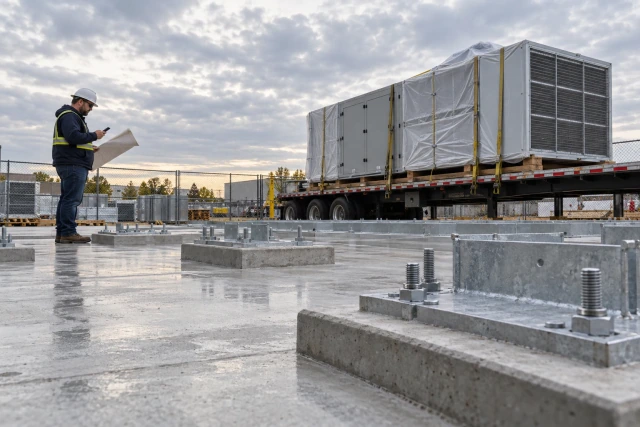
A construction delivery booking should connect the shipment identity and quantity to an approved site window, entry instructions, receiving contact and any resource arrangements the responsible site team requires. Keep requested, provisionally held, confirmed, changed and actually received states separate. A supplier’s arrival date does not automatically reserve the site’s receiving capacity or establish that unloading arrangements have been reviewed.
What to take away
- Book a defined shipment and quantity, not an entire PO with several loads.
- Use current site-approved instructions and a named receiving owner.
- Keep resource and site-review questions visible before calling the booking confirmed.
- Reconfirm affected parties when the vehicle, load, window or access information changes.
Identify exactly what is being booked
Start with the project, supplier, carrier where known, PO line, shipment reference, item, quantity and unit. A single order can arrive in several loads with different dates and receiving needs. Give each booked movement an identity that the supplier, site coordinator and receiver can match to the same shipment.
Keep the site need date, supplier arrival statement and booking window in separate fields. A planner may need the material Monday while the supplier only estimates dispatch Friday. The coordinator should resolve that gap before presenting a site reservation as evidence that the shipment will actually arrive. Record the source and confidence of the supplier's statement.
Ask purchasing to resolve an unclear quantity or shipment split. Do not assume the first vehicle contains everything on the PO. If the load list is still provisional, preserve that status and the next confirmation checkpoint. The booking needs enough definition for the responsible site team to assess the arrangements it actually covers.
Use the current site delivery process
Obtain the current approved delivery instructions from the responsible site team. Identify the booking authority, required notice, operating window, entry reference, reporting contact and process for exceptions. A different project or an older phase may have different arrangements. Do not reuse a map or gate note merely because it worked on the last delivery.
HSE's Delivering safely guidance emphasizes coordination and information exchange between supplier, carrier and recipient before deliveries. It is UK guidance, cited here for that planning principle rather than as a universal legal rule. The actual site's competent team must establish its arrangements; this article supplies an administrative booking record, not a traffic or unloading plan.
Keep the instruction version and its source with the booking. If a site phase changes the entry or receiving location, the coordinator needs to know which bookings are affected. A generic link to a folder does not explain which instructions the driver received or whether the latest change reached the carrier.
Sources: HSE: Delivering safely — supplier, carrier and recipient coordination
Separate a request from a confirmed window
Record the requested date and time on a clearly stated local-time basis, then identify who can accept or reject the window. A calendar hold may reserve a candidate slot while another prerequisite is reviewed. Use a provisional state where appropriate rather than making every calendar entry look confirmed to the supplier.
Check conflicts through the site's booking process. Two loads can appear to fit on a spreadsheet while competing for the same receiving team or approved resource. The coordinator should surface the conflict to the authorized scheduler, not decide an unloading sequence or equipment capacity from the calendar alone.
When the authorized person confirms the slot, retain the confirmation source, scope and conditions. If only one of two loads has a reservation, show that explicitly. A confirmed booking is a coordination decision for the stated load and window; it is not a guarantee that the carrier will arrive or that all operational conditions will remain unchanged.
Confirm who owns resource arrangements
Ask the responsible site team which resource confirmations are required for this delivery and who supplies them. That may involve a designated receiving crew, an approved handling arrangement, storage availability or another project-specific prerequisite. Record the required confirmation and owner rather than inventing the method or selecting equipment from an informal item description.
If a supplier says the vehicle has changed, route the effect on the existing arrangement to the appropriate site reviewer. Do not assume an earlier resource confirmation applies to every vehicle or load configuration. The administrative record should expose the change and review question while the competent team assesses it.
Keep an unresolved resource item visible even if the supplier has committed to an arrival date. A useful booking summary says what is confirmed and what still needs a decision. Contacting the owner early is more useful than allowing the first indication of a missing arrangement to be a vehicle waiting at the gate.
Name the receiving contact and the handover
Identify the person or team expected to receive the shipment and the approved way to contact them. Give the receiver the shipment identity, quantity basis, window, source documents and known exceptions. A booking in the office calendar does not tell the field which load is expected or who should resolve a discrepancy.
Confirm the backup process if the named receiver becomes unavailable. A backup should acknowledge the actual load and window it covers. Do not leave a generic shared number as the only ownership record when the site process requires a specific receiving assignment. Keep personal details available only to people who need them for the delivery.
Use the established site process for arrival reporting and operational handover. The booking tracker can link those instructions, but it should not create new directions for vehicle movement or unloading. Record which authorized contact will handle an unexpected condition so the driver and receiver know where the question belongs.
Send one booking request with the open questions visible
A starting message is: Booking request [ID/version] for [project], shipment [reference], [quantity and unit]. Supplier statement: [arrival basis and source]. Requested site window: [local date/time]. Please confirm the approved window, receiving owner and required arrangement references. Open questions: [specific items]. We will issue the current booking details after the designated review.
Use the actual approved communication route and distinguish the supplier's information from the site's decision. Do not write confirmed delivery if the purpose is to request a slot. Where the carrier differs from the supplier contact, identify who will pass the accepted instructions to the driver and how that handoff is recorded.
After confirmation, send the current version with the relevant approved instructions and contact references. Ask for the acknowledgment your process requires. A message sent to the supplier does not necessarily prove the carrier or driver received the revised gate information. Keep the distribution question explicit where it remains unresolved.
Worked example: two shipments, only one booked
The following case is fictional. PO-770 orders 20 cabinets for Cedar project. The supplier splits the order into shipment A with 12 cabinets and shipment B with eight. The site need date is November 18, 2026. The supplier states that A can arrive November 17, while B's arrival is not yet committed.
Booking BK-18 version 1 requests November 17 from 9:00 to 10:00 a.m. local time for A only. The site scheduler provisionally holds the window, but the designated receiving owner has not confirmed the required resource arrangement. The booking remains provisional. When the authorized site review records the arrangement and receiver confirmation, A's booking becomes confirmed under that source.
Shipment B still has no arrival commitment or site booking. The register does not copy A's date to all 20 cabinets. If A later changes vehicle details, the coordinator links that change and requests the affected arrangement review. The example does not prescribe equipment, handling methods or permission to proceed.
| Shipment | Quantity | Supplier arrival state | Site booking state |
|---|---|---|---|
| A / PO-770 | 12 cabinets | November 17 stated by supplier | BK-18 provisional, then confirmed only after recorded site review |
| B / PO-770 | 8 cabinets | Not committed | Not booked |
| Order total | 20 cabinets | Do not infer one date for the total | Keep the two shipment states separate |
Recheck the booking when a material detail changes
Give a changed booking a new version or a clearly linked amendment. Identify the old and new information, source, affected parties and review owner. A shifted window, different entry instruction, revised load or changed carrier can affect more than the date column. Preserve the original record so the sequence is understandable.
Ask the authorized site owner which earlier confirmations remain applicable. Do not automatically retain a confirmed state after changing the information that supported it. Where a new review is needed, show that hold and its next checkpoint. An updated message should communicate the actual current state instead of hiding the recheck behind an unchanged green label.
Make the distribution list part of the change action. The supplier, carrier, scheduler and receiver may all need the replacement instruction under the process. Keep acknowledgment records scoped to the version. An earlier reply about version 1 should not silently establish that the recipient understood version 2.
Record early, late and cancelled arrivals accurately
If the carrier reports an early or late arrival, refer the question to the site's designated contact and preserve the response. A coordinator should not improvise a waiting location, access route or operational exception from a generic checklist. Use the current site instructions and competent decision owner for the actual situation.
When a delivery is cancelled or rescheduled, release the relevant booking through the authorized process and notify the receiving owner. Preserve the cancelled window and reason rather than deleting the entry. That history can explain why a resource reservation changed without asserting who is commercially responsible for a delay or cost.
Record actual arrival, receipt and exceptions using the receiving process. A missed window is not the same as a failed receipt, and a vehicle entering the gate is not proof the ordered quantity was accepted. Link the resulting record to the shipment and leave any shortage, damage or commercial question with its responsible owner.
Use the shipment-booking register
The free blank CSV includes project, booking ID and version, shipment and PO reference, item and quantity, supplier arrival statement, requested window, approved window, site-instruction reference, receiver, required resource confirmation, open question, decision source, carrier acknowledgment, change history and receipt reference. Use one row per defined shipment or booking state.
Enter the two PO-770 shipments and check that only A can acquire BK-18's confirmation. Add a vehicle change after the initial review and confirm that the affected question returns to the responsible person. Then test a receiver substitution and a cancelled slot. The register should keep the latest instruction clear while retaining its history.
Pilot the record with purchasing, the site scheduler and the receiver before expanding it. Ask each person to identify what is confirmed and what still needs an answer. If they infer different meanings from confirmed, refine the state definitions and the required source references first.
Coordinate booking questions with Buildalytic
Buildalytic's custom-workflow page describes requests, response logging, waits and named approval steps. Bring a redacted booking with a missing receiver or unresolved arrangement reference to a demo. Ask how the request reaches the responsible site contact and how its answer remains linked to the shipment and booking version.
Keep site planning, resource suitability and operational authorization with the competent project team. Confirm the supported connections and permissions for your process. Do not assume a follow-up workflow supplies a traffic-management plan, determines handling capacity or grants entry permission. The demonstration should make the review hold visible.
Use BK-18 to inspect a provisional slot, a recorded confirmation and a changed detail requiring recheck. A useful walkthrough shows the open second shipment as clearly as the booked first one. The fictional dates and quantities are teaching examples, not a promise of safe unloading, on-time arrival or customer schedule improvement.
Common questions
Is a supplier arrival date the same as a site booking?
No. Preserve the supplier statement separately from the requested and approved site window, receiving owner and required arrangement confirmations.
Should one booking cover every item on a split PO?
Identify the shipment and quantity the booking actually covers. Other loads need their own arrival and booking states rather than inheriting the first shipment’s date.
What happens when vehicle or access details change?
Record the change, route its effect to the designated site reviewer and communicate the current booking version through the approved process.
Sources and editorial notes
- HSE: Delivering safely — supplier, carrier and recipient coordination
- Buildalytic custom construction workflows
Prepared with AI assistance. Reference date: 2026-10-29. Worked examples are illustrative and are not customer results. Product details can change; confirm the current scope and terms before rollout.
How we prepare and update field notesBring a delivery booking with one unresolved handoff
Bring a redacted shipment, booking reference and open site question. We will map the request, named owner, response and review hold using your approved delivery process and supported connections.
Start with the call, text or record your team already handles. Review the expected outcome and the human handoff before choosing a rollout.
Request a delivery-coordination workflow demo Explore the relevant capability