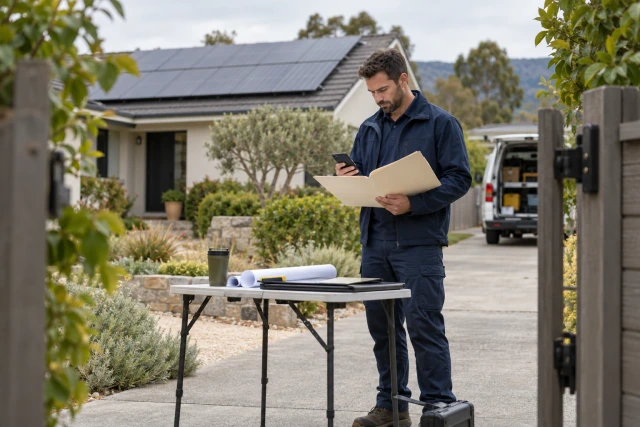
A solar permission-to-operate tracker should preserve the installer’s reported status, the latest verified utility status, the precise missing requirement and the next responsible action. Keep submission, receiving acknowledgment, acceptance and actual PTO evidence separate. Use the free blank blocker-log CSV to coordinate the post-installation queue; the tracker does not grant permission or determine utility-specific requirements.
What to take away
- Keep installer and utility statements together when they disagree.
- Identify the exact missing record and its source before assigning another reminder.
- Separate an internal plan from a confirmed external commitment.
- Verify the actual authorization record for the correct application before closing the queue.
Treat the post-installation queue as a coordination problem
A completed installation can leave the office with an unfinished administrative handoff. Someone may be collecting a missing record, checking a receiving reference or waiting for a decision from the responsible organization. A broad status such as “waiting on utility” does not identify which action the installer can perform or which response must come from elsewhere.
Start by defining the queue you need to manage. This guide focuses on following unresolved post-installation records and decisions, rather than preparing an initial design or prescribing an interconnection process. Keep the actual utility, application and project requirements with their authoritative sources. An administrative tracker should make those sources easier to inspect without inventing a universal approval path.
Download the free blank PTO blocker-log CSV near the top of this page. No signup is required. The example is fictional and demonstrates recordkeeping, ownership and follow-up. It is not an engineering instruction, a utility-specific checklist or a claim that software can authorize a system to operate.
Confirm the project and application before interpreting a status
Use the project reference, utility, application identifier and governing process applicable to the actual job. Record the source that establishes each relationship. A customer surname or street nickname may help a conversation but can be insufficient when the installer has several applications, revisions or locations under review.
Keep sensitive account and customer information in the approved system with appropriate access. The shared queue needs enough reference information for authorized users to find the record, not unrestricted copies of every customer document. Use redacted information in demonstrations and test exports so the evaluation does not create an unnecessary disclosure.
Include the application version or amendment reference where the actual process uses one. A status message can relate to an earlier submission rather than the packet currently being discussed. Confirm the matching record before concluding that the utility lost a document or that a corrected packet has been accepted. Identity and version checks come before status interpretation.
Preserve conflicting installer and utility statements
Consider fictional project PV-06 with an example utility and application reference U-106. The installer's internal note says “installation complete; waiting on utility.” A separately verified utility message says the application's requested photo record is missing. Preserve both statements with their source and date. Do not overwrite one with a broad summary that hides the disagreement.
The next useful question is whether the requested record has been supplied to the correct application in the required form. Assign a person to establish that fact. The missing-photo scenario is teaching data, not a claim that PG&E or every utility requires the same photo package. Your actual utility correspondence and qualified project review determine what the real request means.
A clear queue entry can show the installer-reported state, utility-verified exception and current owner at the same time. That avoids a false choice between blaming the utility and blaming the installer. The purpose is to identify the next verifiable action and retain enough evidence for another coordinator to understand why the item remains open.
| PV-06 teaching record | Current evidence | Next responsible action |
|---|---|---|
| Installer report | Internal note: installation complete; waiting on utility | Coordinator checks the matching application and current source |
| Verified exception | Example utility message identifies missing photos | Assigned preparer obtains the specific requested record |
| Proposed correction | Preparer reports an upload | Coordinator locates the correct submission receipt |
| Acceptance / PTO | Not yet verified in the example | Authorized reviewer checks actual receiving and decision evidence |
Identify the precise missing record and its source
Replace “paperwork missing” with the specific item named in the actual request. Link the relevant message or portal reference and identify the application it concerns. If the wording is unclear, ask the responsible organization or qualified reviewer to interpret it. Do not create a new technical requirement just because another project used a similar checklist.
PG&E's published solar guide is one primary utility reference illustrating that contractor activity and the utility's decisions have distinct roles. Use its current guidance for the projects and process it actually covers. This article does not restate its technical requirements, tariff eligibility or turnaround figures, and it does not generalize them to other utilities.
Record the review of the requirement separately from collection of the document. A preparer may supply a file without knowing whether it satisfies the request. The designated reviewer needs the source requirement, current record and any unresolved question. A file count alone cannot establish that a particular application's requested correction is complete.
Sources: PG&E: getting started with solar, utility-specific primary reference
Assign the person who can perform the next action
Separate the overall project coordinator from the current action owner. An installer administrator may maintain the queue while a field contact obtains a missing record, a customer supplies authorized account information or a qualified project representative reviews a technical question. Keep each responsibility tied to the actual action rather than a generic company label.
For PV-06, name the preparer responsible for the requested photo record and the coordinator responsible for locating its receiving reference. Keep the utility's decision with the appropriate authority. Asking an internal coordinator to follow up is different from assigning that person permission to decide whether the application satisfies the utility's process.
Confirm current contacts before escalating. The original submission may have been prepared by someone no longer assigned to the project. Preserve the history, but route the next request to the person who can act now. If ownership remains uncertain, make identifying the responsible person the next task instead of repeatedly sending a general reminder to an old distribution list.
Distinguish a reported upload from verified receipt and acceptance
Continue the fictional case with a preparer saying the photos were uploaded. Ask for the application reference, submission time, record location and receiving evidence available under the actual process. Connect those details to the correct requirement. A verbal “done” is useful information to investigate, but it is not automatically a verified receiving event.
Then distinguish receipt from acceptance. The receiving organization may acknowledge a packet while review remains outstanding. Preserve the source and exact status rather than converting every acknowledgment into a cleared exception. If a later request identifies another issue, link it to the same application and maintain the earlier submission history.
Test a wrong-version correction in a software demonstration. Supply a record associated with an earlier application version and ask the evaluator to identify the mismatch or route it for review. A successful pilot should show the remaining question and responsible person clearly. It should not create a confident acceptance label from a plausible filename or generic upload-success message.
Keep plans, commitments and aging definitions visible
Record an internal planned action date separately from an external commitment. A coordinator planning to check the application on Monday does not establish that the utility will decide by Monday. When a receiving organization provides a stated commitment, retain the source, date and any condition attached to it.
Define the age measure used in the backlog report. Days since installation, days since first submission and days since the last verified exception answer different questions. A corrected packet may change the current action without erasing the whole application history. Keep those dates distinct so a revision does not make a long-running case appear entirely new.
Prioritize the next actionable blocker rather than assume that every older application has the same cause. An internal missing record, an unconfirmed receipt and an external review queue need different follow-up. Avoid promising a universal PTO turnaround based on one utility page, one vendor's marketing or a clean example that excluded the difficult cases.
Compare software and service proposals with the same stalled packet
Evaluate the exact work being offered: a shared spreadsheet, a project-management queue, a specialist permitting or interconnection service, or a coordination workflow around existing systems. These approaches can cover different tasks. Determine which organization still owns preparing records, reviewing requirements, submitting information and verifying the actual decision.
OpenSolar publishes a permitting-integrations resource that can help identify existing partner and service options to investigate. A resource listing is not proof that every provider covers every utility, project or post-installation task. Ask for the current scope and a demonstration of the specific handoff you need rather than assume the category is unserved or universally automated.
Run the same PV-06 scenario through each proposal: conflicting status statements, a precise missing record, a reported correction without verified receipt and an unresolved authorization state. Record native capability, configuration, vendor assistance and manual work separately. Require the evaluator to explain what remains outside the proposed scope and who will own those steps after implementation.
Sources: OpenSolar official permitting-integrations resource
Close the queue using the actual decision evidence
Define the evidence your responsible project process requires to record PTO for the correct application. Link the actual authorization record and have the appropriate reviewer confirm what it covers. A tracker should preserve that source rather than infer permission from a completed installation, a closed internal task or an unanswered follow-up message.
Keep later communication tasks distinct from the decision itself. The office may still need to inform the customer, update the project record or complete another authorized handoff. Assign those actions without presenting an internal notification as the source of operating permission. Record when the intended recipient received the relevant update under your process.
If the authorization record is missing, ambiguous or associated with another application, leave the uncertainty visible and assign the review. Do not fill the gap with a forecast or a software-generated approval badge. This guide coordinates administrative evidence; project-specific technical, regulatory and operational determinations belong to the responsible qualified people and authorities.
Start with one blocker and measure the coordination work
Choose a small, redacted application queue and confirm the starting sources before introducing a new workflow. Measure the administrative work you intend to improve: unidentified owners, missing record requests, receiving references found and status statements reconciled to evidence. Keep decisions and turnaround outside your control separate from those process measures.
Buildalytic's custom-workflows offering provides a starting point for discussing calls, texts, emails, waits and approval steps around existing tools. Ask the demo to show the missing-record request, original response and next assigned action. Confirm any proposed system connection and authorized write explicitly. A coordination workflow should not be described as a utility approval engine.
Bring one stalled, redacted packet with its utility-specific requirement source and current exception. Map the path from that requirement through the application, verified correction and receiving decision, identifying which reviews your team retains. Confirm implementation scope and permissions before expanding the workflow to more projects or utilities.
Sources: Buildalytic custom workflows
Common questions
Does this log determine whether a solar system has permission to operate?
No. It organizes source records, current responsibility and the actual authorization evidence for review. Do not infer permission from a software status or an installation milestone.
Are the missing photos a PG&E requirement?
The PV-06 case is fictional and does not prescribe any utility’s photo requirements. Use the specific request and qualified review applicable to your actual application. PG&E is cited only as a utility-specific primary reference.
How should conflicting statuses be recorded?
Preserve both statements with source and date, then identify the precise missing fact and responsible action. Do not erase the installer account or verified utility exception with a general summary.
Is the blocker-log CSV free?
Yes. Download the headings and blank response cells without signup. Adapt the administrative fields to your actual process; the worksheet contains no utility approval rules or turnaround calculator.
Sources and editorial notes
- PG&E: getting started with solar, utility-specific primary reference
- OpenSolar official permitting-integrations resource
- Buildalytic custom workflows
Prepared with AI assistance. Reference date: 2026-10-29. Worked examples are illustrative and are not customer results. Product details can change; confirm the current scope and terms before rollout.
How we prepare and update field notesSee one stalled PTO packet mapped to its missing requirement
Bring a redacted packet and its current requirement source. Review a proposed Buildalytic coordination workflow from the application to the verified exception and receiving decision, with your team and the appropriate authority retaining their reviews.
Start with the call, text or record your team already handles. Review the expected outcome and the human handoff before choosing a rollout.
Bring a PTO coordination example Explore the relevant capability