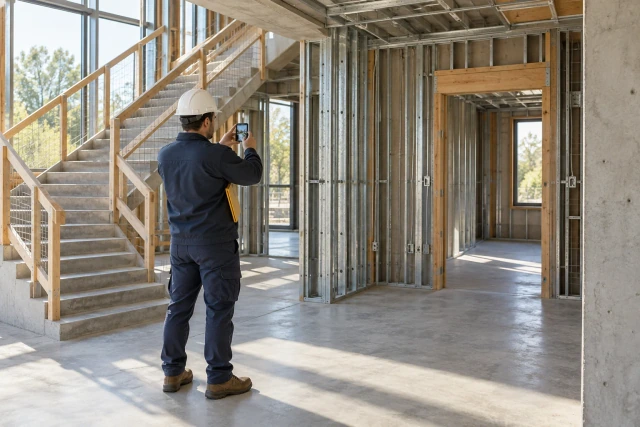
A useful punch-list follow-up connects the item, location and current review comment to a responsible trade contact, a confirmed next action and the project’s closure process. Keep a planned visit, a contractor’s completion statement, submitted evidence and the designated review outcome separate. A reply or photograph can support the next review without automatically establishing that the item is closed.
What to take away
- Identify the exact item and location before asking for a return visit.
- Ask for the next missing action rather than sending every open item the same reminder.
- Keep contractor completion reports separate from the required correction review.
- Preserve returned comments, new evidence and the actual closure source.
Make the item specific enough to act on
Begin with a stable item ID, project, location, description, source reference and responsible trade. A note saying finish second floor can cover several different tasks and leave the recipient guessing which one the reviewer means. Link the actual observation and current comment so the trade can identify the intended item.
Use the project's accepted location structure and relevant image or drawing reference. A photograph without context can show a similar room or an earlier condition. Keep the source, date basis and item relationship clear rather than treating every attached picture as evidence for the same correction.
If one row contains several independent issues, ask the responsible owner whether they need separate records. Partial completion should remain visible. Closing a broad row because one part was addressed can conceal work that still needs a visit or review. The administrative list should preserve the scope the actual reviewer is assessing.
Separate visit planning, reported completion and closure
Use states that identify the next action: trade response needed, visit proposed, visit confirmed, correction reported, evidence pending, review pending, returned for correction or closed under a recorded decision. The project can choose its own labels, but their meanings should remain understandable to the coordinator, trade and reviewer.
Procore's official closure guidance distinguishes an assignee's response from the review and closure stage in its punch-list workflow. That is a bounded product example, not a universal permissions model or technical acceptance rule. Use the actual project roles and required closure decision rather than copying a software label into a broader promise.
A contractor's message saying done should update the reported state and trigger the appropriate next step. It should not silently remove the item from the review queue. Similarly, a confirmed appointment is useful scheduling information, but it does not establish that the visit occurred or that the correction was accepted.
Sources: Procore: Close a Punch List Item
Ask for the visit the item actually needs
A starting message is: For [project/item/location], the current open comment is [reference]. Please confirm the responsible contact, proposed visit window and any access or prerequisite question that must be resolved. After the work is reported ready, provide the evidence required by [project process] so the designated reviewer can assess the item.
Use the specific unresolved state. If a visit is already confirmed, ask about the missing completion or evidence step rather than requesting another date. If the item is awaiting review, route it to the reviewer rather than repeatedly asking the trade to perform it again. A precise question makes the follow-up easier to answer.
Keep operational directions in the authorized project process. The coordinator should not invent repair methods, acceptance criteria or access instructions from a general checklist. Where the trade needs a technical clarification, preserve the question and assign the appropriate owner before treating the appointment as a complete plan.
Resolve access and prerequisites before calling the visit confirmed
Identify the approved site contact, access window and any prerequisite confirmation the responsible project team requires. A trade can accept a date while the area remains unavailable. Keep that unresolved arrangement visible rather than allowing the calendar entry to imply every dependency is satisfied.
Record who supplied the access information and its version where relevant. A later location or window change should reach the people who rely on it. Do not use old instructions from another area simply because they were convenient for the last visit. Route unusual or changed conditions to the designated site owner.
When the required parties confirm the actual arrangement, retain the source and scope. If only three of five items can be visited in that window, show which three. A confirmed return visit for one area should not automatically cover every open item assigned to the same subcontractor.
Worked example: five open-list items need different actions
The following project and records are fictional. Cedar's review roster contains five items at the checkpoint. P-11 has a contractor completion statement but is awaiting the designated review. P-12 has a confirmed visit for November 23, 2026. P-13 cannot yet obtain the required area-access confirmation.
P-14 has an actual recorded closure decision under the exercise's project process. P-15 was returned with a specific correction comment. The coordinator reports one closed item and four still open, with different next owners. The calendar for P-12 and the completion message for P-11 do not increase the closed count.
The next actions are to obtain P-11's review, retain and follow P-12's visit, resolve P-13's access question and route P-15's returned comment to the responsible trade. This is a workflow example, not a finding that any real work meets a specification or that a contractual milestone has been achieved.
| Item | Checkpoint state | Next action / owner |
|---|---|---|
| P-11 | Correction reported / review pending | Designated reviewer assesses evidence |
| P-12 | Visit confirmed for November 23 | Trade and site contact follow the recorded window |
| P-13 | Access confirmation unresolved | Responsible site owner resolves access |
| P-14 | Closed under recorded decision | Retain closure reference |
| P-15 | Returned for correction | Trade responds to the specific comment |
Ask for evidence that matches the item
Use the evidence required by the actual project reviewer. Identify the item, location, reported work date and source of the submission. A photo may help show the reported condition while leaving a measurement, test or another required review unresolved. The coordinator should not infer those missing facts from visual appearance alone.
Keep original records and corrections linked. If the trade sends a replacement image because the first one showed the wrong room, preserve the clarification and identify the current evidence set. Do not relabel the earlier image as though it had always depicted the intended item.
Where the supplied evidence does not answer the review question, ask the designated reviewer to identify the specific gap. Repeatedly demanding more photos without explaining what is missing can produce a larger folder without a better review basis. Keep the question, owner and required response close to the item reference.
Return the item to the designated decision owner
Route the contractor's response and relevant source records through the project's review process. Record the reviewer, decision date, evidence version and actual scope. A review may accept the item, return a comment or ask for further evidence. Preserve the result rather than replacing every outcome with complete.
If a reviewer is unavailable, use the project's authorized handover process and identify the replacement owner. Silence should not close the item, and a coordinator should not assume technical authority merely to clear an overdue queue. The list should make the pending decision visible to the people responsible for it.
Connect the closure source to the item when the actual decision arrives. Keep the contractor's report and the review outcome as distinct events in the history. That sequence helps another person understand what was asserted, what evidence was supplied and what the project ultimately recorded.
Make a returned comment a concrete follow-up
A returned item needs its comment ID or source, affected location, required clarification or correction, responsible trade and next checkpoint. A generic rejected status can force the trade to rediscover the reason. Send the specific recorded comment rather than paraphrasing it into broader repair instructions.
For P-15, keep the earlier response and the returned comment linked while the next action is open. A new completion statement should identify what it addresses. The reviewer needs to distinguish a response to the comment from an unrelated update about the same area.
When part of an item is accepted and another part remains open, preserve the actual scope of both decisions. Ask the owner whether the records should be split. Do not call the whole item closed simply because one correction was accepted, or reopen unrelated accepted work without the recorded basis.
Reconfirm changed visits and preserve unsuccessful attempts
If the trade or site changes the visit window, retain the original arrangement and record the replacement, reason and affected parties. An earlier confirmation belongs to the earlier window. Obtain the required current responses instead of carrying a yes forward automatically to a materially different appointment.
If the visit did not occur, distinguish the reported facts from an assumed cause. Record the trade's and site contact's statements, the source and the next action. The administrative log should not decide fault, a backcharge or another commercial consequence simply because a calendar event passed.
A completed visit may still leave the correction or evidence open. Keep the actual visit record and the remaining task distinguishable. That lets the coordinator ask a useful next question instead of either scheduling another visit unnecessarily or marking the item closed too early.
Give the project team an action-oriented summary
Show the item count with its status breakdown and checkpoint. In the fictional five-item roster, one of five is closed, or 20%, under the exercise's definition. That percentage does not describe total project completion, technical readiness or payment entitlement. Keep the denominator and definition visible.
The breakdown matters more than a single red count. One item needs review, one has a visit, one needs access and one has a returned comment. Those actions belong to different people. A summary that calls all four missing trade responses can direct the follow-up to the wrong owner.
Keep aged items tied to the actual next action and source. A long-open record may have several legitimate review or access steps. The project owner can decide escalation through the actual process. The fictional counts explain a method and do not claim a measured customer closeout improvement.
Use the punch-follow-up register
The free blank CSV includes project, item ID, location, observation source, current comment, responsible trade, visit proposal, confirmed window and source, access question, contractor completion statement, evidence reference, review owner, disposition, closure source and next action. Use one row per identifiable item or linked action.
Enter P-11 through P-15 and check that each generates the appropriate next request. Add a replacement photo for P-11 and a rescheduled visit for P-12. The original sources should remain traceable while the current review set and window are clear. Do not let the new attachment close the review automatically.
Pilot one small area with the site coordinator, trade contact and designated reviewer. Ask each person to identify their next action and the source supporting the current state. Resolve unclear item boundaries and closure ownership before expanding automated reminders across the entire punch list.
Coordinate punch follow-up with Buildalytic
Buildalytic's custom-workflow page describes requests, response logging, waits and named approval steps. Bring a redacted punch item with an unresolved visit or review comment to a demo. Ask how the question reaches the responsible trade or site owner and how the reply stays connected to the item.
Keep technical review, repair methods and closure authority in the actual project process. Confirm the supported document connections and permissions for your setup. Do not assume a follow-up workflow inspects the work or certifies a correction from a photo. The useful demonstration shows where it waits for the designated person's decision.
Use the five-item roster to inspect a confirmed visit, a reported correction and a returned comment as different paths. A clear next owner should remain visible when the answer does not resolve the item. The fictional examples do not promise accepted work, faster handover or a verified customer result.
Common questions
Does a subcontractor saying done close a punch item?
Treat it as a completion statement and route the required evidence to the designated reviewer. Preserve the actual closure decision separately.
Should every open punch item receive another visit reminder?
No. Identify the current gap first. Some items need access, evidence, review or a response to a returned comment rather than a new appointment.
Can a photo prove the correction is acceptable?
It can support the item’s review. The actual project requirements and designated reviewer determine what evidence and acceptance decision are needed.
Sources and editorial notes
Prepared with AI assistance. Reference date: 2026-10-29. Worked examples are illustrative and are not customer results. Product details can change; confirm the current scope and terms before rollout.
How we prepare and update field notesBring a punch item whose next action is unclear
Bring a redacted item, current comment and visit or evidence history. We will map the specific request, responsible owner and review hold using your project process and supported connections.
Start with the call, text or record your team already handles. Review the expected outcome and the human handoff before choosing a rollout.
Request a punch-follow-up workflow demo Explore the relevant capability