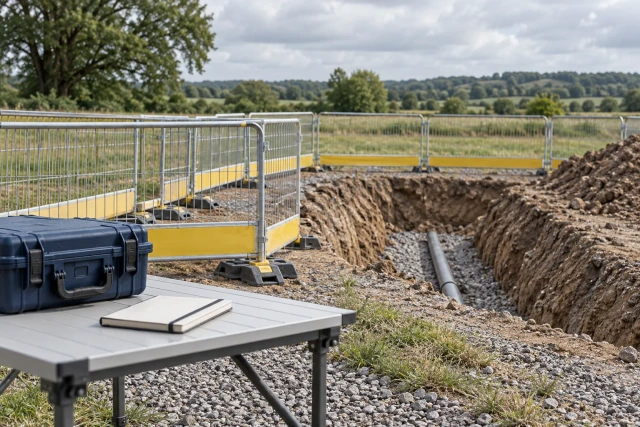
An as-staked report should identify its purpose, covered features, design source and version, original field-job records, relevant reference-system and unit information, report revision and responsible review. Preserve the actual source records and unresolved questions rather than treating a formatted export as a certificate of accuracy or acceptance. The blank template below is an administrative index for compiling and reviewing those sources; it does not prescribe a survey method, tolerance or professional conclusion.
What to take away
- Identify the design version and field-job source before compiling the report.
- Preserve original records and the meaning of reported values.
- Route reference-system, unit and tolerance questions to the responsible specialist.
- Keep report delivery, technical review and acceptance as distinct events.
Define what this as-staked report is intended to record
Start with the requested deliverable, recipient, covered area and feature references. Clarify whether the packet documents reported stakeout records, a specific field operation or another defined reporting purpose. Do not assume every party uses as-staked, as-built and record drawing to mean the same thing.
Identify the actual project requirement and responsible technical reviewer. A coordinator can compile a source index while a qualified project specialist determines the required content, method, interpretation and professional responsibilities. Preserve that division in the report rather than adding a generic accepted banner when the files are merely assembled.
State the boundary and exclusions clearly. A report for selected features should not appear to cover an entire site. If a recipient needs a different deliverable or a broader area, preserve the request and route it for an authorized scope decision. Renaming a file does not expand the evidence it contains.
Identify the design source and version used in the field
Record the actual drawing, model, alignment or other source package reference and version associated with the field activity. Preserve its controlled location and the relationship to the field-job record. A current design file in the office is not automatically the version used during an earlier operation.
If multiple sources were involved, identify their relationships and any unresolved version question. Ask the responsible contact which source governed the covered feature or period. Do not replace the earlier reference silently with the newest file to make the report appear current; that can remove the context needed to understand the original record.
Keep subsequent design changes as separate events with their actual instruction and review. A later source may require a new technical decision, additional field work or a revised deliverable. The document register should show that question and the responsible owner without deciding that existing records remain suitable for a changed design.
Link the report to the original field-job records
Identify the field job, relevant feature IDs, original storage location and person or organization supplying the records. Preserve the original files and distinguish them from a report export, spreadsheet summary or annotated review copy. A reader should be able to trace a reported item back to its actual source.
Trimble Access 2026.10 describes stakeout items originating in the job, a linked file or keyed input, along with stored points and associated delta context. This vendor example shows why a report index should preserve the source relationship. It does not establish that a particular project’s field records are complete or technically acceptable.
Ask the responsible source to explain ambiguous identifiers, duplicated names or missing records. Preserve an unavailable source as a gap rather than recreating a measurement from a screenshot. A later explanation can be retained with its author and date, while the original field record remains distinguishable from that explanation.
Sources: Trimble Access 2026.10: stakeout sources, stored records and reference context
Preserve reference-system and unit context for review
Include the relevant reference-system, calibration and unit information supplied by the responsible technical source, along with its record location or version. This section is a request for source context, not an instruction to choose a coordinate system or convert field values. If the source is unclear, route the question before using the values in another comparison.
Trimble’s stakeout guidance warns that a later coordinate-system or calibration change can make earlier and later stakeout points inconsistent. Preserve any reported change and its relationship to the affected records for specialist review. Do not resolve that question by relabeling an earlier file or changing a spreadsheet heading.
Keep received values, units and explanations together. A coordinator should not guess a missing unit from the apparent size of a number or combine records under an assumed common basis. Record the exact question, affected feature references and person responsible for confirming the appropriate interpretation.
Sources: Trimble Access 2026.10: stakeout sources, stored records and reference context
Explain reported values without inventing acceptance criteria
Identify the meaning and source of any values included in the actual report. Keep design references, reported field records and any specialist-provided comparison distinguishable. Do not copy a difference into a column labeled acceptable unless the applicable criterion and authorized review support that description.
Trimble’s documentation describes configurable tolerance-related display behavior and notes that a default point color can mean a tolerance value cannot be calculated. A display state therefore needs its actual context. It should not be reinterpreted as an automatic pass in a generic reporting worksheet or a Buildalytic follow-up workflow.
The project’s responsible specialist should determine the required criteria, interpretation and technical conclusion. The administrative index can identify where that decision is recorded and which question remains open. It does not supply universal tolerances, certify coordinates or establish that the work matches a design requirement.
Sources: Trimble Access 2026.10: stakeout sources, stored records and reference context
Worked example: four report-index rows before technical review
The project, references and statuses below are fictional. A civil contractor prepares a packet for selected field records. The coordinator has design package D-84 and field job F-84, but does not assume that every referenced feature is ready for technical acceptance simply because a report export exists.
A-01 identifies the source package and still needs the planned review. A-02 links a stored record while its technical review remains pending. A-03 carries an unanswered unit or reference-context question. A-04 preserves an earlier source alongside a later report revision. No row contains invented coordinates or a claimed tolerance result.
The coordinator assigns the open questions to the responsible source and reviewer. Another teammate can find the packet’s provenance and limitations without treating its administrative completeness as a professional conclusion. The example is not an actual survey, certified report, accepted field result or measured Buildalytic customer outcome.
| Reference | Administrative state | Next review action |
|---|---|---|
| A-01 | Design package identified; review pending | Confirm covered source and deliverable scope |
| A-02 | Stored record linked; technical review pending | Route source set to responsible reviewer |
| A-03 | Unit or reference-context question unresolved | Obtain source clarification before comparison |
| A-04 | Earlier source preserved; revision relationship open | Confirm report change and affected records |
Make gaps and excluded features easy to find
List the covered feature references and compare them with the requested scope. Identify missing records, inaccessible source files and items outside the packet boundary. An index that describes its coverage is more useful than a cover statement that all records are included without a reproducible source list.
Distinguish not provided from not applicable and from not reviewed. A feature can fall outside the agreed deliverable, or its record may simply be missing. Those states require different actions. Ask the responsible person to confirm the reason rather than using a blank cell to represent every possible gap.
If a later request expands the scope, preserve the original packet and the new requirement. Record the authorized next action and affected source references. Do not backfill a broader coverage claim onto a report whose earlier version contained only selected features.
Keep report revisions connected to their source changes
Give the outgoing report a clear identifier and revision, and state what changed. The revision may add a missing file, clarify a unit reference or incorporate a specialist’s corrected interpretation. Explain the actual change so a recipient does not need to compare every page to determine why a replacement was issued.
Preserve the earlier report and its source relationships. If an original field-job file is superseded or corrected through the authorized process, retain the history and relevant explanation. Avoid overwriting a stored record merely to make a report summary look consistent with a newer office source.
Identify which review is required for the revised scope. An earlier review may have addressed only a particular source set or issue. A documentation revision does not automatically renew every technical decision or establish that a later design change has been checked. Keep the authorized reviewer and actual outcome attached to the appropriate version.
Review the packet for traceability before issue
Have someone follow one feature from the requested scope to the design source, field-job record and report row. Check whether the packet identifies its units, reference context and remaining questions. This administrative review should make the source chain understandable while leaving technical judgments to the responsible reviewer.
Ask the designated specialist to identify the actual technical review result and its scope through the project process. Preserve comments requiring clarification and the source set reviewed. Do not translate received, checked for filenames or ready to transmit into an accuracy certification or acceptance decision.
Check the report cover, attachments, source index and shared links against the same revision. A correct export can be undermined by an older cover file or an inaccessible source folder. Resolve those receiving and version problems before issue without changing substantive records outside the authorized process.
Track delivery separately from downstream use
Send the authorized packet to the actual required destination and preserve the sent revision and receiving evidence. Confirm which source files the recipient can access. A delivered report may still be under review, and a download event does not establish that the recipient accepted its technical content.
If the recipient asks for a clarification, link the question to the affected feature and report version. Determine whether the issue concerns an unavailable attachment, source interpretation, expanded scope or another deliverable. Send the appropriate request rather than asking the field team to repeat work before the question is understood.
Record any later authorized use or outcome under its actual scope. This may include a revised report or a separate technical decision, but the administrative log should not infer approval from silence. Preserve remaining questions so another teammate can take over the packet without treating delivery as the final project decision.
Download the blank as-staked report source index
The free CSV captures the project and requested scope, feature references, design source, field job, original record, supplied unit and reference context, report revision, gaps, clarification owner, review and receiving evidence. It is an administrative compilation aid, not a substitute for the required technical report, survey method or professional certification.
Enter A-01 through A-04 from the fictional example and retain their different pending states. Test whether someone can find the original record for A-02 and the unanswered context question for A-03. Do not insert sample coordinates or default tolerance values into the blank template just to complete every column.
Pilot one redacted packet with the field-record source and designated reviewer. Agree identifiers, controlled file locations and the scope of administrative checks. Resolve ambiguous terminology before expanding the index across multiple crews, systems or deliverables with different professional requirements.
Bring a missing report source to a Buildalytic demonstration
Buildalytic advertises custom workflows for requests, logged follow-up, waits and named approvals. Bring a redacted report index with one missing source or unresolved context question. Ask a demonstration to show the request, response and named review returning to the correct feature and report revision.
Test a missing field-job attachment, a reference-context clarification and a review wait as different paths. Confirm the supported connections, permissions and actual source of technical decisions. The workflow should coordinate records without selecting a survey method, computing an acceptance result or certifying field accuracy.
The practical test is whether another teammate can trace the requested deliverable, original source and next authorized action. The fictional example does not establish a measured project result. Production use should follow the project’s real technical requirements, responsible professionals and controlled document process.
Common questions
Is the CSV a certified as-staked survey report?
No. It indexes sources, scope, revisions and review actions. The actual deliverable and any professional certification must come from the applicable project process and responsible professionals.
Can I combine values from different field jobs?
Preserve their source and reference context and ask the responsible specialist to determine suitability. Do not assume a shared unit or coordinate basis.
Does report delivery mean the field result was accepted?
No. Receiving evidence, administrative completeness, technical review and acceptance are distinct records and decisions.
Sources and editorial notes
- Trimble Access 2026.10: stakeout sources, stored records and reference context
- Buildalytic custom construction workflows
Prepared with AI assistance. Reference date: 2026-10-29. Worked examples are illustrative and are not customer results. Product details can change; confirm the current scope and terms before rollout.
How we prepare and update field notesBring the report index with one missing source or review
Bring a redacted report index, a missing source reference and the required reviewer. We will map the request, response and review handoff using your process and supported connections.
Start with the call, text or record your team already handles. Review the expected outcome and the human handoff before choosing a rollout.
Request a field-record follow-up demo Explore the relevant capability