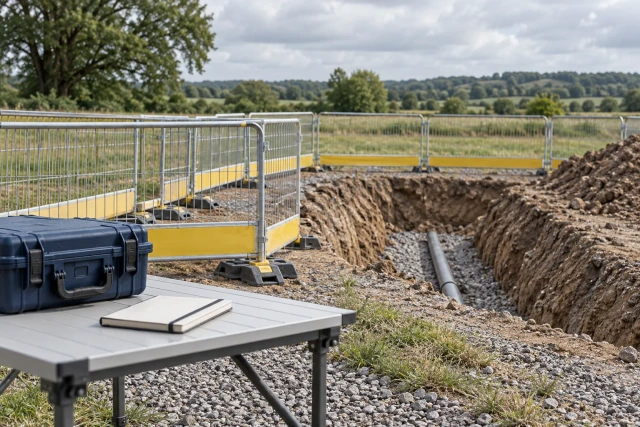
Construction staking revision control should connect the issued design reference, prepared field-data package, authorized release, intended device or crew, and record of the version used for the relevant work. Preserve prior versions and unresolved mismatches. A file published or available to download is not proof that every field recipient has selected it for the correct task. Coordinate the handoff while leaving technical preparation, survey checks and permission to proceed with the designated project professionals.
What to take away
- Track the issued plan and derived field-data package as related but separate records.
- Confirm the package’s scope, release source and intended recipients.
- Distinguish publication, download, selection and actual field-record references.
- Preserve earlier versions so completed work can be traced to its original basis.
Trace the revision through the whole information handoff
A revised plan can reach the office while a field crew still has an earlier data package. Start a revision record that identifies the project, affected area, issued design reference and responsible technical source. Keep the notification, prepared package and field response connected rather than assuming a new attachment updates every downstream record automatically.
Distinguish the plan revision from the derived data revision. One issued drawing may relate to several point files or models, and a revised field package may address only part of the site. Preserve those scope relationships. A matching date or similar filename is not enough to establish that the package covers the intended work.
Assign the administrative handoff to a named coordinator and the technical preparation and review to the proper roles. The coordinator can locate missing information, track distribution and preserve acknowledgments. The record should not imply that administrative completeness verifies coordinates, survey control or the technical suitability of a package.
Identify the issued reference and affected work scope
Preserve the actual issued plan, revision identifier, issuing event and scope description. Record the affected location, feature set or activity in terms the field and technical teams can relate to their records. Do not label the entire project superseded when the source changes only one area or a defined part of the work.
Keep candidate, draft and issued information distinguishable. An email attachment may be shared for review before it is released for use. Retain the sender’s wording and ask the designated source to clarify the status. A coordinator should not resolve uncertainty by calling the newest filename the current design.
Where several instructions or design sources conflict, identify the exact references and route the question for technical resolution. Preserve the response and any resulting release. The handoff register can make a conflict visible without choosing a design basis, editing geometry or directing the crew to proceed on an unreviewed assumption.
Version the derived field-data package independently
Give the prepared point, model or other field-data set its own identifier and version. Link it to the source design, defined work scope, preparer and reviewer. Retain any accompanying metadata required by the technical process. This provides a clear relationship between the design information and the package actually being distributed.
Trimble’s WorksManager design documentation describes designs containing surface models, stakeout points and map objects, with project and model relationships. This is a product-specific example of why a design package can contain several related data types. It is not a claim that every staking workflow uses the same format or that Buildalytic prepares verified survey data.
Keep the package’s technical checks and release source with the record. A completed upload is an administrative event; it does not independently verify the contents. If the preparer issues a correction, retain the earlier version and the reason so a later reviewer can explain which package applied at a particular point in the work.
Sources: Trimble WorksManager: Designs and related data types
Record who released which package for which purpose
Use the actual project process to identify the reviewer and release decision. Record the package version, covered scope, intended use and any stated limitations. An internal acknowledgment that a file opens should remain an acknowledgment, not be expanded into technical acceptance or permission to use it for every activity.
Prepare a concise transmittal that names the issued source, derived package, affected work and required recipient action. If the request is to confirm receipt, say that. If another technical review must occur, identify the responsible role and wait. Ambiguous messages such as latest plans attached make it difficult to know which action the recipient completed.
Keep an unresolved scope or reference-system question attached to the package. Do not remove the qualification when distributing a cleaner summary. The record should expose the remaining decision to the technical owner rather than create the appearance of a complete release because every file has been uploaded.
Check the recipient and publication state
Identify the actual crews, devices or receiving systems relevant to the released scope. Record the assignment and distribution event using the available source. A general project announcement may help people locate the revision while still leaving a specific controller or work group without the intended data.
Trimble’s publishing guide describes device assignment and publication status. Its successful publishing state indicates availability for assigned field devices to download; that is distinct from evidence of the version selected for a particular field task. These are bounded product semantics, not universal status meanings for every field application.
For your handoff, define the next confirmation needed and who supplies it. The coordinator should not infer that all future devices receive a package, that an offline controller is updated or that a crew has changed its current task. Ask the responsible system and field sources for the relevant confirmation and retain the result.
Sources: Trimble WorksManager: Publish a Design, assignments and publishing states
Worked example: four records in one revision handoff
The project, identifiers and states below are fictional. Cedar’s coordinator is tracking an issued revision for a defined civil work area. S-51 identifies the issued plan and its reviewed scope reference. S-52 is a candidate point file still in technical review; it is not included in the released-use record.
S-53 concerns a separately released package assigned to the intended field recipient. The publication source shows it is available to download, but the required field confirmation remains open. S-54 is an earlier work record that retains its original package reference because it describes work already recorded under that earlier basis.
The coordinator routes the candidate-file review, requests the missing field confirmation and preserves the earlier history. The example does not establish that the new package is technically correct or that the crew may proceed. It demonstrates distinct evidence states that should not all be summarized as revision complete.
| Record | Current evidence position | Next action |
|---|---|---|
| S-51 | Issued plan / defined scope reference retained | Link to technical package review |
| S-52 | Candidate point file / review pending | Designated technical decision |
| S-53 | Released package / available to download | Required field confirmation outstanding |
| S-54 | Earlier field record / original version retained | Preserve history and affected-work relationship |
Connect the field confirmation to the actual task
Ask the responsible field contact to identify the relevant package and work reference through the established process. Preserve what they actually confirm: receipt, download, selection or another defined event. These states may occur close together, but a record that establishes one should not be silently expanded to establish all of them.
Keep the task, date and scope reference where the field process requires them. A controller can contain several designs, and a crew may perform several activities. A general statement that the file is on the device is less informative than a source connecting the package to the relevant work record.
If a mismatch appears, route it to the field and technical owners for the appropriate response. This administrative guide does not prescribe survey checks or operational instructions. Preserve the current account, affected reference and decision source so the team can resolve the issue through its actual technical and field process.
Preserve earlier versions and deliberate archive settings
Retain the source history needed to explain completed work, corrections and later review. Superseded information can be unsuitable for a new task while remaining important evidence of the basis used earlier. Distinguish restricted current use from deletion of the historical record.
Trimble documents a configurable option to auto-archive older design versions when a new one is published. That demonstrates that version availability can depend on system settings. Check the actual project configuration and retention process rather than assuming old versions disappear, remain visible or stay selectable in the same way everywhere.
Record the relationship between the current package and the superseded one. Preserve who changed the status, why and which scope was affected. A later reviewer should be able to find the earlier reference without mistaking it for the package currently released for a different stage of work.
Sources: Trimble WorksManager: Auto-Archive All Older Design Versions
Resolve mismatches with a bounded source question
Name the exact mismatch: issued plan reference, point-file version, covered area, recipient assignment or missing field confirmation. Attach the relevant controlled references and ask the source that can answer it. A broad instruction to check all staking data creates activity while leaving the immediate handoff gap unclear.
Preserve the question and response beside the affected package. If the response supplies a revised file, identify its relationship to the earlier version and the required review. Do not close the issue merely because a new attachment arrived; determine whether it answers the stated question and reaches the appropriate technical owner.
Keep a correction to the record distinct from a technical finding about work already performed. A late version clarification may require further assessment, but the coordinator should not assume the work is wrong or acceptable from the administrative mismatch alone. Route the actual affected-work question to the designated reviewer.
Keep field outputs tied to their original source package
Preserve the work order, field account or other required output with the package reference it actually used. Do not relabel an older field record with the latest revision simply to make the folder consistent. That would erase information needed to understand the sequence and any later comparison.
If a source corrects the output reference, retain the correction, author and reason. Separate a clerical identifier change from a new technical assessment or revised field result. Those events can have different purposes and should remain distinguishable in the record history.
Before handing the set to another team, check that the index identifies current releases, prior outputs and open questions clearly. Confirm recipient access and preserve the actual receiving event. A useful information handoff should let another person explain what was issued, what was distributed and which source supports the recorded field basis.
Download the blank staking-revision handoff register
The CSV includes the project and work scope, issued plan reference, derived package and version, preparer and technical reviewer, release source, recipient assignment, publication event, field confirmation, original work record and supersession relationship. It is a coordination index, not a point file, survey certificate or technical release form.
Enter S-51 through S-54 and test each path. A candidate-file review should remain separate from a missing download or task confirmation. The earlier field record should keep its original reference after the newer package becomes current. The worksheet should make that history easier to follow without changing technical data.
Pilot one revision with the coordinator, technical source and field contact. Agree which confirmations the real process needs and where their evidence lives. Resolve ambiguous statuses and permissions before expanding automated requests across multiple devices, crews or simultaneous design packages.
Demonstrate the missing revision-confirmation handoff
Buildalytic advertises custom workflows for requests, logged follow-up, waits and named approvals. Bring a redacted revision transmittal with one missing recipient or field confirmation. Ask a demonstration to show the precise question reaching the correct contact and returning to the package and project reference.
Use separate paths for a candidate-file review, a recipient-assignment question and a missing field confirmation. Confirm supported document connections and the person responsible for each decision. The workflow should preserve the evidence without preparing verified point data, changing survey control or granting permission to proceed.
The practical test is whether another teammate can trace the issued source, released package, recipient state and original field record. The fictional handoff does not establish survey accuracy or a measured Buildalytic customer result. Production coordination should reflect the project’s actual technical process and designated professional review.
Common questions
Does published mean the crew used the revision?
Confirm the meaning of the actual system status and the required field evidence. Availability to download is not by itself a record of selection for the relevant task.
Should an earlier field record be updated to the newest revision?
Preserve its original basis. Record any correction or supersession with its source instead of silently rewriting the history of work already documented.
Does this register verify staking accuracy?
No. It connects source records and handoffs. Technical data preparation, survey checks and release decisions remain with the designated project professionals.
Sources and editorial notes
- Trimble WorksManager: Designs and related data types
- Trimble WorksManager: Publish a Design, assignments and publishing states
- Trimble WorksManager: Auto-Archive All Older Design Versions
- Buildalytic custom construction workflows
Prepared with AI assistance. Reference date: 2026-10-29. Worked examples are illustrative and are not customer results. Product details can change; confirm the current scope and terms before rollout.
How we prepare and update field notesBring the missing confirmation in a staking revision handoff
Bring a redacted issued reference, package version and one unanswered field or reviewer question. We will map the request, evidence return and named handoff using your process and supported connections.
Start with the call, text or record your team already handles. Review the expected outcome and the human handoff before choosing a rollout.
Request a revision follow-up demo Explore the relevant capability