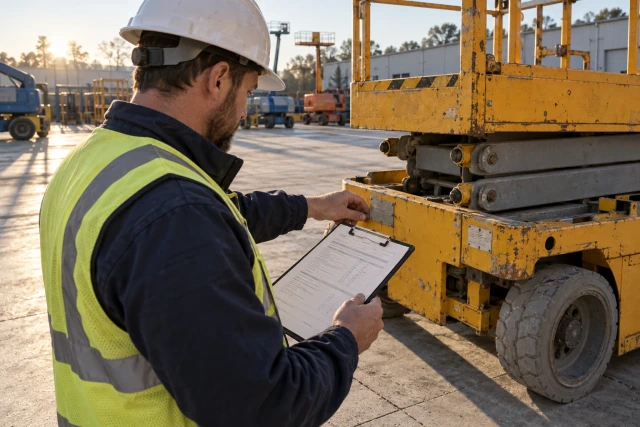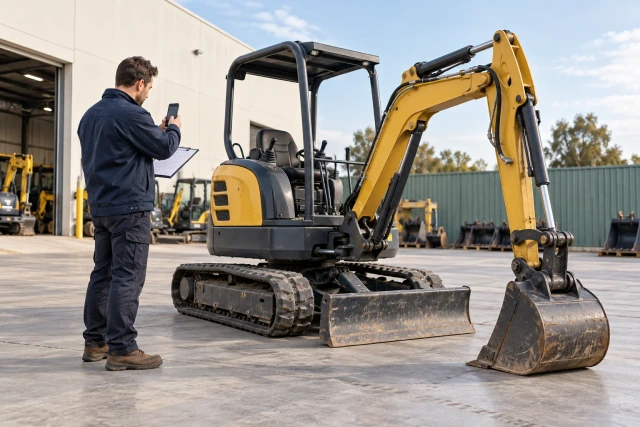
For a rental-equipment damage question, preserve the actual unit and agreement references, condition records, contact history, pickup and return events, vendor assessment and itemized charge. Keep observed facts separate from allegations about when damage occurred or who is responsible. Use the actual rental terms and authorized review process for notice, coverage and payment questions. A condition photo or a correctly calculated repair total can support review without determining liability or guaranteeing a credit.
What to take away
- Match every condition record and charge to the exact rented unit.
- Keep the delivery, pickup request, physical pickup and return assessment as separate events.
- Preserve photo context and unknown gaps in the chronology.
- Reconcile proposed repair charges while leaving responsibility and coverage to actual review.
Confirm the unit and agreement before comparing records
Start with the rental agreement, project, vendor branch and actual equipment identifier. Preserve the asset, serial or unit reference used by the parties. A project may have rented similar equipment more than once, so a machine description or photo filename alone can lead the team to compare records for the wrong unit.
Connect delivery, exchange, extension and return references where they exist. A replacement unit should have its own identity and condition history rather than inheriting every record from the original rental. Ask the source to clarify a mismatched identifier before combining the cost and photo evidence into one dispute packet.
Record who is responsible for commercial communication with the vendor. The field contact can supply observations while the equipment or accounting owner manages the agreement and invoice. A clear role assignment helps the team ask factual questions without unintentionally treating an informal field conversation as an agreed settlement.
Read the actual inspection, reporting and return process
Locate the governing rental terms, applicable agreement version and any relevant project instructions. Identify the actual reporting channel and responsible recipient. Do not use a generic internet checklist as proof that the required communication has occurred or that a particular charge must be waived.
Sunbelt’s published US terms provide a vendor-specific example: they address inspection before use and return, reporting damaged or unsafe equipment, and returning equipment subject to stated condition requirements. The page also separates rental protection-plan terms from ordinary return provisions. This context does not establish the terms governing every rental or decide coverage for an individual event.
Ask the responsible reviewer to identify any applicable notice or response requirement and record its actual source. Preserve that process separately from the team’s internal chase date. This guide does not prescribe a universal dispute deadline, damage allowance, coverage outcome or right to withhold payment.
Sources: Sunbelt Rentals US terms: permitted use, return and rental protection provisions
Preserve the delivery condition and its limits
Retain the actual delivery record, relevant condition account and original photos with their source and time context. Identify the unit, visible area and observation scope. A wide arrival photo may help establish identity while not showing the surface later questioned by the vendor.
If the receiving person noted a condition, preserve the wording and any actual vendor notification. Do not backdate a later recollection as a contemporaneous delivery note. A useful record can say that a person later recalled a mark while keeping that account distinct from a photo or written observation made on arrival.
Keep operational inspection and safe-use requirements within the actual equipment and site procedures. An administrative condition packet is not a maintenance certification or permission to operate. The coordinator can preserve the relevant source and contact record without deciding technical fitness from a photograph.
Separate pickup request, physical collection and assessment
Record the actual request to end the rental or arrange collection, the vendor’s response, physical pickup and later return assessment as separate events. These may occur at different times and involve different contacts. A single returned date can hide a gap that matters to understanding the evidence.
Sunbelt’s published US return section, for example, describes obtaining a pickup number and separately addresses return-condition confirmation. Use that as a reason to check the actual agreement and preserve the actual vendor response, not as a universal promise that every responsibility ends when a coordinator makes a call.
Keep any transport or transfer record connected to the unit where available. If the team does not know what occurred between collection and assessment, state the gap. Do not fill it by assuming the vendor caused the condition or that the contractor necessarily returned the unit in the condition shown by a later depot photo.
Sources: Sunbelt Rentals US terms: permitted use, return and rental protection provisions
Index comparable views without inventing a match
For each photo, identify its actual source, date if established, unit, visible area and associated event. Preserve the original file and label any annotated copy. Another reviewer should be able to distinguish an arrival image, a pre-pickup image and a later vendor assessment without guessing from upload order.
Compare whether the views actually show the same surface and level of detail. Lighting, dirt, angle and distance can affect what is visible. An unclear arrival photo does not prove the absence of a mark, and a later clear image does not by itself establish when that mark appeared.
Ask for the missing comparison when it matters. The vendor may have a receiving inspection record or the project may have an earlier unit photo. Preserve any resulting evidence and its limits rather than editing a picture to create certainty. A bounded factual question is more useful than arguing from an image that does not show the relevant area.
Worked example: four dated events with an evidence gap
The unit, dates and records in this example are fictional. Cedar rents unit E-62 under reference R-31. A November 2 delivery record includes a wide arrival photo. On November 9 the team requests collection and retains the vendor’s response. The pickup record is dated November 10, and the vendor’s condition photo is dated November 11.
The questioned panel is not clearly visible in the arrival photo. The team has no matching close view from immediately before pickup. The coordinator therefore requests the relevant inspection and condition records rather than asserting that the later photo proves either party caused the damage.
All four events remain in the chronology with their own source and observation scope. The collection response is not relabeled as a damage waiver, and the depot photo is not presented as an observation made at the project. Responsibility, return treatment and any charge remain questions for the actual agreement and authorized review.
| Event | Fictional record | What remains unresolved |
|---|---|---|
| November 2 / delivery | E-62 arrival record and wide photo | Questioned panel not clearly shown |
| November 9 / request | Collection request and vendor response | Preserve exact scope of response |
| November 10 / pickup | Physical pickup reference | Matching pre-pickup close view missing |
| November 11 / assessment | Vendor condition photo | Timing and responsibility not determined |
Ask for the assessment behind the proposed charge
Request the vendor’s actual condition description, unit reference, assessment date and basis for the proposed repair or replacement. Keep the vendor’s account attributed. A line labeled damage on an invoice identifies a proposed charge but may not explain the affected component, work scope or supporting assessment.
Identify whether the record is an estimate, approved work order, completed repair invoice or another stage. Preserve that distinction through the comparison. A quoted repair amount should not become a verified expenditure merely because the accounting system displays it beside the rental invoice.
Route technical questions to the appropriate equipment or vendor specialist. The coordinator should not diagnose a machine, classify a defect or decide that a visible mark is ordinary wear from a photo alone. The packet can identify the exact disagreement and collect the sources the responsible reviewer needs.
Worked cost comparison: reconcile a proposed repair amount
For a separate fictional arithmetic example, assume the vendor proposes three labor hours at an invented $95 rate plus $240 of parts. The gross proposed repair amount is $525. An assumed confirmed $75 parts adjustment would reduce the compared amount to $450. No tax, transport, rental extension or other component is included in this limited exercise.
The comparison should identify the actual adjustment source and whether the vendor has issued the corresponding revised charge or credit. A proposed adjustment and an applied credit are different states. Do not tell accounting the $75 has been recovered merely because someone discussed it in a phone call.
The numbers verify addition and subtraction only. They do not establish that three hours are reasonable, that the parts relate to this unit or that the contractor is liable for $450. Keep those scope and commercial questions open for the actual assessment and designated review.
| Line | Fictional basis | Proposed comparison |
|---|---|---|
| Repair labor | 3 × $95 | $285.00 |
| Parts | Invented source amount | $240.00 |
| Gross repair amount | $285 + $240 | $525.00 |
| Parts adjustment | Assumed confirmed source | −$75.00 |
| Net compared amount | $525 − $75 | $450.00 |
Keep coverage and commercial review attached to their sources
If a protection plan, insurance arrangement or negotiated term is relevant, preserve the actual documents and responsible contact. Identify the specific question and route it through the appropriate process. A fee on the rental invoice should not automatically be summarized as coverage for every damage allegation.
Keep the factual condition question separate from the coverage question. A reviewer may need the same photos while considering a different issue. The coordinator can maintain the shared source references without implying that a coverage decision also establishes when the condition arose or who caused it.
Record any actual outcome with its scope and source. If the vendor changes one component but leaves another unresolved, preserve the partial result. Avoid closing the entire dispute because a representative says they will look into it or because a credit has been proposed but not applied.
Send a focused response and track the actual result
Prepare a readable packet with the unit identity, chronology, condition sources, vendor assessment, itemized comparison and exact question being asked. Use the actual dispute channel and responsible sender. A general statement that the bill is wrong gives the recipient less to investigate than a specific request for the missing receiving inspection or charge basis.
Preserve the sent version, receiving event and actual vendor response. If a revised invoice or credit is issued, accounting should reconcile it to the original charge and correct project reference. Do not remove the original invoice from the history or describe a promised adjustment as a completed refund.
If the issue remains disputed, retain the next action and authorized owner. The document workflow can expose the unresolved decision without deciding it. Review the collection process afterward to identify missing views, weak unit references or unclear contact routing that should be improved on the next rental.
Download the blank rental-condition evidence register
The free CSV includes the project, rental and unit references, governing-terms source, delivery condition, request and pickup events, photo context, vendor assessment, proposed cost, adjustment source, coverage question, actual response and accounting outcome. It is a coordination aid, not an inspection certificate or a dispute notice form.
Enter the four fictional dates and the separate $525-to-$450 comparison. Keep the missing pre-pickup view visible while the arithmetic is complete. Test a vendor response that addresses the parts adjustment but does not resolve responsibility; the record should preserve the partial answer and remaining action.
Pilot one redacted rental with the equipment coordinator and accounting owner. Agree which sources they need, who communicates with the vendor and how actual credits are reconciled. Confirm file access before enabling follow-up across multiple branches, similar machines or several projects.
Demonstrate the missing condition-record request
Buildalytic advertises custom workflows for requests, logged follow-up, waits and named approvals. Bring a redacted rental reference and one unanswered condition or charge question to a demo. Ask the demonstration to show the request reaching the vendor contact and returning to the correct unit and project record.
Use separate paths for a missing pickup reference, a condition-photo question and an unapplied adjustment. Confirm supported connections, document permissions and the accounting or equipment owner who reviews each response. The workflow should coordinate evidence without diagnosing machinery, determining liability or deciding coverage.
The practical test is whether another teammate can find the original condition account, later assessment, current cost question and next responsible person. The fictional example does not demonstrate recovered money or a measured Buildalytic customer result. Production follow-up should reflect the actual rental terms and authorized review process.
Common questions
Does a pickup request end every equipment responsibility?
Check the actual agreement and vendor response. Keep the request, physical pickup and return-condition assessment as separate records rather than assuming one event settles every issue.
Can photos prove the machine was undamaged?
Preserve what the actual images show and their limits. An unclear or incomplete view should remain an evidence gap, not proof that the questioned condition was absent.
Is the $450 example an amount the contractor owes?
No. It is an invented arithmetic comparison. Responsibility, repair scope, pricing, adjustments and payment treatment require their actual sources and review.
Sources and editorial notes
- Sunbelt Rentals US terms: permitted use, return and rental protection provisions
- Buildalytic custom construction workflows
Prepared with AI assistance. Reference date: 2026-10-29. Worked examples are illustrative and are not customer results. Product details can change; confirm the current scope and terms before rollout.
How we prepare and update field notesBring the missing record behind a rental charge
Bring a redacted unit reference, the actual vendor requirement and one unanswered condition or cost question. We will map the source request, response and reviewer handoff using your process and supported connections.
Start with the call, text or record your team already handles. Review the expected outcome and the human handoff before choosing a rollout.
Request a rental-record follow-up demo Explore the relevant capability