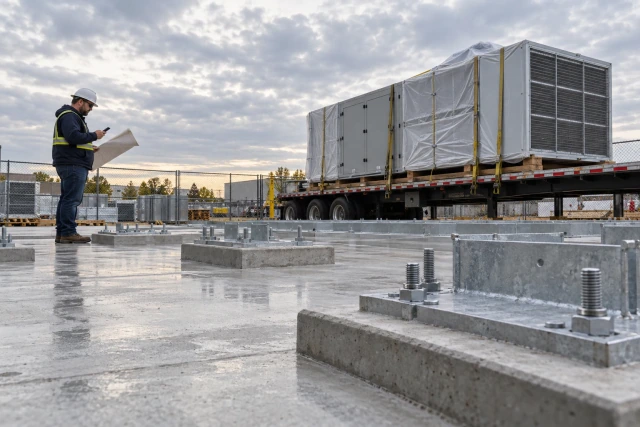
MEP prefab tracking connects an assembly ID to its released drawing revision, shop record, kit contents, shipment, site receipt and field handoff. Keep each stage visible. An assembly can be fabricated and delivered while its revision or installation prerequisites still require review. Use a named decision owner and source-linked status rather than treating delivery as proof that the package is ready to install.
What to take away
- Use one durable assembly ID across BIM, shop, transport and field records.
- Record the drawing revision used for fabrication separately from the current field revision.
- A completed assembly, a complete kit and a confirmed delivery are different milestones.
- Route revision mismatches to the designated reviewer; preserve the original shop and receipt records.
Track the handoff around your fabrication system
A shop can finish the right assembly for yesterday's information. The field can receive it on time and still be unable to use it. Missing fittings, a changed connection point, an unavailable work area or a revision that nobody reconciled can leave a completed package sitting in storage. A tracking process should expose those differences before a delivery date becomes a readiness promise.
Start with the records your people already trust: the released spool or assembly drawing, the shop production record, the packing list and the field work package. Connect them through a stable identifier. This article describes the administrative handoff among those records. It does not determine fabrication dimensions, approve a connection detail, qualify work or replace the project's technical review process.
Autodesk's Fabrication documentation describes spool drawings generated from a coordinated model for manufacture or on-site assembly. That provides a useful boundary: the drawing defines an assembly for a purpose, while the handoff register records which version moved through the shop and field. The register should point to the controlled drawing instead of attempting to become another authoring model.
Sources: Autodesk Fabrication: Create a Spool
Give each assembly a durable identity
Use an assembly ID that survives packaging and location changes. Store the project, system, zone and parent work package beside it. If two jobs both use P-204, the project reference must prevent an accidental match. A tag that simply says Level 2 becomes ambiguous when several systems share the floor or a delivery is split across trucks.
Define the relationship between assemblies and kits. One assembly may require loose fittings, supports, fasteners or other project-specified components. Those items need a countable kit list with units and a responsible preparer. A photograph of the main assembly is useful context, but it cannot establish that every required accessory was supplied or that the field prerequisites are satisfied.
Keep labels readable and replaceable without changing identity. If a tag is damaged, record who reidentified the item and the evidence used. Do not assign a fresh ID merely to clear a scanning exception. Where a parent assembly is divided into shipping pieces, retain the parent relationship so the receiver can see which pieces are still outstanding.
Separate current information from release authority
Record the source drawing, revision, issue date and release reference used by the shop. Also record the current field package revision and the person responsible for reconciling a difference. A filename containing final does not establish that the shop had authority to fabricate from it. Use the actual release record and the project's defined approval responsibilities.
A later revision is a review trigger, not automatic proof that every assembly is unusable. The reviewer may determine that the change affects a different area, requires a specific modification or leaves the assembly unchanged. Preserve that decision with its scope and source. The coordinator's job is to make the mismatch visible and route it, rather than infer the technical conclusion.
Agree what happens when information changes during production. Identify who alerts the shop, which work is affected, who can direct a hold under the project's process and how the instruction reaches the floor. Record whether the message was merely sent or actually acknowledged. A distribution list with no confirmation may leave the earlier drawing in active use.
Worked example: P-204 arrives with revision C
The following project, identifiers and decisions are fictional. A mechanical contractor fabricates assembly P-204 for the East Wing using released spool drawing SP-204 revision C. Its shop record shows fabrication complete. The packing list includes the main assembly and a separate accessory box. The field package now references revision D, and the receiving foreman notices the difference when the delivery arrives.
The receiver records the physical receipt without marking the assembly field-ready. The coordinator links the revision C release, the current revision D package, the receipt and the kit exception. The next action goes to the designated coordination lead for review. The register says revision reconciliation pending; it does not assert that the assembly is defective or authorize a field modification.
In this example the reviewer later issues a project-specific disposition requiring a shop return for modification. The logistics owner then confirms the return and a replacement delivery commitment. Those are additional events. The original receipt remains part of the history, and the field readiness decision stays open until the required revised package and prerequisites have been checked.
| Record | Observed input | Resulting state / next owner |
|---|---|---|
| Assembly identity | East Wing / P-204 / SP-204 | Linked to one parent work package |
| Shop release | Revision C / release R-17 | Fabrication basis preserved |
| Current field package | Revision D / issue I-22 | Difference routed to coordination lead |
| Physical receipt | Main assembly delivered; accessory box absent | Received with kit exception; logistics owner follows up |
| Technical disposition | Later example instruction: return for modification | Return arranged; field readiness remains open |
Check kit completeness against a defined list
Write down what complete means before the truck leaves. A kit checklist can include the assembly, loose components, labels, required drawings and the project-specified supporting records. Keep quantity and unit beside each line. Two cartons may contain different quantities, and a box count alone can hide a missing item that the installation crew needs.
Ask the shop to record actual packed contents and the packing-list version. If something ships separately, create an explicit outstanding line with its destination and confirmed commitment. Do not close the parent package because the most visible piece is finished. The field team needs to know whether the missing item affects its planned task and who is working on it.
Distinguish a checklist entry from a quality decision. A coordinator may confirm that a required inspection record was attached. Whether the record satisfies the technical requirement belongs to the designated reviewer. If a record is missing or unclear, identify it precisely and preserve the open review instead of generating a generic passed status from the presence of a file.
Keep dispatch, arrival and receipt separate
Dispatch records should identify the shipment, assembly IDs, packing list, destination, planned arrival and receiving contact. Add any agreed booking information through the project's logistics process. A carrier collection notice supports a dispatched status. It does not establish arrival, unloading, condition or acceptance at the receiving location.
At receipt, record the actual time, receiver, visible condition, counted packages, storage location and exceptions. Preserve the delivery document and photographs with enough context to connect them to the assembly. If a delivery is split, show the partial receipt against the same shipment or package relationship. Avoid creating a second unconnected assembly simply because a different truck carries the accessories.
Confirm the next physical location after a return, transfer or movement between storage areas. The last known location should include when and by whom it was verified. A map pin copied from a previous shipment can be less helpful than a plain description such as East laydown rack B, confirmed by the receiving foreman on Thursday.
Make field readiness a reviewed handoff
Before the planned installation, the responsible field lead should review the current package and actual prerequisites. Depending on the job, those may include access, supporting work, equipment availability, kit completeness and required project reviews. Use the real work plan to establish the list. This article's sample fields are a coordination aid, not a universal installation or safety checklist.
Give each unresolved prerequisite an owner and next action. If access is unconfirmed, a delivery coordinator should not mark the assembly ready merely because it sits on site. If the drawing reconciliation is unresolved, the receiving team should not choose a revision by comparing dates. The right next step is a specific request to the responsible decision maker.
Record the readiness decision and its basis when the authorized person makes it. If the work package changes afterward, flag the relevant conditions for recheck. Preserve both the earlier decision and the later change. Otherwise a green cell can survive long after the information that supported it has become stale.
Use the blank assembly handoff worksheet
Download the free CSV above and use one row per assembly handoff or clearly defined shipping piece. Begin with the project, assembly ID, system or zone, released drawing and current field revision. Add the release reference, shop state, kit exception, shipment, receipt, location, review owner and next action. Keep evidence references alongside status entries.
For a first trial, choose one upcoming package rather than importing every assembly on the project. Ask the shop and field leads to identify the information they currently have to request twice. Populate the register together, record the unknowns and use it during the next dispatch review. A useful trial should reduce ambiguity about the next action, even before any automation is configured.
Close a row only against the milestone it actually represents. A shipment row can be reconciled while a technical disposition remains open in the parent work package. If your spreadsheet uses one row for everything, maintain separate columns for receipt, kit, review and field handoff. That small distinction prevents a single completed checkbox from hiding unfinished decisions.
Check one completed handoff before scaling
Run a short handoff review after the first package reaches the field. Ask a person who did not prepare the shipment to find its released drawing, identify the packed accessories and explain the current location and unresolved decisions. If they need a private message thread to answer, add that missing reference to the record.
Also test a correction. Change an example delivery date or introduce a new drawing issue in a nonproduction trial, then check which owner receives the follow-up and whether the earlier evidence remains accessible. A successful path alone will not show how the process handles stale information. Record the gaps and adjust the handoff before expanding it to the next system.
Use Buildalytic to coordinate the missing responses
Buildalytic advertises custom workflows that can request information by calls, texts or email, wait for responses and hold steps for named approvals. Bring the handoff you already use to a demo: an assembly ID, two revision references, a missing kit line and the person who must decide the next step. Review how those requests and responses would be attached to the job.
Keep your fabrication and controlled drawing systems as the sources for geometry and release records. In the demo, ask which connections are supported for your stack, what permissions are needed and how an unresolved mismatch is presented. Do not assume that a custom follow-up workflow includes a native CAD model comparison or automatic engineering disposition.
Use the P-204 scenario as an acceptance test: can the workflow preserve revision C, capture the reference to revision D, chase the accessory box and stop short of a readiness claim until the named person reviews it? A practical demonstration should show the exception path and the resulting record, including what happens when nobody responds.
Common questions
Is delivered the same as ready to install?
No. Delivery confirms a physical logistics event. Revision reconciliation, kit completeness and project prerequisites can remain open. Record the actual receipt, then obtain the separate field handoff decision through the project process.
Should a new drawing revision automatically reject every spool?
Use the new issue as a review trigger. The designated reviewer determines which assemblies are affected and the appropriate disposition. Keep the source documents and decision scope rather than guessing from revision letters.
Can the register replace fabrication software?
It is a handoff register around the fabrication workflow. Keep geometry, fabrication instructions and technical releases in their controlled systems. Use the register to connect records, owners, logistics events and unresolved responses.
Sources and editorial notes
Prepared with AI assistance. Reference date: 2026-10-29. Worked examples are illustrative and are not customer results. Product details can change; confirm the current scope and terms before rollout.
How we prepare and update field notesBring one incomplete prefab handoff to a demo
Bring a redacted assembly record, revision mismatch or incomplete kit list. We will map shop release, follow-up, receipt and the named review step using your existing process, then show the supported connections and decisions your team retains.
Start with the call, text or record your team already handles. Review the expected outcome and the human handoff before choosing a rollout.
Request a prefab workflow demo Explore the relevant capability