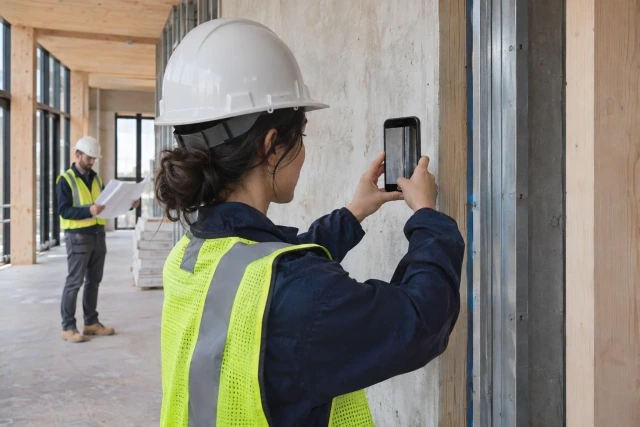
A contractor site visit is confirmed when the customer and assigned team understand the date, arrival window, location, purpose and access arrangements. A calendar entry alone does not establish that agreement. Keep proposed, confirmed, rescheduled and completed visits as distinct states. Buildalytic offers contractor site-visit scheduling workflows.
What to take away
- Separate an initial estimating visit from a technical survey, project inspection, service call or warranty appointment.
- Record the address, customer contact, visit type, assigned person, proposed date, arrival window and access information.
- A broad appointment window and a precise arrival time create different expectations.
- A proposed template:
The Buildalytic workflow
Buildalytic offers contractor site-visit scheduling workflows. Its workflow offering uses Brody to gather visit details, coordinate the appointment conversation and follow up on the information the assigned team needs. The steps, contacts, approvals and record destinations are agreed with your team during setup.
The workflow starts before the appointment and ends after the estimator's notes reach the next owner. It should answer two questions: can the visit happen as planned, and what happens to the information collected there?
Sources: workflow offering; custom workflows
Define the appointment type
Separate an initial estimating visit from a technical survey, project inspection, service call or warranty appointment. Each requires different preparation, staffing and customer expectations.
Write a short description of the visit's purpose. An estimating visit may gather scope and measurements without producing a binding price on site. If your business charges for a particular consultation, use the approved terms and make the process clear before confirmation.
Do not let an appointment label imply an outcome that has not been agreed. “Kitchen estimate visit” should not silently become a reserved construction start. The calendar description should match what the office actually offered.
Capture the minimum scheduling facts
Record the address, customer contact, visit type, assigned person, proposed date, arrival window and access information. Add the relevant enquiry reference so the visitor can find the original scope and photos.
Ask who will be present and whether they can provide the access needed for the visit. Avoid unnecessary personal questions. A simple statement that the required area will be accessible is often more useful than an extensive household profile.
Use an explicit timezone when the team works across regions. Confirm the address separately from the mailing or billing address. Those details seem small until a crew drives to the wrong property or a customer waits an hour earlier than intended.
Distinguish an appointment from an arrival promise
A broad appointment window and a precise arrival time create different expectations. Use the wording your operation can support. If the estimator's earlier visit could run long, agree how the customer will receive an update.
Keep travel and preparation in the schedule. A calendar that fits four sixty-minute visits into four adjacent hours may ignore the work needed to get between them. The office should see the constraints before offering the slot.
Microsoft's appointment-type documentation describes reusable confirmation and reminder content, including preparation details. The operational lesson is to define those messages around the visit type, rather than sending the same generic text for every appointment.
Use a clear confirmation message
A proposed template:
Your estimating visit is confirmed for Tuesday, November 10, with an arrival window of 9:00–10:00 a.m. Eastern at the address we confirmed. Morgan will review the kitchen-remodel scope and access conditions. Please reply if the timing or access changes. This visit gathers information for the next estimating step; it does not reserve a construction start.
Replace the fictional details with the approved record. Include only necessary access information in the message and use a secure channel for sensitive details. A reminder should not expose a gate code or private property information to the wrong recipient.
The message should explain how to reschedule. Customers should not need to search an old email chain to tell the office they cannot attend. Keep replies connected to the original appointment.
A fictional visit lifecycle
A homeowner requests a deck-replacement estimate. The office qualifies the general scope and proposes a Thursday visit. The customer replies that the rear gate will be accessible and asks for a later window.
The coordinator changes the proposal, checks the estimator's availability and sends the confirmed details. The original slot is recorded as superseded rather than left active. On the morning of the visit, the estimator sees the scope, photographs, address and access note together.
After the visit, the estimator records the observed conditions, missing information and next action. The office sends the promised follow-up about the estimating timeline. The visit becomes completed, while the opportunity remains open for scope or pricing work. Completion of the visit does not mean a quote has been issued or the job won.
Handle changes without creating two appointments
When the date changes, update the same appointment record and cancel or supersede the prior calendar item through your approved process. Keep the customer's request and the new confirmation attached.
A new email subject line should not create a second active visit. Use the appointment ID or linked enquiry to preserve continuity. This becomes especially useful when the customer calls after replying by email.
If the assigned estimator changes, transfer the preparation notes and identify who communicates the change. The customer should not have to explain the project again because the office switched staff. The receiving estimator should be able to see what was already promised.
Make missed-visit states factual
Record who was unavailable, what the team observed and what follow-up occurred. Avoid turning “no answer at the door” into an accusation about intent. The customer may have replied in a channel the visitor did not see.
Use separate categories for customer cancellation, contractor reschedule, access problem, unconfirmed appointment and no contact on arrival. They point to different process improvements. A single no-show rate can hide that difference.
Set an agreed response for each state. The visitor might contact the office, wait for an approved period or leave after documenting the attempt. The business should define the process rather than making the estimator negotiate it from the driveway.
Protect the estimating handoff
The visit record should identify the observed scope, source photos, measurements if captured, unresolved questions and next owner. Label observations separately from technical conclusions that require specialist review.
Do not promise a price simply because the visitor collected dimensions. Estimating may still need supplier quotes, drawing review, allowances or scope clarification. Explain the next step in terms the customer can understand.
A useful handoff message is specific: “The site visit is complete. The estimator is waiting for the selected fixture information before preparing the next proposal revision.” That gives the customer a concrete action and keeps the office from sending generic status replies.
Measure the process without blaming the customer
Track proposed visits, confirmed visits, completed visits and reschedules. Use the same cohort and identify who initiated changes. A confirmation message delivered is not the same as an appointment confirmed by the customer.
Review the causes of failed visits. Wrong addresses suggest an intake problem. Repeated arrival delays suggest scheduling assumptions. Missing access information suggests the confirmation message needs revision.
Avoid presenting reminders as a guaranteed cure for no-shows. Measure the actual result and the additional office effort. A process that sends more messages but still loses reschedule replies has not solved the underlying handoff.
Connect the appointment to Buildalytic
Use Buildalytic's AI receptionist and custom workflows to capture the enquiry, propose the next step and keep the appointment conversation attached to one record.
Test a visit that changes date and assigned estimator. Ask to see the superseded slot, current confirmation, preparation notes and post-visit owner. This is a stronger evaluation than checking whether a tool can create a calendar event.
To put this Buildalytic workflow to work, discuss the setup with your project’s source records, responsible people and expected outcome. Use the checks in this guide to verify the agreed process before rollout.
Sources: workflow offering; custom workflows
Common questions
Is an appointment confirmed when the office sends a message?
Define the required customer confirmation and keep delivery distinct from agreement.
Should every visit be bookable automatically?
Use the visit's prerequisites and your team's rules. Some requests need scope review before a useful appointment can be offered.
What should happen after the visit?
Record the result, unresolved information and the person responsible for the next estimating step.
Sources and editorial notes
- workflow offering
- Microsoft's appointment-type documentation
- custom workflows
- Practitioner discussion: contractor appointments and communication
Prepared with AI assistance. Reference date: 2026-11-02. Worked examples are illustrative and are not customer results. Product details can change; confirm the current scope and terms before rollout.
How we prepare and update field notesPut this workflow to work with Buildalytic
Bring your current records, contacts and review requirements. Buildalytic offers contractor site-visit scheduling workflows; we will agree the steps, approvals and record destinations with your team.
Start with the call, text or record your team already handles. Review the expected outcome and the human handoff before choosing a rollout.
Book a workflow demo Explore the relevant capability