A construction time-and-material ticket records a specific event, the work performed, labor, materials, equipment and supporting evidence. Give the ticket a job, location, work date and source instruction. Keep field acknowledgment separate from office pricing review and any formal change approval. The completed template below shows how to preserve useful facts without turning an incomplete field account into an unsupported commercial conclusion.
What to take away
- Create one traceable event before assembling a change request.
- Record labor-hours and material units explicitly, with sources and unknowns.
- Preserve what a signature acknowledges instead of treating every signature as price approval.
- Connect the field ticket to office review, the change log and the correct billing status.
Decide what the field ticket must establish
An electrician moves a conduit run after a coordination exchange. A drywall crew returns to an area because another trade changed the opening. The office later needs the same basic answers: what happened, where, when, who requested it, what resources were used and which records support the account. The ticket should make that reconstruction easier while the information is still available.
Do not ask the foreman to settle every commercial question through a field form. The project's agreement and approval process govern how a potential change is evaluated. The ticket can preserve observations and reported instructions while the office checks scope, notice requirements, rates and authority. Keep those tasks connected without presenting them as the same decision.
Digital T&M workflows already exist in project systems. Procore documents field capture of out-of-scope requests, labor, equipment, materials and signatures. A useful template should therefore focus on the quality of the source account and the handoff into the contractor's existing review process. Adopting a new form alone does not establish that every extra will be identified, approved or paid.
Sources: Procore support: T&M Tickets, resource entries, signatures and permissions
Give the event an identity before adding costs
Start with a unique ticket or event reference, the project name and job number, work date, shift and precise location. Record the preparer's name and role. If your company uses separate IDs for a field event, a T&M ticket and a change request, keep the relationships visible. Reusing one vague description across several records makes duplicates and missing billing harder to spot.
Describe the instruction as specifically as the source permits. Was it a drawing revision, an email, a coordination note or a reported verbal request? Preserve the actual reference or wording and identify the person who supplied it. If the requester is uncertain, mark that fact for clarification rather than assigning the nearest project manager's name.
Separate what was requested from what was performed. A request to relocate ten supports does not prove that all ten were moved that day. Record the completed activity and remaining work. When several days belong to one potential change, retain the daily event records and link them to the larger request rather than replacing them with one reconstructed total.
A completed T&M ticket you can adapt
The following is an invented example for a commercial electrical subcontractor. It demonstrates the relationship between the event and its evidence. It does not establish a payable change, an authorized instruction or a set of contractual rates. Replace the example values with verified records from the actual job and the fields required by its process.
Use the table as a starting template. Add project-specific fields when required, and avoid filling optional fields with invented precision. An explicitly unknown hour total is more useful than an exact number copied from memory. It gives the office a question to resolve while preserving the original account.
The record should remain readable outside the person who entered it. A note saying “moved it like discussed” is difficult to review later. A note identifying the second-floor east corridor, source coordination note and observed work gives another person a starting point, even if commercial treatment remains unresolved.
| Field | Illustrative completed entry |
|---|---|
| Event and ticket | E-014 / TM-014 |
| Job and location | Harbor Example / Level 2 east corridor |
| Work date | November 3, 2026 |
| Reported instruction | Relocate conduit run; coordination note CN-22 attached |
| Work performed | Moved the identified run around the revised opening; completion to be reviewed |
| Labor | Two electricians × three hours = six labor-hours |
| Materials | 40 feet of conduit; source issue record attached |
| Equipment | Two reported operating hours; asset and chargeability for office review |
| Evidence | Three labeled photos, CN-22 and material source record |
| Field acknowledgment | Signer, role, time and exact acknowledgment meaning recorded separately |
| Commercial decision | Pricing and contractual treatment awaiting authorized review |
| Next action | PM to verify scope basis and resource records before preparing request |
Record labor-hours without confusing crew size and duration
Two workers spending three hours on an activity represent six labor-hours, not three. Record the people or approved crew identifiers, classifications where relevant, the work interval and the source of the hours. Keep the time on the described event separate from the full shift. A daily report showing an eight-hour day does not by itself establish that eight hours were spent on this extra.
Review overlapping entries. If the same worker appears on two tickets during the same interval, flag the possible overlap for an authorized reviewer. There may be a legitimate explanation, such as a corrected record, but the system should not silently count both as separate time or arbitrarily delete one. Preserve the decision and supporting source.
Use the contractor's approved records for final costing. A foreman's contemporaneous estimate can be valuable, but it should remain labeled until checked against the relevant time and work records. If the worker cannot recall an interval, record the uncertainty and assign a clarification owner. The aim is traceability, not filling every box before the end of the call.
Make material quantities and equipment use reviewable
Record material description, quantity, unit and the supporting delivery, purchase or issue reference. Forty feet of conduit, forty pieces and forty bundles are different inputs. Include returned or unused material when it changes the quantity associated with the event, and route the commercial treatment through the actual agreement. A supplier delivery for the whole project is not automatically consumption on one ticket.
For equipment, identify the asset, relevant interval or usage basis, operator treatment where applicable and the source record. Do not assume that rented equipment is chargeable for every hour it remains on site, or that an owned asset has the same recoverable rate as a rental invoice. Those are questions for the approved pricing basis and reviewer.
Keep physical quantities separate from proposed charges. A ticket can establish that a particular machine was reported in use while the office still needs to confirm the permitted basis for billing it. When the office changes a quantity or classification after review, preserve the reason and evidence rather than silently overwriting the field observation.
Show the arithmetic without inventing an entitlement
Using the illustrative quantities, suppose an office reviewer tests sample rates of $75 per labor-hour, $3 per foot of conduit and $35 per equipment hour. Six labor-hours produce $450; forty feet of conduit produce $120; two equipment hours produce $70. The direct subtotal is $640. The rates are invented teaching inputs, not market benchmarks or a recommendation for a contract.
Keep the quantity, unit rate, source and calculation visible. If the agreement permits a markup, tax treatment or additional cost category, apply its actual rules and sequencing. Do not automatically compound percentages or apply a blanket overhead figure simply because another contractor's spreadsheet does so. A reproducible calculation still needs an approved basis.
The resulting worksheet supports pricing review. It does not establish that the event falls outside the original scope or that the receiving party approved payment. Keep the review status beside the amount so an estimated $640 is not presented downstream as a $640 receivable. Connect the approved result to the correct request and billing record only after the required decisions occur.
| Illustrative cost line | Quantity and sample rate | Direct amount |
|---|---|---|
| Labor | 6 labor-hours × $75 | $450 |
| Material | 40 feet × $3 | $120 |
| Equipment | 2 hours × $35 | $70 |
| Direct subtotal | Before any project-specific adjustments | $640 |
Preserve what the field acknowledgment actually says
A record should identify who signed, their role, when they signed, and what the displayed acknowledgment asked them to confirm. An acknowledgment of observed work, receipt of a ticket, agreement with quantities and approval of a price are different statements. Preserve the actual wording rather than turning every positive response into the same approved status.
Do not assume a signature establishes authority beyond the signer's role or the project's agreement. If the office needs to determine the commercial effect of a communication, route that question to the person responsible for contract administration or qualified advice. A field workflow should make the evidence easier to review without claiming a universal legal outcome.
Also preserve a refusal or correction. If the site contact disagrees with the hours, record the disagreement and the disputed field. A system that replaces the original entry with a new total can lose the reason for the difference. Keep the original account, proposed correction and reviewer decision connected so later users can reconstruct what changed.
Attach evidence that explains the work rather than merely decorating it
A photograph needs context: job, area, work date where known, sender and a short explanation of what the image shows. Preserve the original source where the company's process permits it. A close-up of conduit without a location or event reference may be difficult to distinguish from ordinary base-scope installation a month later.
Link the instruction and relevant drawing revision as well. An image can show an installed condition, while a coordination note may explain the requested change. Those sources support different parts of the account. Do not describe a photograph as proof of authorization or treat a drawing revision as proof that the reported hours were actually worked.
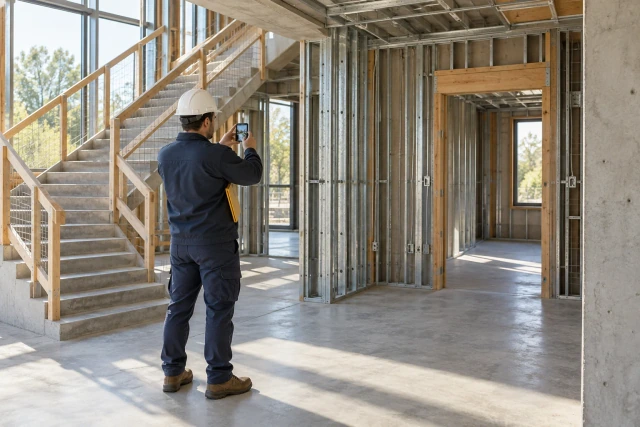
If the evidence is incomplete, identify the missing record and its owner. “Need before-work photo, if available” is an honest open action. Generating a realistic replacement image would not repair the evidence gap; it would create a misleading record. The editorial hero on this page is explicitly illustrative and has no role as project evidence.
Move the ticket through review, request and billing
Send the field record to the person who handles changes for that job, with its open questions and supporting references. The reviewer should be able to return one specific clarification, link the event to an existing request, prepare a new request or decide that no change submission is appropriate. Keep those outcomes separate rather than forcing every captured event into a priced claim.
Use a status history that distinguishes captured, clarification needed, internally reviewed, submitted, commercially approved, billed and paid where those stages apply. A project system may use different labels. Map their meaning explicitly when records move between tools. Procore's T&M documentation also identifies permissions around its ticket and change-event workflows; validate the actual user and destination in your setup.
Reconcile approved changes against the billing process using the correct references. An approved request omitted from the next application remains an office action. A billed amount awaiting review is another action. The field ticket supplies the underlying account, while the change log and billing record explain the later commercial state. A single “done” flag cannot replace those relationships.
Sources: Procore support: T&M Tickets, resource entries, signatures and permissions
Test one imperfect field message in Buildalytic
Buildalytic's extra-work documentation workflow brings calls, texts and supporting records into a reviewable field account. Start a demonstration with a foreman message that omits an exact location or gives an uncertain hour total. Ask the system to identify the missing information, preserve the source and route the record to the right office reviewer. The useful test is how uncertainty becomes an owned question.
Then change one input. Correct the material quantity, attach a later source instruction or record disagreement with the hours. Inspect the version history and approval boundary. Check that the field participant cannot convert their own submission into an authorized commercial decision, and that a failed destination write is not reported as a completed handoff.
Bring a redacted ticket and the corresponding office worksheet to a demo. Follow the event from the original message through clarification, resource review and the next approved action. The objective is a usable packet in the system your team relies on, with the source account and unresolved decisions intact. That gives the office a stronger basis for preparing the request without asking the crew to become contract administrators.
Common questions
Does a signed T&M ticket approve a change order?
Do not assume that every signature has the same effect. Preserve the wording, signer role, authority and project context. Keep acknowledgment, pricing review and commercial approval distinct, and route interpretation to the responsible contract reviewer.
What should I do if the exact hours are unknown?
Record the reported estimate or unknown value explicitly, identify the source and assign a clarification owner. Check the relevant time and work records before using the quantity for final costing. Do not invent precision to complete the form.
Can the template work with our existing project software?
Yes, the fields describe a record rather than requiring a particular application. Map them to the actual destination, permissions and status definitions. Confirm the saved result and references instead of assuming a successful upload proves the complete workflow.
Should a separate ticket be created for each day?
Use the project and company requirements to decide the record boundary. When several days relate to one change, preserve the individual work-date accounts and link them to the larger request so the supporting detail remains reconstructable.
Sources and editorial notes
- Procore support: T&M Tickets, resource entries, signatures and permissions
- Buildalytic: extra-work documentation
Prepared with AI assistance. Reference date: 2026-10-29. Worked examples are illustrative and are not customer results. Product details can change; confirm the current scope and terms before rollout.
How we prepare and update field notesTurn a field extra into a reviewable T&M record.
Bring a redacted ticket or a typical foreman message. See Buildalytic collect the missing details, keep the supporting evidence connected, and hand the record to your office for review.
Start with the call, text or record your team already handles. Review the expected outcome and the human handoff before choosing a rollout.
See the extra-work workflow Explore the relevant capability