
The short answer
An AI answering service for a construction company has to do more than take leads. It must recognize the job a caller is talking about, usually by address or project name, route superintendents, subs, suppliers, inspectors and owners to the right project manager with a short brief, and take a message with a named owner when nobody picks up. Check AI disclosure, recording consent, registered texting and test it on 10 real construction calls before you compare prices.
What to take away
- Commercial and general contractors get calls from superintendents, subs, suppliers, inspectors, owners and bidders, not only new customers, so an answering service built for lead capture will misroute most of them.
- The service must find the job from what the caller knows (an address, a project name, a PO or a permit number) and send the call or message to the person who owns that job.
- AI disclosure, recording notices by state, A2P 10DLC registration and TCPA consent for text-backs are part of the setup, not extras.
- On vendor pages checked November 22, 2026, our sample month of 300 calls ranged from $129 (Goodcall) to $2,100 (Smith.ai human receptionists); run 10 construction test calls before you sign.
Why construction companies need different phone answering
Most AI answering services were built for home service trades. A plumber or an HVAC company wants every call turned into a booked visit, so the script asks for a name, an address and a problem, then offers a time slot. That works when nearly every caller is a new or repeat customer.
A general contractor or a commercial subcontractor has a different phone. On a typical day the main line hears from a superintendent who needs a PM, a drywall sub asking whether last month's pay application was approved, a ready-mix dispatcher confirming a 6 AM pour, a building inspector moving an appointment, an owner's rep asking for a schedule update, an estimator from another GC inviting you to bid, and, if you also build homes, a homeowner asking about their punch list. Very few of those callers want an appointment. They want the right person, or an answer from the job record, and they want it fast.
That is why an AI answering service for construction has to be judged on routing and record keeping first and lead capture second. If it treats a superintendent like a sales lead and asks for his address and budget, he will stop calling the main line, and the office loses the record of what happened. If it routes every call to the owner, nothing has changed except the voice on the line.
This guide covers the commercial and general contracting side that trade-focused guides skip: the call types, what the AI must do with each, the compliance pieces, a setup checklist, 10 construction test calls and published prices for five options. For a wider ranked comparison of AI services, see our guide to the best AI answering services for contractors.
The calls a construction company actually gets
Pull a month of call history from your phone system and sort it by caller type before you talk to any vendor. Many GCs find that new-customer calls are a minority, and that the calls eating the most PM time are status questions from people already on the job. The table below is a starting point. Adjust the owners to match your org chart.
The column that matters most is the last one. Every call type needs a named owner, by role, so the AI knows whether to transfer, take a message or answer from approved information. A message with no owner is a message nobody returns.
| Caller | What they need | What the AI should do | Who gets it |
|---|---|---|---|
| Superintendent or foreman | A PM decision, a material issue, a crew problem | Recognize the caller and job, warm transfer with a one-line brief; if no answer, urgent message and text | Project manager on that job, then the backup PM |
| Subcontractor asking about a pay app | Status of a pay application, retainage or a lien waiver | Capture company, job, pay app period and amount; never promise a pay date | Project accountant or AP, copy the PM |
| Supplier or dispatcher | Confirm a delivery time, gate access, a site contact or a backorder | Match the delivery to the job and date, confirm from the schedule if allowed, otherwise message | Superintendent for site logistics, PM for substitutions |
| Building inspector | Confirm, move or cancel an inspection | Record permit or address, new time and inspector name; transfer if the super is reachable | Superintendent, copy the PM |
| Owner or owner's rep | Status, schedule, a change order or a concern | Answer only from approved status notes; otherwise transfer with a brief or take a message | PM, or the principal for sensitive issues |
| Estimator from another GC | Invite you to bid, send plans, confirm a bid date | Capture project name, bid date, scope and plan link | Your estimator or bid desk |
| Homeowner on a residential job | Punch list, warranty, a visit time | Find the job by address, log the request, book or route | Warranty or customer service lead |
| After-hours site emergency | Water intrusion, a security breach, a fallen fence, a utility strike | Read your safety script, then call the on-call chain in order until someone answers | On-call superintendent, then safety manager, then owner |
| Spanish-speaking crew member or sub | Directions, schedule, a safety issue, payroll | Handle the call in Spanish, summarize in English for the office | Superintendent or payroll, by topic |
| Vendor pitch, recruiter, robocall | Nothing you need today | Screen out, list in the daily summary | Nobody |
Recognizing the job: address, project name and caller ID
The single most useful thing an AI answering service can do for a construction company is figure out which job the call is about. Callers rarely say a job number. A supplier says "the hospital job on Fifth", an inspector gives a permit number, a homeowner gives a street address, and a superintendent assumes you know which site he runs.
To do this the service needs a job list it can read: project name, nicknames people actually use, site address, permit numbers if you track them, and the PM, superintendent and accountant assigned to each. It also helps if known callers are matched by phone number, so a superintendent who calls from his cell is recognized before he says a word. Ask every vendor where that job list comes from. Some expect you to type it into a settings page. Others read it from your project management or scheduling system, which keeps it current when jobs start and finish.
Then ask what happens when the match is uncertain. The right behavior is to confirm out loud ("Is that the Riverside medical office at 400 Main?") and, if the caller still is not sure, take the message and flag it rather than guess. A wrong match is worse than no match, because it sends a delivery problem to a PM who has never heard of the job.
Routing to the right PM and taking a message with an owner
Once the job is known, routing should follow the job, not the caller. Write one rule per call type: superintendent calls go to the PM on that job, pay app questions go to the project accountant, inspection changes go to the superintendent. Give each rule a backup person and a time limit, for example 20 seconds of ringing before trying the backup, and say what happens outside office hours.
When nobody picks up, the AI should take a message that someone can act on without calling back to ask questions. That means the caller's name, company, callback number, the job, what they need, how urgent it is and any date or number they mentioned. The message should go to one named person, by text and email, and be saved against the job so the next person who opens the project can see it.
Be strict about what the AI may promise. It should never confirm a payment date, approve a change, promise a delivery window it cannot see, or commit a superintendent to a site visit. "I've sent this to Maria, the PM on that job, and marked it urgent" is a good answer. "She'll call you back in ten minutes" is a made-up promise unless you configured it.
Warm transfers with a brief
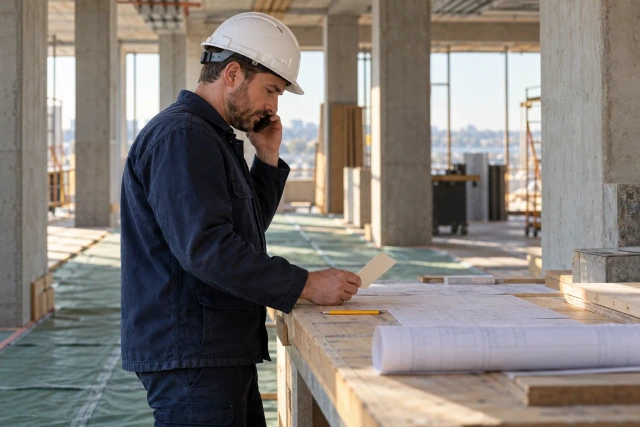
A cold transfer drops the caller on a PM who has no idea who is calling. A warm transfer means the AI calls the PM first, tells them in a sentence who is on the line and why ("Dave from Pacific Glass on the Oak Street job, the storefront delivery is short two panels"), and connects only if the PM accepts. If the PM declines or does not answer, the caller goes back to the AI, which takes the message.
For construction this matters more than for a home service business. PMs take calls on site, in meetings and in trucks. A ten-second brief lets them decide whether to take the call now or have it held for later, and it means the caller does not have to repeat everything. Test both paths: a transfer that connects and one that rings out. The second is where most services fail.
AI disclosure, call recording and texting rules
Four compliance items come up on every construction phone setup. None of this is legal advice, so have your attorney review your scripts and texting.
AI disclosure. Callers should know they are talking to an AI assistant and who it works for. Put it in the greeting. Owners, inspectors and public agency staff in particular may object to discovering it later. The FCC ruled in 2024 that AI-generated voices count as artificial voices under the Telephone Consumer Protection Act, which matters for any outbound callbacks the AI places.
Call recording consent. Recording and transcription rules are set by each state. Some states, such as California, require consent from everyone on the call, while others require only one party. Construction companies often take calls from several states, so the safe default is a recording notice at the start of every recorded call. Ask each vendor whether the notice follows the caller's state or one setting for all calls.
Registered texting. Business text messages from a local US number must be registered under A2P 10DLC through the carrier system. Unregistered texts are filtered or blocked, so a missed-call text-back or a delivery confirmation may never arrive. Ask who handles registration, how long it takes and what it costs.
Consent for text-backs. The FCC treats texts sent with an autodialer as calls under the TCPA. Informational texts about a call the person just made are treated differently from marketing, which needs prior express written consent. Under the FCC's 2024 order, people can opt out by replying STOP or similar words, and opt-outs must be honored within ten business days. Keep text-backs short, name your company, leave out promotions and honor STOP right away.
Sources: FCC 24-17, Declaratory Ruling on AI-generated voices under the TCPA (2024); California Penal Code section 632, confidential communications; Twilio: A2P 10DLC registration overview; FCC rule 47 CFR 64.1200, delivery restrictions (eCFR); FCC 24-24, TCPA consent revocation Report and Order (2024)
Spanish-speaking crews, subs and homeowners
A large share of construction field workers speak Spanish, and many subs run their crews in Spanish. A crew lead calling about a gate code or a payroll question should get the same answer in Spanish as in English, and the office should receive the summary in the language it works in.
Check what each service actually includes rather than trusting a feature list. On the pages we checked, Rosie lists English and Spanish on every plan, Ruby offers Spanish and bilingual call handling, and Smith.ai charges $1.00 per call for a dedicated Spanish line on its human receptionist plans. Then test it: place a call in Spanish with a street address, a unit number and a callback number, and check every digit in the summary.
Sources: Rosie: pricing (checked November 22, 2026); Ruby: plans and pricing (checked November 22, 2026); Smith.ai: receptionist pricing (checked November 22, 2026)
Setup checklist for an AI answering service in construction
Write these down before you ask for quotes, so every vendor is priced and tested on the same rules. Most of the work is on your side: the AI can only follow rules you have written and a job list you keep current.
- Greeting: company name, that the caller is speaking with an AI assistant, and a recording notice if calls are recorded.
- Active job list: project name, nicknames, site address, permit numbers, and the PM, superintendent and project accountant on each job.
- Known callers: superintendents, foremen, key subs and suppliers by phone number, so they are recognized on the first ring.
- Routing rules by call type, each with a primary owner, a backup, a ring time and an after-hours rule.
- Warm transfer setting: brief first, connect only if accepted, return the caller to the AI if declined or unanswered.
- Message format: caller, company, callback number, job, request, urgency and any dates or dollar amounts, sent to one named owner and saved to the job.
- What the AI may answer from approved information (office hours, site address, delivery gate, bid due dates) and what it must never say (pay dates, change approvals, schedule commitments).
- Emergency definition and safety script for after-hours site calls, plus the on-call chain and how long to wait at each step.
- Spanish handling and the language for summaries.
- Texting: A2P 10DLC registration done, text-back wording approved, STOP handling tested.
- Bid invitations: what to capture and where they go, so they reach the estimator and not a PM.
- A weekly review of call summaries for the first month, to fix routing rules that send calls to the wrong person.
What to test: 10 construction calls
Ask for a trial or a test number, load your rules and job list, and place these 10 calls from different phones at different times, including one after hours. Write the expected outcome for each call before you dial, then compare it with what the service did and the summary it sent.
Score each call pass or fail on three things: the job and details were right, the right person got it, and nothing was invented. A service that fails call 4 or call 9 is not ready, whatever it costs.
Run the same 10 calls on every service you shortlist, with the same job list and rules, so the results are comparable. Keep the summaries. After you go live, repeat calls 2, 4 and 9 once a month, because job lists, on-call rosters and phone numbers change and routing quietly breaks when they do.
| # | Test call | A pass looks like |
|---|---|---|
| 1 | Superintendent calls from a known cell number asking for the PM | Recognized by name and job, warm transfer with a one-line brief |
| 2 | Same call, PM does not answer | Caller told the truth, urgent message to the PM and backup within minutes, saved to the job |
| 3 | Drywall sub asks whether the October pay app was approved | Company, job, period and amount captured, routed to the project accountant, no payment date promised |
| 4 | Ready-mix dispatcher confirms a 6 AM pour using only the street address | Job matched from the address, superintendent notified, delivery details exact |
| 5 | Inspector moves a framing inspection, gives a permit number | Permit and new time recorded, superintendent reached or messaged |
| 6 | Owner's rep asks whether the project is on schedule | Answered only from approved status notes, or routed to the PM with a brief |
| 7 | Estimator from another GC invites you to bid on a school | Project, bid date, scope and plan link sent to the bid desk, not a PM |
| 8 | Crew lead calls in Spanish about a gate code and a start time | Handled in Spanish, English summary with the right job and details |
| 9 | After-hours call: water coming through the roof on an occupied tenant improvement job | Safety script read, on-call chain followed until a person answers, caller told the next step |
| 10 | Caller names a job you do not have | Match confirmed out loud, then flagged as unknown, no guessing |
What AI phone answering costs for a construction company
Every price below comes from the vendor's own pricing page, checked November 2026 (November 22). Taxes, carrier fees and add-ons are extra where the vendor says so. Prices change, so confirm on the vendor's site before you buy. Buildalytic makes Brody, one of the options, and its prices come from Buildalytic's published price card.
Read the billing unit first. Ruby counts minutes. Smith.ai counts calls. Goodcall counts unique callers a month, so a superintendent who calls 20 times counts once. Rosie counts minutes. Brody counts seats or a company plan, each adding live AI minutes to one company pool.
| Service | Who answers | Published starting plans | Overage or extra | Notes from the vendor's page |
|---|---|---|---|---|
| Ruby | People | $250 a month for 50 minutes; $395 for 100; $720 for 200; $1,725 for 500 | Overage rate not published | Spanish and bilingual call handling available; no activation or setup fees |
| Smith.ai receptionists | People | Starter $300 a month for 30 calls; Basic $810 for 90; Pro $2,100 for 300 | $11.50, $10.50 and $8.50 per extra call | Same price day or night; dedicated Spanish line $1.00 per call; no setup fees |
| Smith.ai AI Receptionist | AI | Free for 25 calls; Pro $150 for 75 calls, $270 for 150, $500 for 300 | $3.00 per call on Free; $2.50, $2.30 or $2.17 on Pro | Calls can be transferred to a live receptionist; spam credit up to 10% of calls |
| Goodcall | AI | Starter $79 a month for 100 unique customers; Growth $129 for 500; Scale $299 for 2,000 | 79 cents, 26 cents or 15 cents per extra unique customer | One phone number counts once a month; spam and wrong numbers do not count |
| Rosie | AI | Professional $49 a month for 250 minutes; Scale $149 for 1,000; Growth $299 for 2,000 | Overage rate not published | English and Spanish on every plan; warm transfers and calendar booking from Scale; 7-day free trial |
| Brody by Buildalytic | AI, with warm transfer to your team | Operator $69 a month ($59 billed annually); Brody Starter $239 per company ($199 billed annually) for companies that keep their phone system | Operator adds 150 live AI minutes, Brody Starter 500; then $0.25 a minute once an admin sets a spending limit | No setup fee; texting registration passed through once at $19.50; $59 monthly minimum |
Sources: Ruby: plans and pricing (checked November 22, 2026); Smith.ai: receptionist pricing (checked November 22, 2026); Smith.ai: AI Receptionist pricing (checked November 22, 2026); Goodcall: pricing (checked November 22, 2026); Rosie: pricing (checked November 22, 2026); Buildalytic: pricing
One construction month priced across services
Here is one sample month for a mid-size general contractor: 300 answered calls averaging 3 minutes (900 minutes) from 220 distinct callers. These inputs are assumptions. Replace them with your own call log, because a GC with many repeat callers from the same superintendents and suppliers will see very different bills on per-caller and per-call plans.
The spread is wide. Per-caller and per-minute AI plans are cheapest when the same people call often, which is typical for a construction company. Human receptionists cost several times more for the same month because every call is paid for. Brody costs more than the cheapest answering-only plans; the difference is that it works from your job records and project tools, which the next section covers. Price on your own numbers before deciding.
| Service | How the month is priced | Sample month |
|---|---|---|
| Goodcall | 220 unique callers is over Starter's 100 ($79 plus 120 x 79 cents is $173.80), so Growth with 500 | $129 |
| Rosie | 900 minutes is within Scale's 1,000 | $149 |
| Brody Starter | 500 live AI minutes included, plus 400 minutes x $0.25 ($100); assumes transfers stay within the 200 included forwarding minutes | $339 ($299 billed annually) |
| Smith.ai AI Receptionist | Pro tier with 300 calls | $500 |
| Smith.ai receptionists | Pro $2,100 for 300 calls | $2,100 |
| Ruby | 900 minutes is above the largest published plan (500 minutes for $1,725) and the overage rate is not published | Quote needed |
A customer result: fewer status calls to PMs
Much of a GC's call volume is people asking what changed. One Buildalytic customer, a 150-person general contractor in the Bay Area, cut status calls to its project managers by 62%, from 120 to 46 a week. Brody sends schedule changes, inspections and deliveries to subs, owners and crews as soon as they change, asks each person to confirm, and answers follow-up questions from the schedule and the job record. Each PM gets back about 5 hours a week, and 96% of schedule changes are now confirmed the same day.
"We used to spend our days answering where-are-we calls. Now Brody tells everyone what changed before they think to ask, and my project managers spend that time running their jobs." (Chief Operating Officer, customer story published November 20, 2026)
That result comes from proactive updates and answering calls about existing work, not from new-lead answering. Measure both on your own calls.
How Buildalytic fits
Brody is the AI teammate inside Buildalytic. On the phone, he answers your company number day and night, says on every call that he is an AI assistant, gives a recording notice by each state's rules, and handles calls in English or Spanish. He transfers calls to the person you choose and briefs them on who is calling and why before connecting. If nobody picks up, he takes a full message and sends it to the right person. Texting runs on registered A2P 10DLC numbers with opt-out on every thread.
Where Brody differs from answering-only services is the job context. He works from your projects, schedule and contacts, so a supplier or a superintendent is routed by job, and the result is saved where your team works, including tools such as Procore. The same teammate can send schedule and inspection updates before people call to ask, which is what the Bay Area customer above uses.
There are trade-offs. Brody is not a staffed human service, so if you want a person on every call, compare Ruby or Smith.ai's receptionists. If all you need is after-hours lead capture for a small residential business, Goodcall or Rosie will usually cost less. Brody starts with a demo on your own calls rather than a free trial. Pricing is an Operator seat at $69 a month ($59 billed annually) with 150 live AI minutes, or Brody Starter at $239 per company ($199 billed annually) with 500 live AI minutes for companies that keep their current phone system and forward a line to Brody.
Sources: Buildalytic: AI receptionist for construction; Buildalytic: pricing
Common questions
What is the best AI answering service for construction companies?
The one that passes your own construction test calls: a superintendent asking for a PM, a supplier giving only an address, an after-hours site emergency and a Spanish-speaking crew member. Cheap lead-capture services often fail the routing calls, so test before you compare prices.
How much does an AI answering service for construction cost?
On vendor pages checked November 22, 2026, AI plans start at $49 a month (Rosie, 250 minutes), $79 (Goodcall, 100 unique callers) and $150 (Smith.ai Pro, 75 calls). Human receptionists start at $250 to $300. Your bill depends on calls, minutes or distinct callers.
Can an AI receptionist route calls to the right project manager?
Yes, if it has a current job list with addresses, project names and the PM on each job, and routing rules by call type. Ask where the job list comes from and test a call where the caller gives only a street address.
Should an AI answering service tell callers it is an AI?
Yes. Say it in the greeting along with your company name. Owners, inspectors and subs are more comfortable when they know, and the FCC treats AI-generated voices as artificial voices under the TCPA for outbound calls.
Do we need consent to record calls answered by AI?
Recording rules are set by each state. Some, such as California, require consent from everyone on the call. A recording notice at the start of every recorded call is the safe default for a company taking calls from several states. Ask your attorney.
Is an AI answering service for contractors different from one for construction companies?
Often, yes. Most services for contractors are built to book home service visits. A general contractor or commercial sub needs job lookup, routing by project, warm transfers to PMs and messages saved against the job, because most callers are already working with you.
Sources and editorial notes
- Ruby: plans and pricing (checked November 22, 2026)
- Smith.ai: receptionist pricing (checked November 22, 2026)
- Smith.ai: AI Receptionist pricing (checked November 22, 2026)
- Goodcall: pricing (checked November 22, 2026)
- Rosie: pricing (checked November 22, 2026)
- Buildalytic: pricing
- Buildalytic: AI receptionist for construction
- Buildalytic customer story: Bay Area general contractor cuts status calls by 62% (published November 20, 2026)
- FCC 24-17, Declaratory Ruling on AI-generated voices under the TCPA (2024)
- California Penal Code section 632, confidential communications
- Twilio: A2P 10DLC registration overview
- FCC rule 47 CFR 64.1200, delivery restrictions (eCFR)
- FCC 24-24, TCPA consent revocation Report and Order (2024)
Prepared with AI assistance. Reference date: 2026-11-20. Worked scenarios use typical figures and are not customer results. Product details can change; confirm the current scope and terms before rollout.