
RFIs answered. Submittals moving.
Brody turns field questions into focused RFIs, follows up with whoever owes the answer and writes each response back to your log.
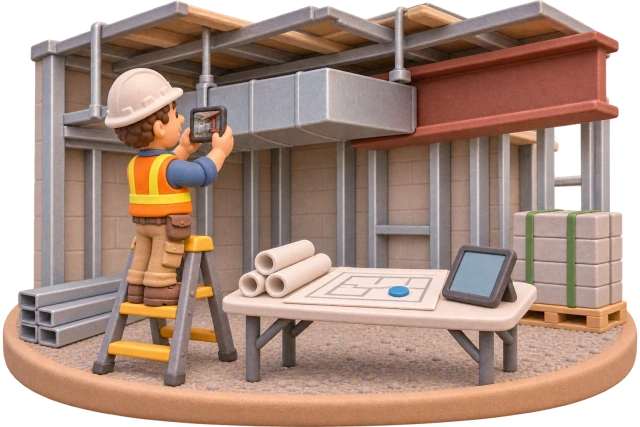
One RFI. From the ceiling to the answer.
A duct and beam clash on level 2, from the foreman’s photo to the response in the field.
- Mon 7:40 AM
Foreman texts a photo
The supply duct hits beam B-12 at grid C/4. Ceiling framing starts Thursday.
- 7:42 AM
Brody checks the documents
No answer on S-201, M-301 or in past RFIs. He asks for the duct size and the clearance needed.
- 8:05 AM
RFI drafted for the PM
One question, the sheets and spec section cited, a proposed drop of 4 inches, needed by Wednesday.
- 9:00 AM
PM issues RFI 047
Sent to the architect and the mechanical engineer through the project log.
- Tue 2:00 PM
Reminder to the engineer
Due tomorrow, framing Thursday. Brody calls, then follows up by email with the RFI attached.
- Wed 11:15 AM
Answer written back
Duct lowered to 10 ft 10 in approved. The log is updated and the foreman gets a text.
RFI 047 · Duct clears beam B-12
Riverside Medical · Level 2 · Grid C/4
- References
- S-201 detail 4, M-301, spec 23 31 13
- Ball in court
- Mechanical engineer
- Needed by
- Wednesday, before ceiling framing
- Follow-up
- Reminder Tuesday, call and email if late
- Record to
- The project RFI log and the field team
Brody · answer written to the log, foreman told by text

RFI software. With someone chasing the answer.
A log shows who owes the answer. Brody makes sure they give it before the work stops.
- Drafts
- RFIs from field calls, texts and photos, with the sheet, detail and spec section cited
- Follows up
- Whoever is ball-in-court on an RFI or submittal, before the due date and after it
- Writes back
- Answers and status to your log in Procore, Autodesk Construction Cloud and the rest
- Flags
- Overdue items that hold up work the superintendent has scheduled
Every RFI and submittal. With an owner and a date.
Brody keeps questions moving from the field to the reviewer and back. Design decisions stay with the design team.
Field questions to RFIs
A foreman calls or texts a photo. Brody asks for the location and references and drafts a focused RFI for your PM.
Answered in the documents?
Brody checks the current drawings, specs and past RFIs first, so a question already answered is not sent again.
Ball-in-court follow-up
Before an RFI is due, the reviewer gets a reminder. After, a call, a text and an email, in that order.
Overdue items ranked
Late RFIs and submittals are sorted by the work they hold up, not only by age.
Submittal register
Subs reminded to submit, reviewers reminded to return, and approved items released to procurement.
Answers reach the field
When a response lands, the foreman who asked gets it by text, and the log is updated.
Four steps. Late answers reach a person.
Routine reminders close on their own. Answers that hold up scheduled work go to your PM first.
Capture the question
From a call, a text or a photo, with the location and the sheet it concerns.
Draft the RFI
One question, the references, a proposed solution and the date it is needed, for your PM to issue.
Follow up
Reminders before the due date, then a call, a text and an email to whoever is ball-in-court.
Close the loop
The answer goes back to the log and to the person in the field who asked.
RFI and submittal tools. Compared plainly.
From each vendor’s own website. Logs show who is ball-in-court. Brody also contacts them.
| Tool | What it covers | Follow-up |
|---|---|---|
| Buildalytic | Brody connects to your log in Procore or Autodesk Construction Cloud, reads what is open and writes answers back | Brody calls, texts and emails the person who owes the answer and records the response |
| Procore | Submittal log built from the spec book; status, approver and distribution | Shows who is acting |
| Autodesk Construction Cloud | Submittal register built from specs; custom review workflows | Automated triggers in its review workflows |
| Bluebeam | RFIs created on the sheet with assignee, due date and status | Flags overdue RFIs |
| Knowify | RFIs with response due dates; two-way submittals; approval portal | Responders get an emailed link |
| SubmittalLink | Submittal log from the spec book; RFI and ball-in-court tracking | Emails on creation or update |
Vendor details from each vendor’s own website, checked November 11, 2026.
Related workflows. Works with the rest of Brody.
Common questions. Answered plainly.
Something else? Ask the team
What is the best RFI software for construction?
Most general contractors keep their RFI and submittal log in Procore, Autodesk Construction Cloud or Bluebeam, and smaller trades use tools such as Knowify or SubmittalLink. Brody by Buildalytic adds the follow-up those logs leave to email: he calls, texts and emails whoever owes the answer and writes it back to the log.
Does Brody replace our RFI log?
Brody connects to the log you already run in Procore, Autodesk Construction Cloud and the rest of your project systems. He reads what is open, follows up with the person responsible and writes the response and status back.
Can Brody write the RFI?
Brody drafts it from the field call, text or photo: one question, the sheet, detail and spec section, the proposed solution and the date it is needed. Your PM reviews and issues it.
How does submittal tracking work?
Brody keeps the submittal register current, reminds subs to submit and reviewers to return, and tells your team when an approved submittal can be released for procurement.
How is it priced?
RFI and submittal follow-up is part of the Brody platform. See pricing for plans.
Bring your open RFIs.
Share the log. See Brody draft the next one from a field photo and follow up on the ones that are late.