

AI agents for construction, one for each job.
Buildalytic is an AI agent platform for construction companies. Brody runs 25 construction AI agents, each named for one job, from the daily log to the pay app. Think of each one as a digital coworker: it calls or texts the person who owes the answer, writes the result to Procore, Vista or your ERP and waits for your approval where your rules say so.
Every agent has four parts. Whatever the job.
A trigger, the person it reaches, the record it writes and the approval it waits for. Each card below lists all four.
Preconstruction. Bids covered, leveled and qualified.
Agents for the bid desk. Your estimator decides.
Bid coverage agent
Sends the invitations to bid, calls every sub on the list under your name and reports who is bidding by trade.
- Starts when
- Your estimator sets up the bid package and approves the outreach.
- Calls or texts
- Every invited sub, by email, text and call, on the schedule the estimator set.
- Writes to
- A coverage board by trade in Buildalytic: invited, reached, bidding, declined and submitted, with every answer logged.
- Approval
- The estimator approves the invite list, wording, schedule and every addendum before it goes out.
- Runs on
- Bid solicitation
Bid leveling agent
Reads each sub quote, lines it up against your scope and flags gaps, exclusions and alternates with the source line.
- Starts when
- A quote arrives for a bid package, as a PDF, an email or a spreadsheet.
- Calls or texts
- The sub whose bid is missing scope, an addendum acknowledgment, a bond or unit prices, by call and email.
- Writes to
- A side by side leveling on CSI divisions or your own scope sheet, each flag tied to its line in the bid.
- Approval
- Your estimator reviews the leveling, decides what to accept and makes the award.
Prequalification agent
Refreshes subcontractor prequalification with current documents and contacts.
- Starts when
- Once a year for each sub, or on the schedule you set.
- Calls or texts
- Each sub, by call and text.
- Writes to
- A refreshed packet for your team, with the documents and contacts the sub sent.
- Approval
- Your team reviews the packet and makes the prequalification decision.
- Runs on
- Preconstruction software
Quote follow-up agent
Follows up on open quotes and submitted bids, and stops at an answer.
- Starts when
- A bid you sent to a GC, or an estimate you sent to a customer, has no answer yet.
- Calls or texts
- The GC or customer who received it, by call, text and email.
- Writes to
- Each answer on one shared record, with a clear next step for your estimator.
- Approval
- Pricing stays with your estimator.
- Runs on
- Quote follow-up
Project delivery. RFIs, submittals, changes and materials.
Agents that keep design questions, submittals, changes and orders moving between the field, the office and the design team.
RFI agent
Turns a field question into a focused RFI and follows up with whoever owes the answer.
- Starts when
- A foreman calls or texts a question or a photo.
- Calls or texts
- The foreman for the location and references, then the reviewer who is ball in court, by reminder, call, text and email.
- Writes to
- The RFI log in Buildalytic, or the response and status back to Procore or Autodesk Forma. The foreman gets the answer by text.
- Approval
- Your PM reviews and issues each RFI. Design decisions stay with the design team.
- Runs on
- RFI software
Submittal agent
Builds the register from the spec book, checks each submittal against its spec section and follows up until it comes back.
- Starts when
- A submittal comes due, arrives for a check or sits with whoever is ball in court.
- Calls or texts
- The sub who owes the package and the design team reviewing it, by call, text and email.
- Writes to
- The submittal register in Buildalytic, with status written to Procore or Autodesk Forma.
- Approval
- The architect or engineer of record reviews and approves each submittal.
- Runs on
- Submittal software
Change order agent
Turns extra work from the field into a T&M ticket, gets it acknowledged and drafts the change order request.
- Starts when
- A foreman texts or calls in extra work.
- Calls or texts
- The foreman for labor, materials, equipment and photos, then the GC’s rep to acknowledge the ticket by text or email.
- Writes to
- The change order log. The change order is created in Procore for your PM to review, and approved ones post to your accounting system.
- Approval
- Your PM confirms quantities and prices. The GC or owner approves.
Purchase order agent
Places purchase orders within your approval rules and follows each one through delivery, receiving, returns and credits.
- Starts when
- An order your rules allow, or one your team already placed.
- Calls or texts
- Suppliers and rental companies by call and text, and crews when a date, quantity or charge does not match.
- Writes to
- Dates, quantities and credits updated in the systems you already run.
- Approval
- An order that needs sign-off waits for the person who approves it.
- Runs on
- Procurement and equipment
Delivery agent
Books delivery windows with suppliers, confirms them the day before and gets a new time when a truck is late.
- Starts when
- An order needs a window, or a truck misses its window by the time your rule sets.
- Calls or texts
- The supplier by call and text, then the superintendent by text.
- Writes to
- The delivery record: window, gate, truck, receiver, actual arrival and short or damaged loads.
- Approval
- Bookings follow the gate and site rules you set. If the supplier gives no time, the PM is told.
- Runs on
- Delivery booking
Field. Reports, crews, photos and safety.
Agents that work with supers, foremen and crews by call and text, in each person’s language, with no app.
Daily log agent
Takes the daily report by phone or text and writes it in your template, from manpower to safety notes.
- Starts when
- The end of the shift, or no report by the time you set.
- Calls or texts
- The superintendent or foreman by call or text, then the PM if the report is still missing.
- Writes to
- The daily log in Procore, Autodesk Forma, Raken or eSUB, a copy in SharePoint or OneDrive, and the report by email to the PM and owner.
- Approval
- Your rule decides: the super or PM approves each report before it goes out, or complete reports file on their own.
- Runs on
- Daily reports by phone
Crew dispatch agent
Sends each worker the assignment in their language and records every answer.
- Starts when
- Your team approves the assignment, the contact preferences and the handoff rules.
- Calls or texts
- Your workers and sub foremen, by call or text from your company number.
- Writes to
- The dispatch roster, the super’s open list and the worker profile. Answers go back to HCSS and Bridgit when you use them.
- Approval
- Nobody’s assignment changes until a person approves it.
- Runs on
- Crew dispatch by text
Job photo agent
Files every texted job photo to the right project, area and date, with a caption.
- Starts when
- A crew member or sub texts a photo to your company number.
- Calls or texts
- The sender, only when the job or area is unclear.
- Writes to
- Procore or Autodesk Forma, the SharePoint or OneDrive folder you pick, and that day’s daily report.
- Approval
- Your team sets the folder pattern for each project.
- Runs on
- Job photos by text
Field answers agent
Answers spec, drawing, RFI and SDS questions with the source named.
- Starts when
- Anyone on the job texts or calls a question.
- Calls or texts
- The person who asked. When the documents are silent, the PM, super or engineer of record contact who owns the answer.
- Writes to
- A reply by text or call with its source, and the new answer saved to the job.
- Approval
- Each person gets answers only from the sources they are allowed to see.
- Runs on
- Field answers by text
Safety follow-up agent
Follows up on JHA and SWPPP corrective actions until each one is closed with evidence.
- Starts when
- A corrective action is assigned, or is still open at the time your rule sets.
- Calls or texts
- The person assigned, by call, text and email, then the safety or project reviewer your rule names.
- Writes to
- The response and the proof, such as a photo or a signed record, on the job.
- Approval
- Your reviewer decides whether a hazard is controlled or a permit condition is met.
- Runs on
- Construction safety software
Finance. From the invoice to the cash.
Agents that code, bill and collect, and post the result to the ERP you already run.
AP coding agent
Reads each invoice and AIA pay app, codes every line to job, phase and cost code and matches it to the subcontract or PO.
- Starts when
- An invoice or pay app lands in your AP inbox.
- Calls or texts
- Subs and suppliers as they onboard, for the W-9, insurance and verified banking.
- Writes to
- Approved payables posted to Vista, Sage 300 CRE, Sage 100 Contractor, Sage Intacct, Foundation, QuickBooks, CMiC or the ERP you run, with job cost and retainage.
- Approval
- Approvals route by amount, job or vendor. A PM reviews and a controller approves.
- Runs on
- AP automation
Pay app agent
Builds the G702 and G703 from the schedule of values and field progress, with retainage, approved changes and backup.
- Starts when
- Each billing period.
- Calls or texts
- The superintendent for percent complete, then the GC, owner or lender about approval and payment, by call, text and email.
- Writes to
- The pay app in each customer’s format or portal, and the approved billing, retainage and cash receipt posted to your ERP.
- Approval
- Your project manager reviews and signs every pay app before it goes out.
Collections agent
Tracks every pay app through submitted, in review, approved and paid, and logs each promise to pay.
- Starts when
- A pay app or invoice passes the follow-up cadence you set for that customer.
- Calls or texts
- Each GC or owner’s payables contact, by call, text and email.
- Writes to
- Promise to pay dates on the receivable, and the cash applied in your ERP.
- Approval
- Your team reviews exceptions. Follow-up runs on the cadence you set for each customer.
- Runs on
- AR and collections
Lien waiver agent
Tracks retainage per line and per job, and collects the right conditional or unconditional waiver from every tier.
- Starts when
- A payment is ready to go out, or retainage comes due for release.
- Calls or texts
- Subs and suppliers at every tier who have not signed, by call and text.
- Writes to
- Retainage held, release dates and waiver status, beside Vista, Sage, Foundation, QuickBooks or the accounting system that stays your ledger.
- Approval
- Each payment waits on its waiver, and a person approves every payment.
- Runs on
- Retainage and lien waivers
Compliance. Insurance, payroll and certifications.
Agents that collect and check the paperwork. Your team makes the call and certifies every filing.
COI agent
Requests certificates, reads every endorsement page against your subcontract and renews before coverage lapses.
- Starts when
- A sub is awarded, or a policy comes within 60, 30 or 14 days of expiring.
- Calls or texts
- The sub and their broker, by call, text and email from your company number.
- Writes to
- Each sub’s compliance status to your ERP, such as Vista, so payment can be held, and certificate copies in the project folders.
- Approval
- Your PM or project coordinator is told when a renewal is still missing. Holding a payment stays with your team.
- Runs on
- COI tracking
Certified payroll agent
Chases missing weeks from every sub and tier, checks each payroll against the wage determination and builds the WH-347 and state file.
- Starts when
- A week passes with no payroll from a sub, or a payroll needs a correction.
- Calls or texts
- Each sub’s payroll contact, by text or call.
- Writes to
- One review queue with missing, received and no-work weeks kept apart, plus the WH-347 and the state file from the checked data.
- Approval
- Your reviewer checks each packet. Your team certifies and submits every filing.
Certification agent
Watches every worker certification and gets the renewal before it lapses.
- Starts when
- A certification comes close to its expiry date.
- Calls or texts
- The worker, by text or call in their language, for a photo of the new card.
- Writes to
- The new date on the worker profile and in your HR record. Anything still open goes to the safety team.
- Approval
- Your team reviews unverified credentials before assigning work that needs them.
- Runs on
- Workforce profiles
Closeout. Punch items and turnover documents.
Agents that chase the last items on a job until each one is in.
Punch list agent
Logs items from the walk by photo or text, assigns each to its trade and follows up until the fix comes back with photo proof.
- Starts when
- An item is logged on the walk, or stays open past its date.
- Calls or texts
- Each responsible trade, by text and call, with the photo and the room.
- Writes to
- The punch list in Buildalytic, with items and photos written to Procore or Autodesk Forma.
- Approval
- The punch item manager or final approver closes each item.
- Runs on
- Punch list software
Closeout agent
Collects O&M manuals, warranties, as-builts and the rest of the turnover package from every sub.
- Starts when
- A trade nears closeout with documents still owed.
- Calls or texts
- Each sub and supplier in their language, on the schedule you approve.
- Writes to
- Each file on the right job and requirement, in Procore, Autodesk Forma, SharePoint or OneDrive.
- Approval
- Your reviewer accepts each document.
- Runs on
- Closeout and documents
Communications. Every caller and every family.
Agents on your company number for the people who call you and the clients you build for.
Receptionist agent
Answers your business number day and night, books the job, transfers callers and texts you the details.
- Starts when
- A call to your company number.
- Calls or texts
- The caller, your team by transfer or text, and your on call person when a call matches an emergency rule.
- Writes to
- The booking in Jobber, Housecall Pro or ServiceTitan, with the caller’s details and a summary.
- Approval
- Brody quotes only the prices you approve and follows the emergency script you approve.
- Runs on
- AI receptionist
Homeowner update agent
Sends selection deadlines, weekly progress updates, change orders and walkthrough notices to each family.
- Starts when
- A selection deadline, the weekly update or a change on the job.
- Calls or texts
- Homeowners and clients, by text, call and email from your company number.
- Writes to
- Each reply logged to the job, including a recorded YES on a change order.
- Approval
- Progress updates, change orders and anything with a price can wait for your approval.
- Runs on
- Homeowner updates
One job, many agents. Nobody retypes a thing.
The agents share one record of your people, subs and commitments. What one agent learns about a sub, the next one already knows.
- Bid week
Bid coverage agent
Calls and texts every electrical sub on the Elm Street list. Three say they will bid.
- Bid day
Bid leveling agent
Lines the three quotes up against your scope and asks Northgate Electric for its missing unit prices.
- Award
Your estimator awards
Kim reviews the leveling and picks Northgate.
- Before mobilization
COI agent
Requests the certificate and endorsements from Northgate’s broker and checks them against the subcontract.
- Week 3
Submittal and RFI agents
The switchgear submittal is chased until the engineer returns it. A conduit clash photo becomes RFI 047 for the PM to issue.
- Every day
Daily log agent
The super calls in the report at 4:45 PM. It lands in Procore with the day’s photos.
- Month end
Pay app and lien waiver agents
The pay app is built from the super’s progress for the PM to sign. Northgate’s conditional waiver comes in before its payment goes out.
- Closeout
Punch list and closeout agents
Six open items and the O&M manuals are followed up until each one is in, with photo proof.
Your rules. Your approvals.
Every agent follows the same company rules and logs everything it does.
Company rules
Each rule sets what an agent does alone and what needs a person first.
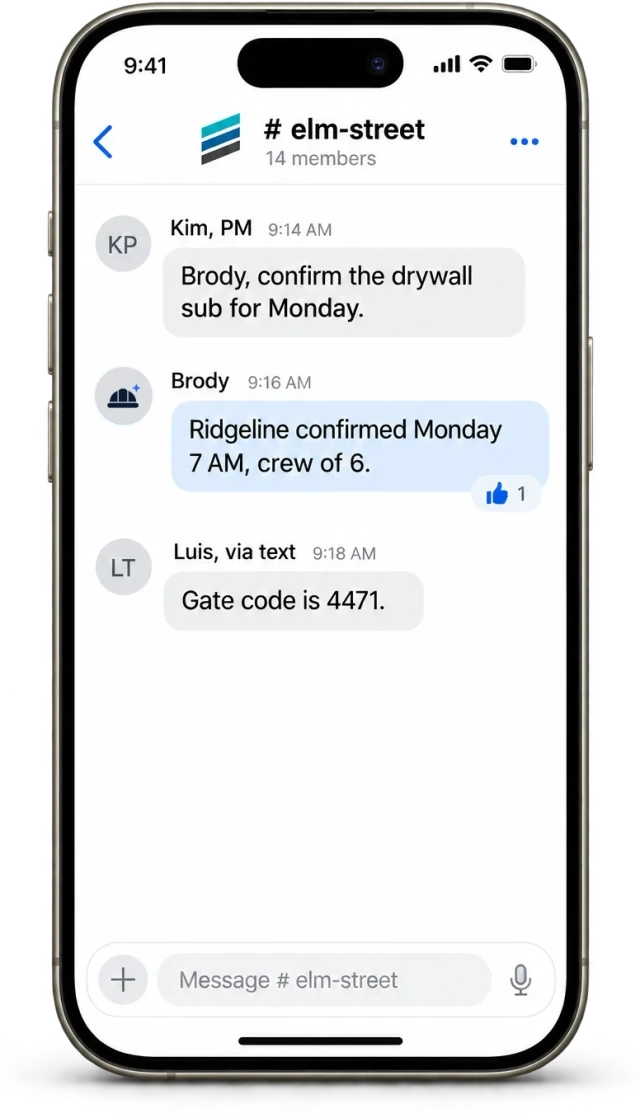
Approval from a text
A PM approves from a text, the browser workspace or the job channel.
People commit the company
Prices, awards, payments and contracts stay with your team. Your team certifies every filing.
Always an AI, and says so
Brody says he is an AI assistant and who he works for on every call and text.
Your data stays yours
Never sold and never used to train models for other companies.

Other construction AI agents. When each one fits.
Procore, Autodesk, Trimble, CMiC and HCSS sell agents inside their own software. Contracts Connected sells a back-office agent. Here is how each reaches people, what it writes and how it is priced.
Ten options compared| Agent offering | How it reaches people | What it writes, and where | Pricing model | The better choice when |
|---|---|---|---|---|
| Brody by BuildalyticOn your company number | Calls, texts and email from your company number, in each person’s language. Office staff use a browser workspace. No app for the field. | Daily logs, photos and contacts to Procore and Autodesk Forma. Change orders created in Procore for PM review. Approved payables to Vista, Sage, Foundation, QuickBooks and other ERPs. COI status to Vista. Files to SharePoint and OneDrive. | Per seat or per company. An Operator seat with Brody is $69 a month ($59 billed annually). Brody Starter is $239 per company ($199). Crews and subs are free. | The work is waiting on people: supers, subs, suppliers, brokers and customers who never log in. |
| Procore AI agentsInside Procore | On screen in Procore. The Daily Log Agent takes field photos, emails, video and voice as input. | Over 150 built-in actions that create or update Procore records, such as RFIs, change events and daily logs. Its site says agents never take action without sign-off. | Not published. Its Starter Pack is flat rate with 5 agents and up to 3 projects. Pro and Enterprise use credits. | The work starts from records already in Procore, done by people who use Procore every day. |
| Autodesk Forma AIInside Autodesk Forma | On screen in Forma. A next-generation Assistant, with Assistant Builder for customers’ own agents, is planned to begin rolling out in 2027. | AutoSpecs generates the submittal log in Forma Build. Autodesk Assistant helps teams access, validate and summarize data. | Not stated on the pages we read. | Your drawings, specs and models already live in Autodesk Forma. |
| TrimbleTrimble Connect and Document Crunch | Mobile voice on AI Punch Walk, and a conversational interface in Trimble Assist. | Punch items pinned to drawings in Trimble Connect. Change Order Automation, which drafts ERP-synced potential change orders for review, is in development. | Not stated on the pages we read. | Your team works in Trimble Connect and wants to talk through punch walks. |
| CMiC NEXUSInside the CMiC ERP | A conversational interface in NEXUS. | Agents across CMiC modules create JC transactions and change orders, maintain cost codes, run bank reconciliation and pre-fill the submittal log. | Not published. Quoted. | CMiC is your ERP and you want agents working inside it. |
| HCSSHeavyBid and HeavyJob | On screen in web HeavyBid and HeavyJob. Its Field Agent drafts a daily report from a foreman’s voice. | First-pass estimates in HeavyBid and cost code variance explained in HeavyJob. The Estimate Builder and Production Analyst agents are in beta. | The AI assistant is included in the subscription. Agents and AI Studio are planned as a paid upgrade after a February 2027 launch. | You are a heavy civil contractor on HeavyBid and HeavyJob. |
| Contracts ConnectedBack office for GCs | Its beta agent has its own email, its own phone number that reads and answers texts, and its own login. | Drafts contracts from an email request, chases vendors for missing documents and files them, including weekly certified payroll. | Not published. The agent is part of its done for you level. | You want a back-office assistant for contracts and vendor paperwork. |
Details about other companies come from each company’s public website, checked November 28, 2026.
Common questions. Answered plainly.
Something else? Ask the team
What are AI agents for construction?
An AI agent for construction takes one bounded job and does it, such as taking the daily report, following up on a submittal or collecting a lien waiver. Brody by Buildalytic runs a set of construction AI agents, each named for its job. Each agent starts on a trigger, calls or texts the person who owes the answer, writes the result to your systems and waits for a person where your rules say so.
What is a construction digital coworker?
It is a name for an AI agent that works beside your team on real tasks. Brody works on your company number with crews, subs, suppliers and customers, in each person’s language. He always says he is an AI assistant and who he works for. He never pretends to be a person.
Which agents does Brody include?
Bid coverage agent, Bid leveling agent, Prequalification agent, Quote follow-up agent, RFI agent, Submittal agent, Change order agent, Purchase order agent, Delivery agent, Daily log agent, Crew dispatch agent, Job photo agent, Field answers agent, Safety follow-up agent, AP coding agent, Pay app agent, Collections agent, Lien waiver agent, COI agent, Certified payroll agent, Certification agent, Punch list agent, Closeout agent, Receptionist agent, Homeowner update agent. Each one is described on the product page that runs it, and your team can add its own process as a custom workflow.
Do the agents act without approval?
Only where your rules allow it. Each company rule sets what an agent does alone and what needs a person first. People approve prices, awards, payments, contracts and every agent action that commits the company. A PM can approve from a text, the browser workspace or the job channel, and every action is logged on the job. Your data is never sold and never used to train models for other companies.
Which systems do the agents write to?
Procore, Autodesk Forma (formerly Autodesk Construction Cloud), Trimble Viewpoint Vista, Sage, Foundation, QuickBooks, CMiC, SharePoint, OneDrive and the other systems on the integrations page. Approved, coded payables post to Vista, Spectrum, Sage 300 CRE, Sage 100 Contractor, Sage Intacct, Foundation, QuickBooks, CMiC and Premier. Your admin authorizes each connection and sets what Brody can read and update.
How are Brody’s agents different from Procore AI agents?
Procore’s agents work inside Procore for the people who log in, and its site says they never take action without sign-off. Brody’s agents work on your company number with the supers, subs, suppliers and brokers who may never log in, then write what they said into Procore. Many teams use both. Check Procore’s current plans for what its agents include.
Can we add an agent for our own process?
Yes. Describe the process in plain language, such as who to contact, which channel to use and who approves. Brody reads the rule back and it runs once you approve it. Workflows you build from supported actions and released connectors are included, with no build fee.
What do the agents cost?
Buildalytic is priced by seat, with usage pooled across your company. A Communications seat is $25 per person per month billed annually ($30 month to month) for phones, texting and job chat. An Operator seat, which adds Brody, is $59 billed annually ($69 month to month). Companies that keep their own phone system can use Brody plans from $199 per company per month. Crews, subs, suppliers and clients are free, there is no setup fee, and Enterprise is quoted in writing. Every agent draws on the same company pool: follow-ups, drafts and answers count as AI tasks, and live calls use AI minutes.
Works with the rest of Brody
How Brody works
One teammate across every job
Custom workflows
Describe it, approve it, it runs
Proactive alerts
The first call, before work slips
Integrations
Procore, Vista, Autodesk and more
Construction workflows
63 workflows from pursuit to closeout
Best AI agents compared
Ten options, checked November 2026
Brody and Procore AI
When to use each, or both
Trust and security
Disclosure, consent and your data
Bring one stuck item.
Share a late daily report, an overdue submittal or a COI that is about to lapse. See which agent takes it, who it calls and where it writes the answer.