The short answer
The best daily report app depends on whether your supers will type into an app or would rather talk. Buildalytic's Brody takes the daily report by phone call, text or email in each person's language, asks your template questions, catches a missing manpower count or weather before the call ends, and files the daily log and photos to Procore or Autodesk Forma (formerly Autodesk Construction Cloud). App-based options include Raken, Fieldwire and busybusy, Procore Daily Log with its Daily Log Agent for teams already in Procore, Hardline for turning calls and site walks into records, and HCSS's Field Agent for heavy civil, part of the agents HCSS is beta testing.
What to take away
- Decide first how reports come in: typed in an app, spoken into an app, or called in on any phone.
- A report with no manpower count is not complete. Ask each vendor what happens when a field is skipped.
- Ask where the report lands: a PDF, the Procore daily log, Autodesk Forma or all of them.
- Raken and Fieldwire publish per-user prices. Buildalytic publishes company prices with free field participants.
Four ways daily reports get written
Buyers split this category four ways. Daily report apps give supers and foremen a form on a phone or tablet with weather, manpower, notes and photos, then produce a report. Raken, Fieldwire and busybusy sit here, and some add voice input.
Platform daily logs keep the report inside the project system. Procore Daily Log sits here, and its Daily Log Agent turns field photos, emails, video and voice into completed daily logs. HCSS's Field Agent drafts a daily report from a foreman's voice.
Voice capture tools listen to the work as it happens. Hardline turns calls, site walks, photos and meetings into daily logs, tasks and punch lists.
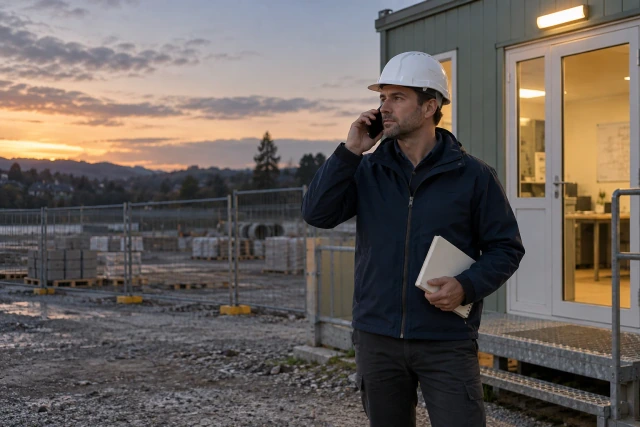
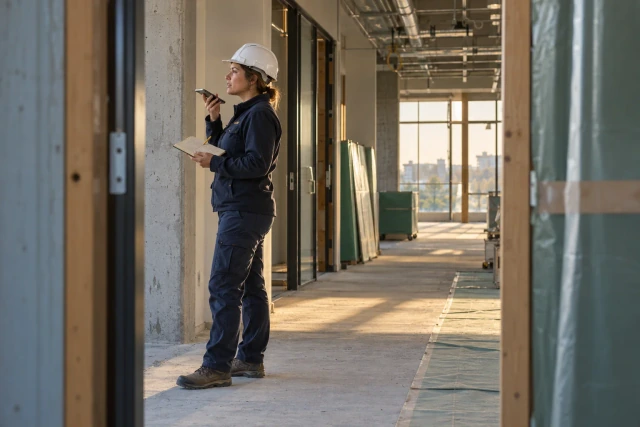
The phone layer takes the report on a call. This is where Buildalytic fits: the super calls or texts the company number at the end of the day, Brody asks your template questions and files the report. Nobody in the field needs an app or a login.
Facts and prices below were copied from each vendor's own website or help center on November 28, 2026. The order groups tools by kind and is not a ranking. Buildalytic makes one of the options.
What to compare
The daily report that matters is the one from the day something went wrong. Compare tools on whether that report arrives complete, on time and in the right place.
- Input: typed form, voice-to-text, a spoken update into an app, or a phone call from any phone.
- Completeness: does the tool ask for a skipped manpower count or inspection before the report is filed?
- Missing reports: who reminds the super when no report comes in, and how?
- Languages: can a foreman report in Spanish or another language and the PM read it in English?
- Write-back: a PDF and email only, or the daily log in Procore, Autodesk Forma or your ERP?
- Photos: attached by area and date, or left in camera rolls and group texts?
- Pricing model: per user with minimums, per company, or free field participants.
Seven options at a glance
“Not stated” means the vendor's pages we read don't say; ask them.
| App | Kind | How the report comes in | What it captures | Where it lands | Published price |
|---|---|---|---|---|---|
| Procore Daily Log | Daily log inside Procore | Mobile and web entry; the Daily Log Agent turns field photos, emails, video and voice into completed daily logs | Labor, equipment, materials, weather, job site events and more; weather logged automatically | The Procore project; your team reviews and approves each daily log the agent drafts | Not published |
| Raken | Daily report app | Mobile app with voice-to-text recording | Work logs, notes, photos and videos, time, safety, cost codes, materials and equipment | A branded PDF report; integrations listed for accounting, project management and cloud storage | Basic $23 or Performance $59 per user a month, billed annually, 3-user minimum |
| Fieldwire by Hilti | Field management app | Mobile app; talk-to-action turns spoken site updates into structured reports, and crews create and update tasks by voice | Progress, tasks, issues and photos | Fieldwire, shared as reports | Free for up to 5 users and 3 projects; reports from Pro at $39 per user a month, billed annually |
| busybusy | Time tracking with daily reports | Mobile app | Photos, notes and updates; hours, cost codes and equipment usage; daily weather added automatically; safety sign-off | busybusy reports | Plans named Free, Pro and Premium; prices not stated on the pages read |
| Hardline | Voice capture for jobsite documentation | Calls, site walks, photos and meetings, including Zoom, Google Meet and Teams | Daily logs, tasks, punch lists and meeting notes | Procore, Fieldwire and Autodesk; in Fieldwire, tasks, daily reports, punch items and schedule updates | Not published; “Get started for free” offered |
| HCSS Field Agent | Agent for heavy civil field teams | A foreman's voice: “Foremen capture a full day's work with just their voice” | A draft daily report | HCSS; agents managed in HCSS AI Studio “with a human always in charge” | Prebuilt agents in beta; launch planned for February 2027 as a paid upgrade |
| Buildalytic | Daily reports by phone | A phone call, text or email to your company number, in each person's language; no app or login | Your template: weather, manpower by company, work by area, delays with the cause, deliveries, inspections, safety, visitors, verbal approvals and photos; missing fields asked for before the call ends | Email to the PM and owner rep; the daily log and photos in Procore or Autodesk Forma; a PDF in SharePoint or OneDrive | Operator seat with Brody $69 a month ($59 billed annually); Brody Starter $239 per company ($199); crews and subs free |
Sources: Procore: Daily Log (checked November 28, 2026); Procore: AI agents (checked November 28, 2026); Raken: construction daily report app (checked November 28, 2026); Raken: pricing (checked November 28, 2026); Fieldwire: Field Intelligence (checked November 28, 2026); Fieldwire: pricing (checked November 28, 2026); busybusy: construction daily reports (checked November 28, 2026); Hardline (checked November 28, 2026); Fieldwire: Hardline integration (checked November 28, 2026); HCSS: AI (checked November 28, 2026); Buildalytic: daily reports by phone; Buildalytic: pricing and usage (checked November 28, 2026)
When a daily report app is the better choice
If your supers already fill in a form on a phone every evening and the problem is only the format, an app is enough. Raken captures work logs, notes, photos, time, safety, cost codes, materials and equipment, adds voice-to-text and produces a branded PDF, starting at $23 per user a month billed annually with a 3-user minimum.
busybusy suits contractors who want hours, cost codes and equipment usage on the same report as the photos and notes, with daily weather added automatically. Fieldwire adds talk-to-action reports and voice-driven tasks on top of plans and tasks, with a free plan for up to 5 users and 3 projects.
Sources: Raken: construction daily report app (checked November 28, 2026); Raken: pricing (checked November 28, 2026); busybusy: construction daily reports (checked November 28, 2026); Fieldwire: Field Intelligence (checked November 28, 2026); Fieldwire: pricing (checked November 28, 2026)
When the platform's own daily log fits
If every super works in Procore, its Daily Log keeps the report next to the schedule, RFIs and photos. Procore's Daily Log Agent turns field photos, emails, video and voice into completed daily logs, and Procore says you review, adjust and approve every daily log it drafts.
HCSS customers can watch the Field Agent, which drafts a daily report from a foreman's voice; HCSS is beta testing its prebuilt agents with a launch planned for February 2027. Hardline suits teams who want site walks, calls and meetings turned into records in Procore, Fieldwire or Autodesk. Its Fieldwire integration needs a Fieldwire Business or Business Plus plan with API access.
Sources: Procore: Daily Log (checked November 28, 2026); Procore: AI agents (checked November 28, 2026); HCSS: AI (checked November 28, 2026); Hardline (checked November 28, 2026); Fieldwire: Hardline integration (checked November 28, 2026)
When the phone is the right choice
Many superintendents will not type a report after a ten hour day, and many foremen are more at ease speaking Spanish than writing English. Their gap is not the form. It is getting the report at all.
With Buildalytic, the super calls or texts the company number on the drive home. Brody says he is an AI assistant, asks your template questions in your order and asks for a skipped manpower count or inspection before the call ends, so the report arrives complete. Crews text photos during the day, and Brody files each one to the right job and attaches it to that evening's report.
Brody emails the report to the PM and owner rep and files the daily log and photos to Procore or Autodesk Forma, with a PDF to SharePoint or OneDrive. If no report comes in by the time you set, he texts the super, then calls, then tells the PM. When subs report too, he compares their manpower with your super's count and flags any difference. A foreman reports in the language they prefer and the PM receives the report in the company language, with the original kept on file.
You decide whether complete reports file on their own or wait for the super or PM to approve them.
Sources: Buildalytic: daily reports by phone; Buildalytic: Procore integration
How Buildalytic works beside the others
Brody writes to the daily log you already keep. A Procore team keeps Procore Daily Log and lets supers call in instead of typing; the log, photos and notes land in the right project, and the same report can go to Autodesk Forma, SharePoint and OneDrive. Crews who like their app can keep it, and the supers who never open it can call in.
Sources: Buildalytic: daily reports by phone; Buildalytic: Procore integration
How to choose
Bring last week's daily reports to each demo, including one that came in late and one with no manpower count. Ask each vendor to show how the report comes in, what happens to a skipped field, where it lands in your project system and who reminds the super when nothing arrives. Then ask a foreman to try it in his own language.
Common questions
What is the best daily report app for construction?
It depends on how your field team will report. For a form on a phone, compare Raken, Fieldwire and busybusy. For teams in Procore, Procore Daily Log and its Daily Log Agent keep the report in the project. Hardline turns calls and site walks into records. Buildalytic's Brody takes the report by phone call, text or email in each person's language and files the daily log and photos to Procore or Autodesk Forma.
Can a superintendent do the daily report by voice or phone call?
Yes, in several ways. Raken has voice-to-text in its app, Fieldwire turns spoken site updates into reports, Procore's Daily Log Agent takes voice among its inputs, Hardline turns calls and site walks into daily logs, and HCSS's Field Agent drafts a daily report from a foreman's voice. Buildalytic takes the whole report on a phone call or text to your company number, with no app.
How much do construction daily report apps cost?
Raken lists $23 or $59 per user a month, billed annually, with a 3-user minimum. Fieldwire is free for up to 5 users and 3 projects, with reports from Pro at $39 per user a month billed annually. Buildalytic lists an Operator seat with Brody at $69 a month ($59 billed annually) or Brody Starter at $239 per company ($199), with crews and subs free. Procore, Hardline and busybusy did not show prices on the pages we read on November 28, 2026.
Can daily reports be filed to Procore automatically?
Procore Daily Log keeps them in Procore. Hardline names Procore among its integrations. Brody files the daily log, photos and notes to the right Procore project and the same report to Autodesk Forma, SharePoint and OneDrive, posting directly or waiting for approval as you choose.
Can foremen report in Spanish?
With Buildalytic, calls and texts are in each person's language, and the PM receives the report in the company language with the original kept on file. Ask other vendors to show translation on your own report; the Raken and busybusy pages we read don't describe it.
What happens when the super forgets the daily report?
Ask each vendor. Brody texts the super at the time you choose, then calls, then tells the PM. A draft built only from texted photos is labeled unsigned and not confirmed by the superintendent, and it is held from the owner until the super confirms.
Sources and editorial notes
- Procore: Daily Log (checked November 28, 2026)
- Procore: AI agents (checked November 28, 2026)
- Raken: construction daily report app (checked November 28, 2026)
- Raken: pricing (checked November 28, 2026)
- Fieldwire: Field Intelligence (checked November 28, 2026)
- Fieldwire: pricing (checked November 28, 2026)
- busybusy: construction daily reports (checked November 28, 2026)
- Hardline (checked November 28, 2026)
- Fieldwire: Hardline integration (checked November 28, 2026)
- HCSS: AI (checked November 28, 2026)
- Buildalytic: daily reports by phone
- Buildalytic: Procore integration
- Buildalytic: pricing and usage (checked November 28, 2026)
Prepared with AI assistance. Reference date: 2026-11-28. Worked scenarios use typical figures and are not customer results. Product details can change; confirm the current scope and terms before rollout.